 Skip to content


A campaign brief is approved. Creators are ready. Assets are sitting in shared folders. Then the actual work starts: making posts that look good in-feed, follow the brief, hit the right format, and go live without a dozen last-minute fixes in DMs.
That's where efficiency often takes a hit.
Knowing how to make a post on instagram isn't just about tapping the plus button and uploading a photo. For brands, agencies, and creators, posting is a workflow. You're choosing a format based on the goal, shaping the creative for the feed, writing a caption that gets discovered, and making sure the post is compliant and measurable once it goes live.
A new social manager usually learns this the hard way. The first draft has too much text on the first slide. The caption reads fine but gives nobody a reason to comment. The Reel thumbnail looks off-brand. The location tag is missing. One creator posts the right version, another uses the old CTA, and suddenly the campaign is fragmented before it has momentum.
That's why professionals treat posting as part creative, part operations. The strongest Instagram posts feel simple to the audience because someone handled the backend well. If you want a post that performs, you need both.
Introduction From Post to Performance
Much Instagram advice focuses primarily on aesthetics. It suggests using better lighting, choosing stronger photos, or following a trend. That helps, but it doesn't solve the central challenge many organizations face. A polished image can still underperform if the format is wrong, the caption is weak, or the post doesn't fit the campaign objective.
The gap gets wider when multiple people are involved. One creator may shoot a strong Reel, another may default to a static image, and a third may build a carousel with no narrative flow. If nobody sets clear publishing standards, the campaign looks uneven and the reporting becomes messy.
Practical rule: The post itself is only one deliverable. The format choice, caption structure, tags, approval flow, and timing matter just as much.
The better approach is to think like a strategist before you think like a publisher. Start with the goal. Is this post meant to reach new people, explain a product, or push someone toward an action? The answer changes how the post should be built.
That's the mindset behind this guide. It treats Instagram posting as a repeatable system, not a one-off act of publishing. If you're training a junior team member, onboarding creators, or standardizing a campaign workflow, this is the version of how to make a post on instagram that holds up in practice.
Choose Your Format for Maximum Impact
A campaign brief lands in the morning. One creator plans a trending Reel, another sends a polished product photo, and a third builds a carousel with six crowded slides. All three assets might be usable, but only one format is likely to match the goal, the audience, and the reporting plan.
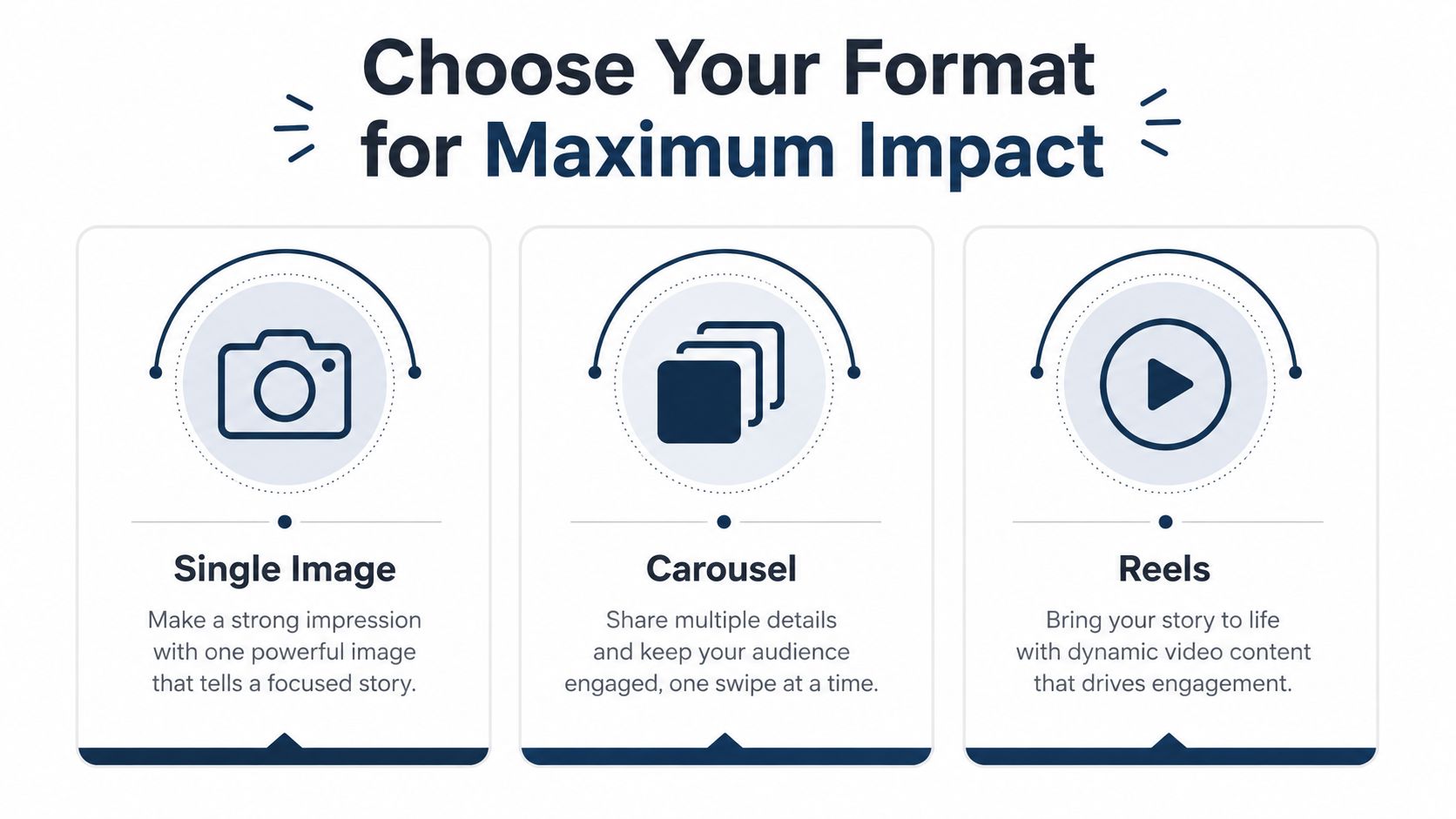
Format choice sets the job each post needs to do. It affects production time, approval complexity, creator instructions, and what kind of response you can reasonably expect once the post goes live. In team settings, that matters even more. If creators choose formats based on preference instead of objective, the campaign gets harder to manage and harder to measure.
When a single image still works
Single-image posts work best when one visual can carry the message on its own. That includes product drops, event announcements, quote graphics, branded photography, or a single clear offer.
The benefit is speed. Static posts are faster to design, easier to approve, and usually simpler for creators who are working from a tight brief. The limitation is obvious too. A single image gives you one frame to earn attention and very little room to explain, persuade, or recover from a weak opening.
Use this format when clarity matters more than depth.
When to choose a carousel
Carousels are the strongest option when the audience needs a reason to stay with the post. They give you room to teach, sequence a story, compare options, answer objections, or show a product from multiple angles.
In practice, carousels often perform well because they create a natural second action. The first job is getting the stop. The second is getting the swipe. That extra interaction can make educational content, testimonials, step-by-step breakdowns, and before-and-after creative work much harder to ignore than a single image.
The structure matters. Slide one needs a clear promise. Middle slides should earn the next swipe. The final slide should point to the next action, whether that is a comment, save, click, or creator tag.
For campaign teams, carousels also solve a common briefing problem. Instead of forcing every message into one frame, you can assign each slide a role and standardize that structure across creators. REACH helps with that operational side by keeping briefs, approvals, assets, and creator deliverables in one place, which makes multi-creator carousel campaigns much easier to review at scale.
When Reels should lead the plan
Reels fit campaigns that need movement, personality, or broader reach. Product demos, reactions, founder clips, creator-led explainers, and trend-aware content usually have a better chance in short-form video than in a static feed post.
They also demand more from the team. A good Reel needs a strong first second, clean pacing, and a clear idea of whether the goal is awareness, engagement, or conversion. Poorly planned Reels take more time to produce than static posts and can still miss if the hook is weak or the brief is vague.
That trade-off is worth it when discovery is the priority.
A simple decision framework helps keep format selection consistent across a campaign:
| Goal | Best format | Why it fits |
|---|---|---|
| Quick announcement | Single image | Fast to produce, easy to scan |
| Education or storytelling | Carousel | Gives the message room to develop |
| Reach and discovery | Reel | Better suited to motion, personality, and shareable moments |
If you're still refining the mix, this breakdown on optimizing your Instagram content strategy is a useful companion read because it clarifies when Reels and feed posts serve different jobs.
A Guide to Creating Your Instagram Post
A campaign can have a strong concept, approved assets, and a clear goal, then still underperform because the post was assembled poorly in the final five minutes. Cropping, slide order, cover selection, and caption preview all affect how the content lands once it hits the feed.

Build the post inside the app with intention
Open Instagram, tap the + icon, and choose the format that matches the asset you already planned. Use Post for a feed image or carousel. Use Reel when the message depends on movement, pacing, or audio.
Start with framing. A photo that looks balanced in your camera roll can feel crowded once Instagram applies its crop options and grid preview. Make that decision first, then adjust brightness, contrast, and filters with restraint. Teams that edit too heavily at the posting stage usually end up with a feed that looks inconsistent from one campaign to the next.
For carousels, turn on Select Multiple before uploading. Then review the sequence as a narrative, not just a stack of approved assets. Lead with the slide that makes the audience stop. Use the middle slides to answer the question raised by the first one. End with a single action.
That order matters.
If your strongest proof point sits halfway through the carousel, many viewers will never reach it. Good carousel assembly is closer to ad sequencing than graphic design. Each slide has a job, and the first one carries the most weight.
How to sequence a carousel that people finish
A practical carousel usually follows this flow:
Lead with the outcome or problem
Put the clearest promise, tension point, or visual hook on slide one.Use the middle to build understanding
Show the process, comparison, explanation, or evidence in a clean order.Close with one next step
Ask for a comment, save, profile visit, or click. Pick one.
Keep the deck tight. More slides only help when each one earns its place. In campaign reviews, I usually see completion drop because teams try to fit every talking point into one post instead of deciding what the audience needs to know now.
For visual planning, this walkthrough of EvergreenFeed's Instagram posting strategy is helpful because it shows how to assemble posts without turning the process into guesswork.
If the source material still needs work, this guide on taking better photos for Instagram before you build the post helps tighten the creative upstream, which makes publishing much easier later.
For multi-creator campaigns, the posting workflow also needs operational control. REACH helps teams keep briefs, approved assets, post versions, and feedback in one place, so the final post reflects the campaign plan instead of whatever file version reached the creator last.
Making a Reel without overcomplicating it
Reels need clarity right away. The opening second should show the product, result, face, or transformation. Slow logo reveals and long scene-setting shots waste the moment where viewers decide whether to keep watching.
Text overlays should be readable on a phone screen, and the cover image should make sense both as a thumbnail and as part of the profile grid. That trade-off matters more than many new teams expect. A Reel can perform well in distribution and still weaken the brand's profile presentation if the cover looks random beside the rest of the campaign assets.
A quick visual walkthrough helps here:
One final check improves post quality fast. Review the content in the format your audience will see. That means checking crop, cover, slide order, tagged accounts, caption preview, and CTA before publishing. Teams that do this consistently catch weak openings, awkward thumbnail choices, and sequencing problems before they become performance problems.
Write Captions and Hashtags That Get Discovered
The post is built. The creative is approved. Then the caption goes in late, the hashtags get pasted from an old note, and performance stalls.
That happens in real campaigns more than teams like to admit. Discovery often depends on the last 10 percent of the workflow. A strong caption gives the post a job to do, tells Instagram what the content is about, and gives the viewer a reason to respond instead of scroll past.

A caption structure that works in practice
Good captions usually do three things in order. They earn attention, add context, and point to one next action.
Use this structure:
Lead with a reason to care
Put the strongest idea in the first line. A result, a sharp opinion, a customer problem, or a specific promise usually works better than a generic intro.Add the missing context
The image or Reel already carries some of the message. The caption should supply what the visual cannot. Explain the use case, the benefit, the lesson, or the decision behind the post.Close with one clear prompt
Ask for a comment, a save, a click, or a DM. Pick one based on the campaign goal.
The trade-off is simple. Short captions are easier to scan, but they can leave too much unsaid. Longer captions can build intent and qualify the audience, but only if every line earns its place. If a sentence only repeats what the viewer can already see, cut it.
For campaign work, consistency matters as much as creativity. Teams running multiple creators should define caption rules before assets go live, including brand terms, offer language, required disclosures, and approved CTAs. REACH helps keep those rules attached to the brief and the post version, so creators are not writing from memory or pulling copy from outdated Slack threads.
How to use hashtags without making the post look cluttered
Hashtags still help discovery, but only when they match the content and the audience. Campaign Monitor's Instagram metrics guide notes that posts with hashtags tend to see stronger engagement, and it recommends a focused mix of targeted tags rather than a long, unfocused block.
That is the right way to approach them. Broad hashtags can widen exposure, but competition is high. Niche hashtags narrow reach, yet they often bring more qualified viewers. Branded hashtags are useful for organizing campaign content across creators, especially when a team needs to track participation and pull reporting later.
A practical setup looks like this:
| Hashtag type | Example use | Why it helps |
|---|---|---|
| Broad | Industry or category terms | Expands visibility |
| Niche | Specific audience or use case | Improves relevance |
| Branded | Campaign or brand phrase | Organizes content across creators |
Keep the set tight. A cluttered hashtag block can make the post look generic, and generic usually performs like generic.
Tags and discovery details people skip
Tags need intent. Tag collaborators, featured products, or campaign partners only when they are directly connected to the post. Location tags work best when geography matters, such as store traffic, local events, hospitality, or city-based creator campaigns.
Campaign teams should also standardize hashtag sets and tagging rules across creators. That keeps reporting cleaner and reduces the common problem of five creators using five slightly different campaign labels. If your team is trying to improve comment quality, saves, and profile actions, this guide to how to increase engagement on Instagram is a useful companion.
The caption is where creative execution turns into distribution strategy. Write it with the same care as the asset itself.
Use Advanced Posting Strategies for Professionals
A post can look polished, go live on time, and still underperform because the backend was handled loosely. In campaign work, the post is only one part of the job. Distribution settings, approvals, disclosures, and scheduling often decide whether content drives results or creates cleanup.
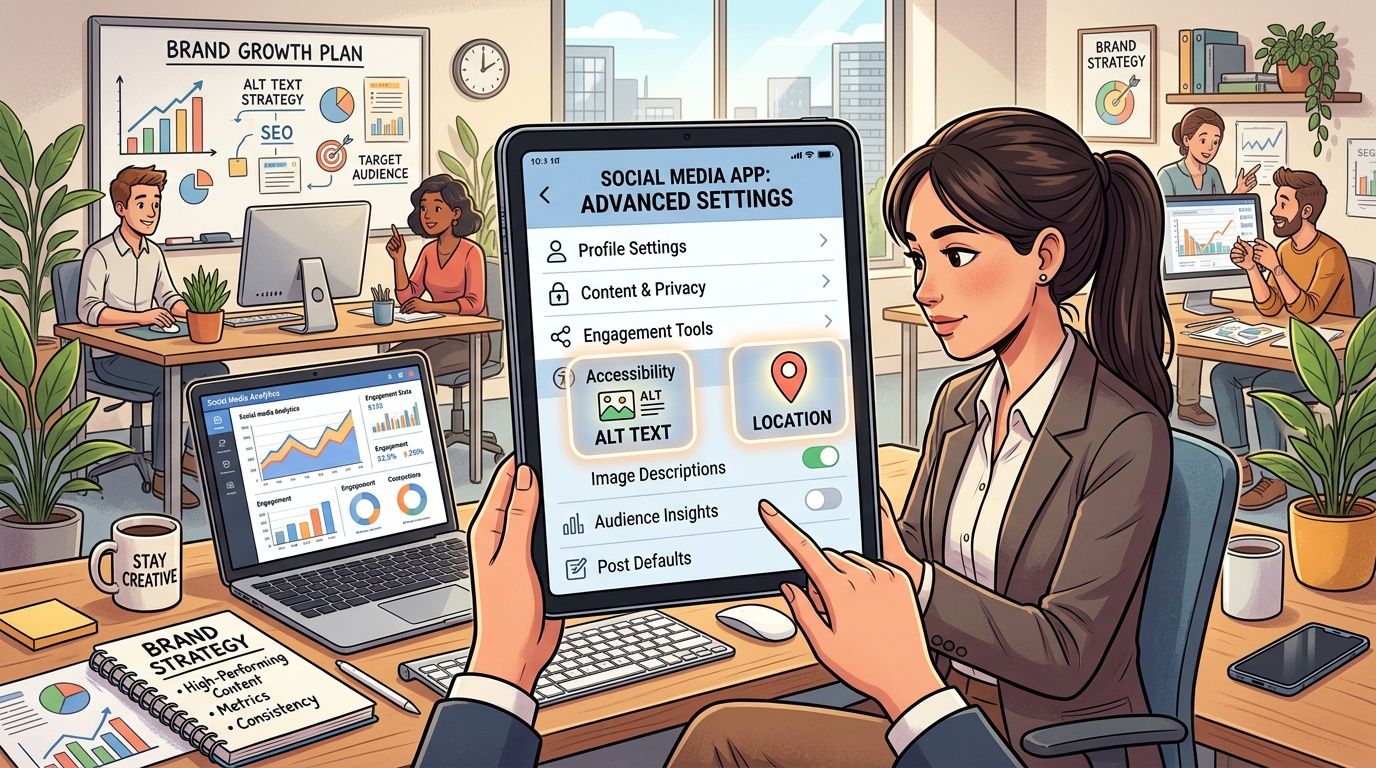
Small settings that affect campaign outcomes
Instagram's advanced options are easy to skip when a team is rushing to publish. That shortcut usually shows up later in weaker discovery, messy reporting, or compliance problems.
Set the post up for the job it needs to do:
- Location tags for local launches, store traffic, events, and city-based creator campaigns
- Collaborator or partner tags when ownership or distribution should be shared across accounts
- Interactive elements when the goal is replies, taps, or audience feedback
- AI disclosure labels when generated visuals or edits need transparent labeling
These are not cosmetic choices. They shape how the post is classified, how clearly the audience understands it, and how easy it is for your team to review performance afterward.
For professional teams, accessibility belongs in the same checklist. If text overlays are too small, contrast is weak, or the message only makes sense with sound on, the post loses reach and usefulness before the audience even decides whether to engage.
Scheduling is a control system, not a convenience feature
Manual posting works for a solo creator with a simple calendar. It breaks down fast in a campaign with multiple creators, approval steps, product tags, legal review, and time-sensitive launch windows.
The trade-off is straightforward. Real-time posting gives flexibility, but it also increases missed deadlines and version mistakes. Scheduled posting reduces that risk, gives stakeholders time to catch problems, and keeps the campaign wave coordinated across accounts.
That matters even more when several creators are involved. If one post goes up with the approved CTA, another uses an outdated caption, and a third misses the launch window, performance data gets harder to trust. You are no longer measuring the creative alone. You are measuring process failure.
Teams that need tighter execution should build that process into the workflow, not rely on reminders. This guide on posting to Instagram automatically is a practical reference if your team is trying to reduce manual publishing work.
For short-form strategy, the 2026 Instagram Reels growth manual is also worth reviewing alongside your publishing plan.
What a professional publishing workflow looks like
A serious Instagram workflow covers more than asset delivery. Before anything goes live, confirm:
Accessibility
Text is readable, visuals communicate clearly, and key context is not buried in tiny on-screen copy.Compliance
Partnership disclosures, usage rights, AI labels, and required tags are checked before approval.Version control
The final asset, caption, links, and campaign language match the approved brief.Timing
Posts are scheduled for audience behavior and campaign coordination, not just when someone on the team is available.Post-launch tracking
Review saves, shares, comments, profile actions, and creator-by-creator consistency. Likes alone do not tell you whether the campaign worked.
Campaign infrastructure starts to prove its worth. REACH helps teams keep creator deliverables, approvals, publishing status, and reporting in one place, which is a major advantage when multiple people are creating content under one campaign brief. Instead of chasing files across email threads and DMs, the team can manage the post as part of a system.
Professional posting is repeatable, reviewable, and tied to campaign goals. That is what separates content that merely goes live from content a brand can scale with confidence.
Conclusion Your Blueprint for Better Instagram Posts
The best answer to how to make a post on instagram is bigger than a technical tutorial. You're not just uploading media. You're making a series of decisions about format, sequencing, captioning, discovery, compliance, and timing.
That's why high-performing posts rarely happen by accident. A Reel should earn attention quickly. A carousel should guide the swipe. A caption should add value instead of repeating the image. The final publishing steps should support the goal, not get treated like afterthoughts.
For a solo creator, that process is manageable. For a brand or agency working with multiple creators, it gets complicated fast. Standards slip, approvals scatter, and campaign reporting turns into cleanup work.
The teams that scale Instagram well build a workflow around the post, not just the post itself.
If you're ready to run Instagram campaigns without chasing assets across spreadsheets, email threads, and DMs, REACH gives your team a cleaner system. Use it to organize creator deliverables, keep approvals in one place, track campaign content across platforms, and move from brief to payment with less manual work.
