 Skip to content

Meta description: Learn how to post to Instagram automatically with native tools, schedulers, and campaign workflows built for brands managing multiple creators.
If you're still posting to Instagram manually, the friction probably feels familiar. A content file lives in one folder, captions sit in a spreadsheet, approvals happen in Slack, and someone still has to remember to publish at the right time. That setup works for a while. Then the team adds more campaigns, more creators, and more channels, and the process starts breaking under its own weight.
That’s usually the point where brands start looking for a better way to post to Instagram automatically. Not because automation is trendy, but because manual posting steals time from the work that moves campaigns forward: stronger briefs, faster approvals, cleaner reporting, and better creative decisions.
A common mistake is thinking Instagram automation is only about scheduling one post. For a growing brand, the hard part isn’t clicking “publish.” It’s managing account setup, creator approvals, platform limits, and post-live follow-up without turning your operation into a patchwork of reminders and last-minute fixes.
The End of Manual Instagram Posting
A marketing manager at a growing brand usually starts with good intentions. They build a calendar, collect assets, write captions, and set phone reminders. Then the campaign grows. One creator submits late, another sends the wrong file version, and the person responsible for publishing is still online at night moving content from cloud storage into Instagram by hand.
That’s when manual posting stops being a routine task and starts becoming an operating problem.
Brands that scale cleanly don’t rely on memory. They rely on process. A structured workflow, paired with a clear content calendar for social campaigns, removes the constant question of what’s due, who approved it, and when it goes live.
Why manual posting breaks first in influencer campaigns
Owned social content is already enough to coordinate. Influencer content adds another layer. Now you’re managing creator deadlines, usage rights, caption reviews, disclosure checks, and account-specific posting requirements.
A single missed handoff can delay the whole campaign.
Practical rule: If publishing depends on one person being available at one exact moment, the workflow isn’t scalable.
The operational cost shows up in small failures. Wrong caption version. Missing tag. A Story that should have gone live in the morning but gets pushed into the afternoon because someone was in meetings. None of those issues are dramatic on their own. Together, they create inconsistency that audiences notice and teams feel.
What automation actually gives you
Automation isn’t a replacement for judgment. It’s a way to remove repetitive execution from the critical path.
That means teams can spend more time on work like:
- Creative direction: Refining the brief instead of chasing upload deadlines.
- Campaign management: Coordinating creators instead of sending posting reminders all day.
- Performance review: Looking at what content format worked instead of just confirming that something got published.
- Community response: Handling audience momentum after launch, not just getting the post live.
The shift is practical. Teams that automate publishing well usually become better at everything around publishing too.
Choosing Your Instagram Automation Method
Not every brand needs the same setup. A founder-led brand posting a few times a week has different needs than an agency coordinating multiple creators across client accounts. The right way to post to Instagram automatically depends on your account structure, publishing volume, and how much workflow control you need around approvals.

The three main paths
Some teams should stay simple. Others outgrow simple tools faster than they expect.
| Method | Cost | Best For | Key Limitation |
|---|---|---|---|
| Meta native tools | Free | Small teams, single-brand use, basic scheduling | Limited workflow control and lighter planning features |
| Third-party schedulers | Paid | Growing brands managing multiple channels and content types | Some features still fall back to reminder-based posting |
| Custom or API-based solutions | Varies | Large teams with specialized workflows | Higher setup complexity and more technical oversight |
When native tools are enough
Meta’s built-in options make sense if you need a straightforward way to queue content and keep costs down. They’re especially useful when one team controls one brand account and approvals happen before content enters the scheduler.
That setup starts feeling cramped when you need visual planning, stronger analytics views, or a cleaner process for multiple contributors.
When third-party schedulers earn their keep
Tools like Buffer and Later sit in the middle. They usually give brands better calendars, stronger content organization, and more flexibility across platforms. For most growing teams, this is the category that makes the biggest difference fastest.
The best scheduler isn’t the one with the longest feature list. It’s the one your team will actually use consistently.
A practical test helps here. If your team is already juggling Instagram, TikTok, YouTube Shorts, creator deadlines, and brand review rounds, a scheduler often pays for itself in fewer missed steps alone.
When custom automation makes sense
Custom or API-driven setups are for teams with unusual requirements. That could mean high-volume content operations, internal systems that need to trigger publishing, or workflows that have to connect campaign management, asset storage, and approvals in a very specific way.
These setups offer more control, but they also demand more discipline. If your internal process is messy, custom automation won’t fix it. It will just automate the mess.
How to Post to Instagram Automatically with Native Tools
A growing brand feels the limits of manual posting fast. One creator sends a Reel late, another needs a caption change after legal review, and someone on the team is still waiting for the mobile reminder to publish. Native Instagram automation works best when the account setup is clean and the publishing responsibility is centralized.
The setup that matters most
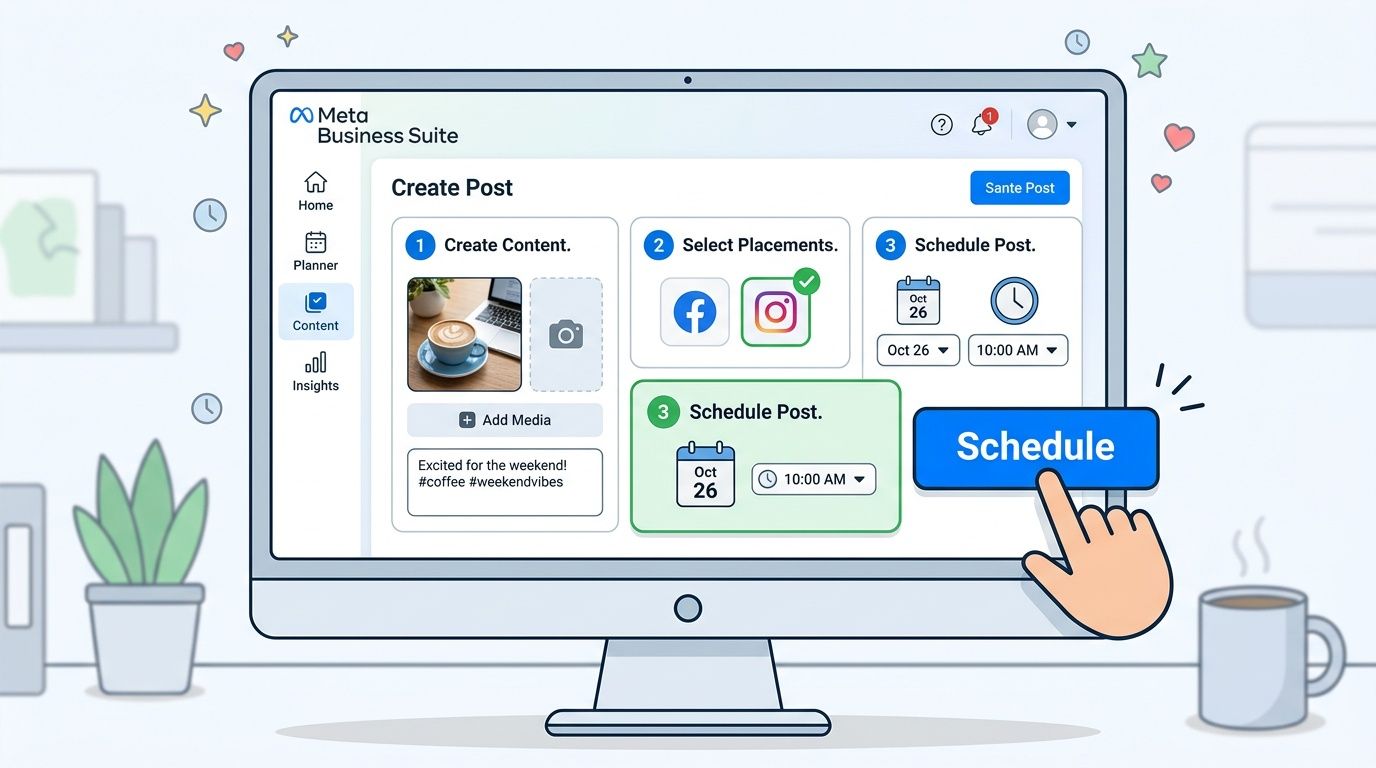
Meta Business Suite is the simplest legitimate option for automatic publishing, but only if the Instagram account is connected properly. As noted by Axiom, direct auto-publishing depends on linking a Business account with the related Facebook Page through Meta’s system, rather than relying on reminder-based posting flows (Axiom overview of Instagram automation).
That setup step matters more than the scheduler itself.
If your team manages brand content across several creators, one broken account connection can turn a planned calendar into a chain of manual fixes. Before scheduling anything, confirm the operating basics:
- Convert the Instagram account to Business or Creator.
- Link it to the correct Facebook Page.
- Confirm the connection inside Meta Business Suite.
- Check access permissions so team members can schedule without sharing personal logins.
- Use a clear setup reference if ownership or permissions look wrong, including this guide on linking Instagram to Facebook.
Basic publishing flow inside Meta Business Suite
Once the account is connected correctly, the workflow is straightforward.
- Create the post: Upload the asset, write the caption, and confirm tags or mentions.
- Choose the destination: Select Instagram carefully, especially if the same workspace also manages Facebook content.
- Set the publish time: Schedule the post for the right campaign window.
- Run a final review: Check creative, caption version, and account selection before approval.
For teams that prefer to see the interface in action, this walkthrough helps:
Where native tools start to strain
Meta’s native tools handle scheduled publishing well enough for a single brand team with simple approvals. They get harder to manage when content comes from multiple creators, especially if each post needs rights checks, brand review, disclosure review, and final approval before it goes live.
That is the fundamental trade-off. Native scheduling solves the act of publishing. It does not solve the operating system around publishing.
Teams that need to manage Instagram video scheduling across different post types will also run into format-specific limits faster. Reels, edits, creator handoffs, and campaign deadlines tend to expose process gaps that a basic native scheduler does not organize well.
For a lean team with one account owner, Meta Business Suite is a sensible starting point. For a campaign team coordinating several influencers at once, it usually needs tighter workflow support around approvals, assets, and accountability.
Using Third-Party Schedulers for Advanced Automation
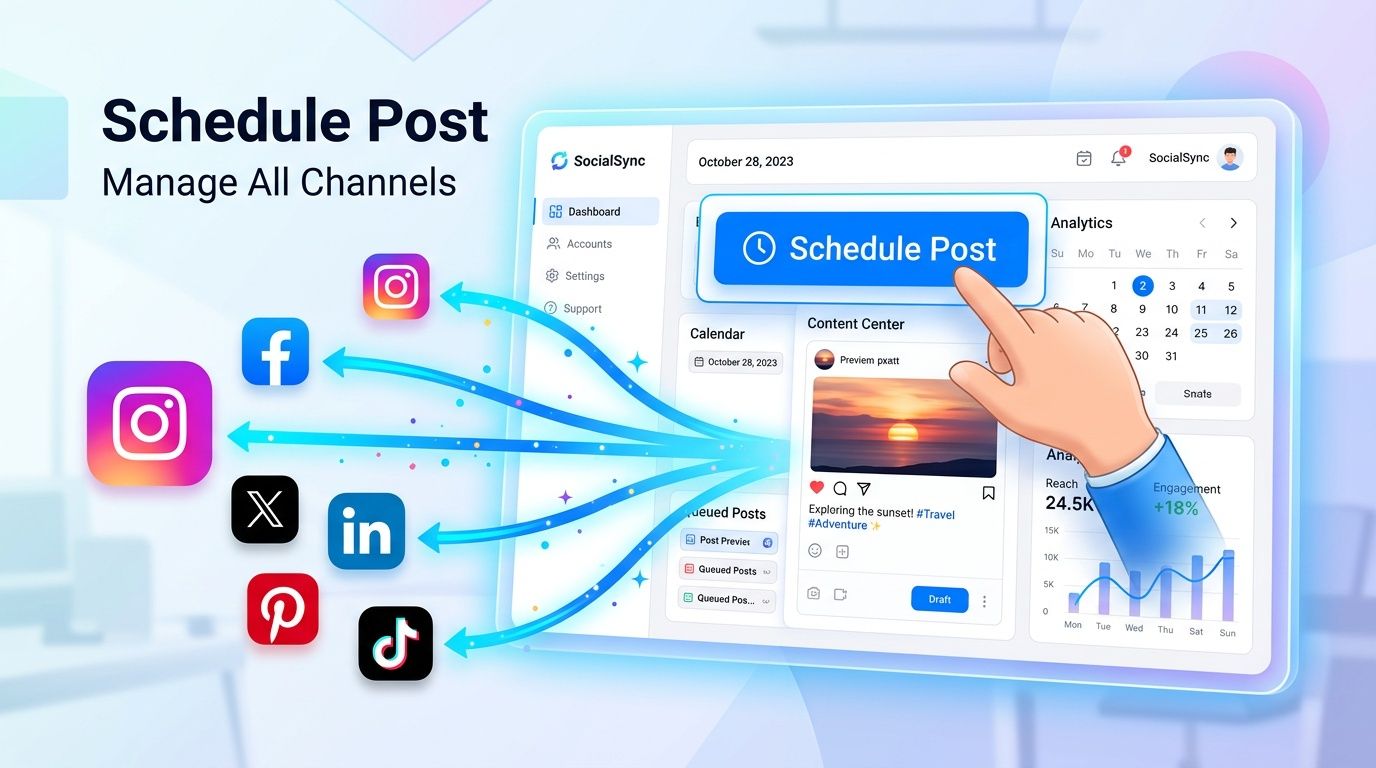
Once native scheduling starts feeling tight, third-party platforms become the logical next step. They’re built for teams that need more planning control, more channel coverage, and a cleaner publishing workflow than Meta’s tools offer on their own.
Direct publishing versus reminder-based posting
This is the distinction that matters most when evaluating a scheduler. Some posts can publish automatically. Others still trigger a mobile notification and require a person to finish the final steps inside Instagram.
That’s not necessarily a dealbreaker. It just changes how dependable your workflow really is.
A good scheduler should make that distinction obvious before you queue content. If a tool turns half your calendar into reminders without making it obvious, the team will still be doing manual work. It will just happen later and with more confusion.
For brands trying to better manage Instagram video scheduling, this matters even more because video posts often have more edge cases than standard image posts.
Features that justify paying for a scheduler
Paid tools don’t win because they can publish. They win because they reduce coordination cost.
Look for features like:
- Visual planning: A calendar or grid preview helps the team catch repetition, spacing issues, and campaign overlap.
- Content organization: Draft status, labels, and asset storage keep creative from getting buried in folders and chat threads.
- First-comment and caption handling: Useful when you want cleaner captions or campaign-specific hashtag organization.
- Cross-platform workflows: Posting to Instagram, TikTok, and other channels from one workspace cuts context switching.
- Performance views: Better reporting helps you learn from published content instead of just logging activity.
If your team has reached the point where spreadsheets are acting like project management software, a dedicated platform usually becomes worth it. A focused social media scheduling platform can also make handoffs cleaner between strategy, creative, and publishing.
Choose a scheduler based on workflow clarity, not feature theater. Fancy dashboards don’t help if approvals still happen in five different places.
What these tools still won’t solve
A scheduler won’t fix weak source material, vague briefs, or missing approvals. It won’t settle disputes over who owns the final caption. It won’t tell a creator whether disclosure language meets campaign requirements.
That’s where scheduling ends and campaign operations begin.
Building an Automated Influencer Content Workflow
Scheduling a post is only one step in an influencer campaign. The bigger challenge is controlling everything that happens before and after that publish time. That’s where many encounter difficulty. They automate the final click, but leave the rest of the campaign in email threads, spreadsheets, and direct messages.
A durable workflow has to cover content submission, internal review, creator approval, scheduled publishing, and post-live follow-up.

What a professional workflow looks like
The most reliable setups follow a simple sequence:
Brief and agreement
The creator gets a clear scope, deliverables, timing, and posting requirements. Ambiguity at this stage creates downstream chaos.Content submission
Draft assets come into one system, not scattered across inboxes and chat apps.Review and revision
Brand, legal, or client stakeholders check messaging, product claims, and disclosure language.Approval lock
Only approved assets move into the publishing queue. No “latest version” confusion.Automated scheduling
Once approved, content is placed on the calendar with the right account, date, and format.Tracking and follow-up
The team monitors what went live, what failed, and what audience interactions need attention.
For draft prep, moodboards, or visual variations before a creator submits final assets, lightweight creative tools can help speed up concepting. Something like next-gen visual AI for all can be useful for early-stage visual ideation, especially when teams need reference directions before production starts.
The compliance gap most automation guides ignore
Generic scheduling advice falls short. Current guides on Instagram automation often miss the critical compliance and communication issues, such as who approves content, how creators maintain control, and how to create audit trails for FTC compliance in professional campaigns, as discussed in this analysis of automation workflow gaps.
That gap matters. If a brand automates posting but can’t show who approved the content, what disclosure was required, or whether the creator consented to the final version, the system is incomplete.
Operational reality: Automation without approvals creates speed. It also creates avoidable risk.
A clean audit trail should answer basic questions fast:
- Who approved the final asset
- Which caption version was cleared
- Whether required disclosures were included
- What should happen if the post needs to be paused or removed
- How the creator was notified
Automation doesn’t stop at publishing
Teams often treat the post as the finish line. It’s not. In many campaigns, the first wave of audience response is where value starts compounding.
Automated Instagram direct messages can play a useful role here. According to Evergreen Feed’s automation research, instant automated DM replies generate 25-55% higher conversion rates than manual responses that arrive hours later. The same source reports that when brands use automated DMs to capture email addresses, opt-in rates reach 20-60%, compared with 2-8% for traditional website landing pages.
That doesn’t mean every campaign needs DM automation. It means the strongest workflow doesn’t end at “published.” It continues into response handling, lead capture, and creator communication after the post is live.
Automation Best Practices and Common Pitfalls
A reliable Instagram automation system should disappear into the background. Content publishes on schedule, the right account is connected, and the team can confirm what went live without digging through DMs, email threads, or creator text messages.
Problems show up when brands automate posting before they standardize the operating process. That gap gets expensive fast when several creators are involved, because one small mistake can affect approvals, disclosures, campaign timing, and reporting at the same time.
The failure points are usually familiar:
- Account mismatch: A creator or coordinator schedules from a personal profile, the wrong business account, or an incorrectly linked Facebook Page.
- Approval drift: The caption, asset, or disclosure changes after sign-off, but the scheduled version never gets updated.
- Format blind spots: A team queues content without confirming whether that post type supports direct publishing in the tool they chose.
- No exception handling: Failed posts, rejected connections, or missing tags sit unnoticed until the campaign is already late.
- Set-and-forget reporting: The schedule runs, but nobody reviews which formats, creators, or time slots are producing results.
Performance review is where automation starts paying off. According to Statista’s analysis of Instagram posting frequency and content effectiveness by follower count, results vary by posting cadence and content format, which is why brands should review Reels, carousels, and static posts separately instead of treating Instagram output as one bucket.
That matters even more in influencer campaigns. A brand managing ten creators is not trying to automate one post. It is trying to maintain publishing consistency across different people, timelines, content styles, and compliance requirements. The best workflow reflects that reality. It includes a final pre-publish check, a clear owner for exception handling, and a post-publish review process that compares creator performance without losing context.
Use automation to remove repetitive work, not to remove judgment.
Review publish logs. Confirm the live post matches the approved asset and caption. Check failed posts the same day. Track performance by creator, format, and posting window. If a workflow cannot handle those basics at scale, it is a scheduling tool, not an operating system for Instagram campaigns.