 Skip to content


Trying to post on TikTok at the exact right moment can feel like a mad dash to your phone. The good news is, you don't have to live that way. For brands and creators aiming for consistent growth, the real key to a high-impact content strategy is knowing how to schedule a TikTok post ahead of time. This guide will walk you through the entire process, from using TikTok’s built-in tool to leveraging advanced platforms that can transform your entire marketing workflow.
Positioning your brand for success on TikTok requires more than just great content; it demands a strategic approach to publishing. This is where a powerful influencer marketing platform like REACH becomes invaluable early in your process. REACH moves beyond simple scheduling, offering a comprehensive suite for managing influencer campaigns, streamlining approvals, and tracking performance—ensuring every post makes an impact.
Why Scheduling Your TikTok Posts Is a Game Changer
Scheduling your TikToks is about so much more than just saving time. It's about shifting your entire approach from being reactive to being strategic. When you stop posting on the fly, you can start building a content calendar that actually lines up with your audience's habits and your brand's biggest goals.
This is especially true for brands and agencies juggling multiple campaigns. Coordinating with influencers, getting client sign-offs, and hitting peak posting times can be pure chaos. A solid scheduling workflow turns that mess into a well-oiled machine, ensuring every video goes live exactly when it should—without any of the last-minute panic.
From Simple Tools to Strategic Hubs
When it comes to scheduling tools, you have options that range from basic to comprehensive. TikTok's own native scheduler is a great starting point. It’s built right in, it’s free, and it’s perfect for individual creators who just need to queue up a handful of videos from their desktop.
But for serious marketers, those limitations show up fast. That’s where a dedicated influencer marketing platform like REACH becomes a necessity. A tool like this isn't just a scheduler; it’s the command center for your entire TikTok strategy. It’s less about just picking a time and date and more about managing the entire campaign from start to finish. For a wider view on managing content everywhere, this general guide on how to schedule social media posts offers some great foundational knowledge.
For agencies and brands, the real value isn't just in scheduling the post. It's about managing the whole content lifecycle—from influencer collaboration and approvals to payments and performance tracking—all from one dashboard.
Thinking about which path is right for you? Here’s a quick breakdown of how the two approaches stack up.
TikTok Scheduling Methods at a Glance
| Feature | TikTok Native Scheduler (Desktop) | Influencer Platform (e.g., REACH) |
|---|---|---|
| Cost | Free | Paid (Subscription-based) |
| Basic Scheduling | Yes (Up to 10 days in advance) | Yes (Advanced, long-term calendar) |
| Approval Workflows | No | Yes (Built-in for clients & influencers) |
| Multi-Account Mgmt | No | Yes |
| Team Collaboration | Limited | Yes (Centralized dashboard) |
| Performance Analytics | Basic in-app metrics | Deep, real-time analytics & reporting |
| Influencer Mgmt | No | Yes (Discovery, payment, communication) |
As you can see, the choice really comes down to your operational needs.
With a platform like REACH, you get features that the native tools just don't have:
- Centralized Campaign Management: You can see all of your influencer partnerships, content drafts, and schedules in one place instead of scattered across spreadsheets and emails.
- Streamlined Approval Workflows: Kill the endless email chains. Clients and influencers can review and approve content right inside the platform.
- Deep Performance Analytics: Go beyond basic view counts and track what’s actually working so you can make smarter decisions for your next campaign.
Ultimately, how you decide to schedule your TikToks depends on your goals. If you're a solo creator, the built-in tool might be all you need. But if you’re a brand or agency focused on efficiency, collaboration, and real results, a robust platform is the only way to scale your efforts and drive meaningful growth.
How to Schedule a TikTok Post with the Native Video Scheduler
You don't always need a fancy third-party tool to schedule your TikToks. TikTok actually has its own built-in scheduler, and it's a great starting point for creators and small businesses who are just getting into content planning. It’s free and simple, but it does have some quirks you need to be aware of.
The most important thing to know right off the bat is that you can only schedule posts from a desktop computer. TikTok’s scheduler isn’t available on the mobile app, so you’ll have to log into your account through a web browser. This setup works perfectly if you've already batch-created a bunch of videos and are ready to upload them all in one go.
Getting Started with Desktop Scheduling
First things first, log into your TikTok account on your computer and hit the Upload button, which you'll find in the top-right corner. This will take you to the video uploader page. If you've ever uploaded from your desktop before, this will look very familiar.
Go ahead and select the video file you want to post. Just make sure it’s a supported format like MP4 or MOV.
After your video uploads, you'll see all the usual options for putting your post together. This is where a little prep work really pays off. You can write your caption, pop in your hashtags and mentions, and choose a cover image for the video.
Pro-Tip: I always write my captions and research hashtags before I even think about uploading. I keep everything in a separate document so I can just copy and paste. It makes the whole scheduling process way faster and helps me avoid last-minute typos.
Once you’ve filled out all your post details, look for the Schedule video toggle. Flip that switch, and a calendar and time selector will pop up. From there, you just pick the exact date and time you want your video to go live.
The 10-Day Scheduling Window
Here’s the biggest hurdle with TikTok’s native tool: you can only schedule posts up to 10 days in advance. For a small business owner planning content for the next week, this is usually fine. But for social media managers or agencies trying to map out a full month of content, that short window can be a real pain.
This limitation means you're stuck in a more frequent planning cycle, which can throw a wrench in a more efficient "plan once a month" workflow. It's a huge reason why many growing accounts eventually start looking for more powerful scheduling tools.
This infographic really highlights the workflow differences between scheduling natively and using a more advanced platform.
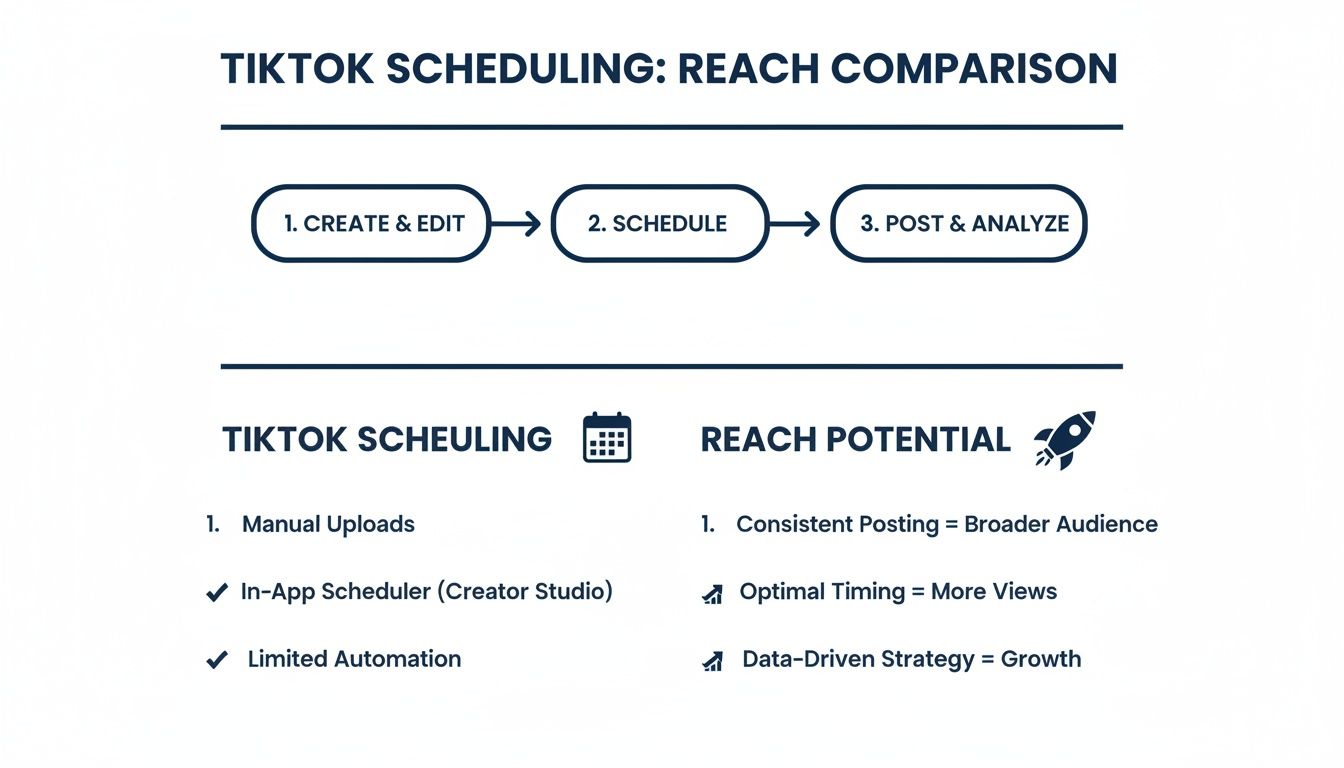
As you can see, a third-party platform often provides a much broader, long-term view compared to the basic, short-term function of TikTok's own scheduler.
Making the Native Scheduler Work for You
Even with its limitations, you can definitely make the native tool work for you. You just have to be a little strategic. Remember, when you post can be just as important as what you post.
We've seen that pairing the Video Scheduler with a smart posting frequency can really maximize your reach. For example, new accounts often find success posting 7-14 times per week during peak hours like 7-9 AM and 7-10 PM to build that initial following. If you want to dive deeper, you can learn more about how posting frequency impacts growth on TikTok to fine-tune your schedule.
Here are a few quick tips to get the most out of the native scheduler:
- Create a Weekly Routine: Block off time once a week to upload and schedule all your videos for the next 7-10 days. Consistency is key!
- Think About Time Zones: TikTok's algorithm serves content based on a user's location. Make sure you're scheduling posts for when your target audience is actually awake and scrolling.
- Check It Twice: Once a video is scheduled, you can't edit it. You have to delete it and start over. Always give your caption, hashtags, and scheduled time a final once-over before you hit that "Schedule" button.
Ultimately, the native scheduler is a fantastic, no-cost way to get into the habit of planning your content ahead of time. It’s the perfect training ground for anyone just starting to build their presence on TikTok.
Why Smart Marketers Use Third-Party Scheduling Platforms
Let's be honest: TikTok's built-in scheduler is a decent starting point. But if you're serious about growing a brand or managing clients, you'll hit its limits fast. That 10-day scheduling window and the complete lack of team features just don't cut it for a professional workflow. This is exactly when smart marketers and agencies turn to dedicated third-party platforms. It’s less of an upgrade and more of a total strategic shift.
Switching to a more robust tool completely changes the game. You're not just queuing up posts anymore; you're stepping into a command center designed for efficiency and growth. We've seen countless brands and agencies transform their entire process with platforms built to handle real-world complexity, like managing multiple accounts or large-scale creator campaigns.
Moving Beyond Basic Scheduling
The true advantage of a third-party scheduler isn't just about posting weeks in advance. It’s about creating a single source of truth for your entire TikTok operation. Think about the usual chaos: endless email chains, misplaced video files in a messy shared drive, and confusing approval threads. It’s a nightmare.
Now, imagine an agency juggling five different e-commerce clients. Instead of drowning in spreadsheets and emails, a dedicated platform lets them:
- Plan and schedule content for all five accounts from a single, unified calendar.
- Oversee every aspect of their influencer collaborations, from outreach to payment.
- Instantly generate live, white-labeled reports to show clients exactly how their campaigns are performing.
You simply can't achieve this level of control with TikTok's native tool. It's the difference between trying to herd cats and conducting a symphony. For marketers who need more muscle than the native scheduler provides, looking into the top social media automation tools is a great next step.
Streamlining Content Approvals and Collaboration
One of the biggest headaches in marketing, especially with influencers, is the content approval process. When you're coordinating with several creators for one campaign, getting feedback from your team and the client can bring everything to a grinding halt. The typical process—downloading a draft, emailing it around, waiting for notes, and then relaying them back to the creator—is slow and prone to error.
A dedicated platform like REACH cuts through this chaos. Influencers can upload drafts directly into a shared campaign space. From there, clients and internal team members can drop time-stamped comments and give their approval in one place, in real time.
This refined workflow is a lifesaver. It dramatically cuts down on revision time and ensures every video is on-brand and fully approved before it ever gets scheduled. This frees your team from playing project manager so they can focus on what really matters: strategy and creativity. For agencies looking to scale, having powerful social media management tools isn't just a nice-to-have; it's essential.
Unlocking Deeper Analytics and ROI
While TikTok's own analytics give you a basic performance snapshot, third-party platforms deliver the deep, granular data you need to actually prove your return on investment. You can monitor metrics as they happen, compare how different campaigns stack up against each other, and finally understand which creators and content formats are truly driving results.
This kind of data is what allows you to make smarter, faster decisions. You can pinpoint which videos are hitting the mark with your audience and immediately double down on that success. For example, a user on the REACH platform might discover that videos with a specific call-to-action generate 25% more clicks than their other content. That's a powerful, data-backed insight they can immediately apply to future videos and share with their entire network of creators.
The ability to generate polished, comprehensive reports is another huge win. With just a few clicks, you can produce professional-looking reports that clearly show clients or your boss the value you're delivering. It shifts the conversation from "How many views did we get?" to "How much revenue did this campaign generate?"
Finding Your Sweet Spot: How to Schedule a TikTok Post for Peak Performance
Okay, so you know how to schedule a post on TikTok. That's the technical part. The real game-changer is knowing exactly when your scheduled posts should go live. Dropping a video when your audience is most active can be the difference between a few hundred views and going viral overnight.
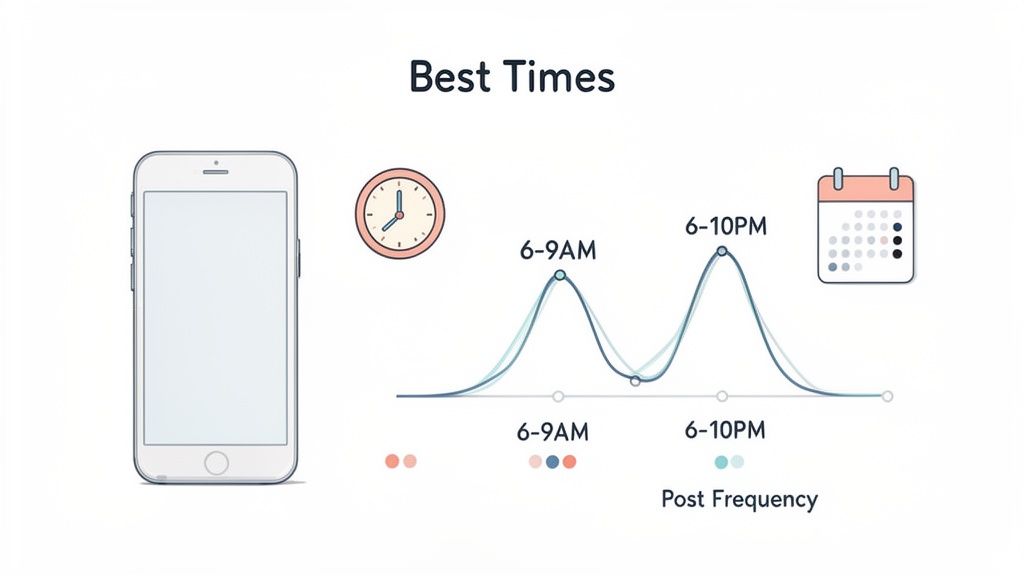
Think about it. Most of us are scrolling first thing in the morning or while we're winding down at night. That’s why, generally speaking, the best times to post fall between 6 AM–9 AM and 6 PM–10 PM in your audience’s local time zone.
But those are just industry averages. Your audience is unique, and your true golden hours are hiding in your own analytics.
Let Your Analytics Be Your Guide
Instead of guessing, let your data do the talking. If you have a Business or Creator account, TikTok gives you this information for free. Just head to your Analytics tab and tap on the "Followers" section. You'll find a detailed report showing the days and hours your specific followers are most active.
This is your roadmap. You might find out your audience is surprisingly online on a Tuesday afternoon—a slot you’d never have considered otherwise. By scheduling your posts for these proven times, you’re setting them up for immediate engagement right out of the gate.
The best content strategies are built on data, not guesswork. Check your follower activity every couple of weeks. You'll start to see patterns that let you schedule posts with confidence, maximizing those crucial first-hour views.
Nailing your timing really pays off. Research from influencer marketing hubs shows that posting during these peak windows can boost a video's performance by as much as 30% compared to posting at random times, especially since most views come within the first two hours.
How Often Should You Be Posting?
Timing is one half of the equation; the other is consistency. The TikTok algorithm tends to reward accounts that post on a regular schedule. It shows you're a reliable creator who's here to stay.
But "regularly" doesn't mean you have to post three times a day. That’s a fast track to burnout. It's much better to find a sustainable rhythm.
Here’s a good place to start:
- For New or Growing Accounts: Aim for 4-6 posts per week. This gives the algorithm plenty of content to work with and helps you build a library of videos fast.
- For Established Accounts: Posting 3-5 times per week is usually enough to maintain your momentum and keep your audience engaged.
- During a Big Push: If you're launching a product or running a major campaign, you can temporarily ramp up your posting to build hype and stay top-of-mind.
Whatever cadence you choose, make it part of a plan. For those using the REACH platform, you can take this a step further. You’re able to see not only your own account’s best times but also the peak engagement hours for every influencer in your campaign. This allows for incredibly precise scheduling across different time zones, making sure every post lands at the perfect moment for its specific audience.
Best Practices for High-Performing Scheduled Content
Just because you can schedule a TikTok and walk away doesn't mean you should. Knowing how to schedule a TikTok post is the easy part. The real work—the stuff that gets you views—happens long before that scheduled time ever arrives.
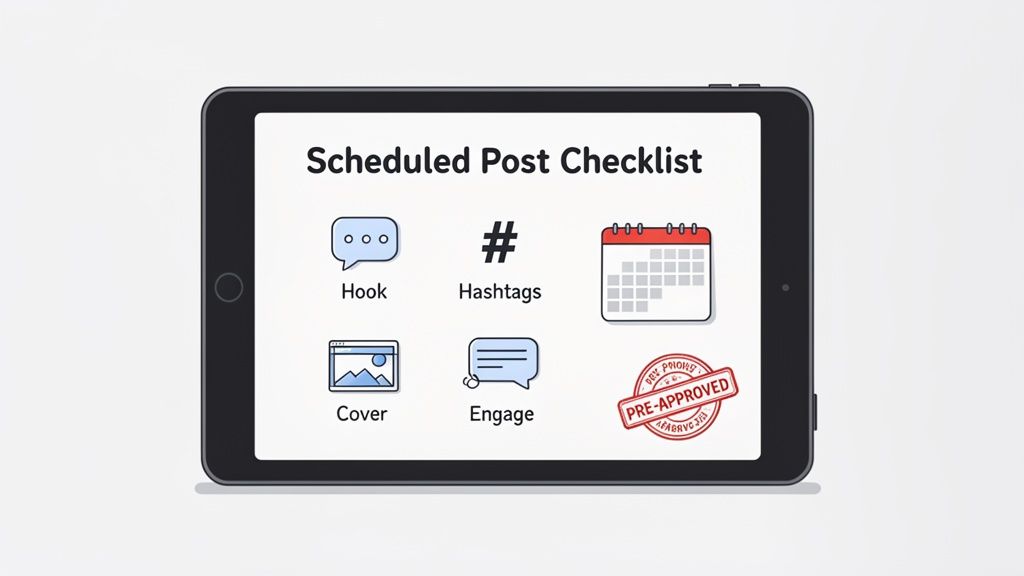
Too many creators treat scheduling as a "set it and forget it" feature. That’s a mistake. To get any real traction, you need a pre-flight checklist for every single video. Think of it as a mini-launch: you’ve got to nail the caption, find the right hashtag mix, and pick a cover that stops the scroll. It’s these details that give your content a fighting chance with the algorithm.
Craft Captions and Hashtags with Purpose
Your caption isn't just a place to drop emojis. It’s your video's partner, giving context, sparking conversation, or telling people what to do next. Always lead with a strong hook in that first line to grab them before they can swipe away.
The same goes for your hashtags. Don't just copy and paste a block of trending tags and hope for the best. A smart hashtag strategy is all about balance.
- Broad/Trending (1-2 tags): These get you into huge conversations. Think
#newmusicor#fallfashion. - Niche-Specific (2-3 tags): This is how your target audience finds you. Get specific with tags like
#veganbakingtipsor#indiedevlog. - Branded (1 tag): If you have a unique hashtag for your brand or series, like
#REACHcreators, use it every time to build your own content hub.
Batch Your Content for a Full Pipeline
Here’s a pro move for staying consistent without burning out: content batching. Set aside a dedicated block of time—maybe a Saturday afternoon—and just film. If you can knock out five to seven videos in one session, you’ve got enough content to schedule for an entire week or more.
This approach not only saves a ton of time but also builds a buffer. You'll always have high-quality videos in the bank, ready to go. Consistency is everything on TikTok. We’ve seen that posting just 2 to 5 times per week can seriously accelerate growth, with some accounts seeing up to 17% more views per post.
Pro Tip: Be online the moment your scheduled post goes live. The "golden hour" is real. Responding to the first wave of comments right away tells the algorithm that your content is creating conversation, which can give your reach a major boost.
Lock in Quality with Collaborative Workflows
For agencies and brands managing campaigns, "good enough" isn't an option. Every scheduled post has to be perfect, and that requires a solid approval process.
This is where a collaborative platform like the REACH campaign dashboard becomes invaluable. It allows your team to get sign-off on everything—the video edit, the caption, the hashtags, the cover photo—from clients and influencers well in advance.
This kind of workflow prevents those stressful, last-minute changes and ensures every post is on-brand and ready to perform. When you’re juggling multiple creators, it gives you peace of mind that everything is aligned. Mastering this prep work will have a massive impact on your https://reach-influencers.com/tiktok-engagement-rates/ and turns your scheduler from a simple tool into a strategic powerhouse.
Common Questions About How to Schedule a TikTok Post
Once you start scheduling TikToks, you'll inevitably run into a few head-scratchers. The platform’s rules can feel a bit murky, especially when you’re trying to figure out what you can do in the app versus what requires a different tool.
Let’s clear the air and answer some of the questions I hear most often. These are the real-world sticking points that trip people up, and getting them sorted will save you a ton of headaches down the road.
Can I Schedule TikTok Posts from My Phone?
I get this question all the time. As of 2026, the answer is unfortunately no—at least not with TikTok's own tools. The native scheduling feature is only available on the desktop website for Business and Creator accounts. You cannot schedule posts directly from the TikTok mobile app.
This is one of the biggest reasons people turn to third-party schedulers. A platform like REACH is built for a mobile-first workflow. While the video technically gets published to TikTok through an official API connection, you can manage everything else from your phone. That means reviewing influencer content, tweaking captions, and approving the final post can all happen on the go.
The bottom line: If you want to use TikTok’s free scheduler, you’re tied to your computer. For a truly flexible, mobile-friendly process, a dedicated platform is the way to go.
What Happens If I Need to Edit a Scheduled TikTok?
Here’s where things get tricky with TikTok's native tool. Once a video is scheduled, you cannot edit it. Not the caption, not the cover image, not the privacy settings. Nothing. If you catch a mistake, your only option is to delete the scheduled post and start over from scratch by re-uploading the video. It’s a huge time-waster.
This frustrating limitation is exactly why professional platforms exist. Inside a tool like REACH, content goes through a draft and approval process before it gets locked in. This gives your team, clients, or influencers a window to leave comments and request changes collaboratively.
The video is only finalized and scheduled once everyone gives it the green light. This workflow catches errors early and saves you from the painful cycle of deleting and re-uploading.
Does Scheduling a TikTok Post Reduce Its Reach?
This is a persistent myth, but let’s set the record straight: no, it doesn’t. There is zero evidence that using an official, API-approved scheduling tool hurts your video’s performance. TikTok's algorithm treats a post scheduled via an authorized partner the same way it treats a manual upload.
What really kills your reach are the fundamentals:
- Poor Content Quality: Is the video actually entertaining or useful?
- Bad Timing: Are you posting when your audience is offline?
- Slow Initial Engagement: Did the post fall flat in the first hour?
If anything, scheduling can boost your reach. It allows you to consistently post when your audience is most active, even if that’s at 10 PM on a Saturday. Using a platform like REACH lets you analyze your audience data to pinpoint those peak times, giving your content its best shot at success.
Is a Third-Party Scheduler Better Than TikTok's Tool?
It really comes down to your needs. There's no single "best" answer for everyone.
For a solo creator posting a few times a week, TikTok's free desktop scheduler is probably all you need. It’s simple, it’s free, and it handles the basics just fine.
But for marketing agencies, brands managing influencer campaigns, or any team that needs to collaborate, a dedicated platform like REACH becomes a necessity. It’s not just a scheduler—it’s a full-blown campaign management system built for professionals. It offers things like:
- Influencer discovery and vetting
- Centralized approval workflows for content
- White-labeled reporting for your clients
- Integrated contracts and payment processing
Think of it as the difference between a simple screwdriver and a complete, professional-grade toolkit. One is for a quick fix; the other is for building and scaling your entire strategy. Learning how to schedule a TikTok post is just the first step; mastering the entire campaign workflow is what drives real results.
Ready to move beyond basic scheduling and unlock a smarter, more efficient way to manage your TikTok and influencer marketing? REACH provides the powerful tools you need to streamline your entire workflow, from discovery to payment.
Discover how REACH can transform your TikTok strategy today.
