 Skip to content

Yes, you can schedule tweets on X (formerly Twitter). On desktop, X includes native scheduling in the post composer, and X Business documents scheduling up to 1 year in advance inside an ads account for longer campaign planning.
If you're asking this question, you're probably not just trying to queue one post for later. You're trying to stay consistent, hit the right time zones, avoid missing a launch window, or keep content moving while the team is busy elsewhere. That's where tweet scheduling stops being a convenience and becomes part of an actual publishing system.
Meta description: Can you schedule tweets on Twitter? Yes. Learn how X scheduling works, how to edit scheduled posts, where native tools fall short, and when teams need a more advanced workflow.
Yes You Can Schedule Tweets and It's a Game Changer
A product launch is set for 9 a.m. in New York, a creator partner needs the supporting thread live in London time, and your team is tied up in approvals right until publish. In that situation, scheduling is not a convenience feature. It is basic campaign operations.
For anyone managing a brand account, creator program, or multi-post rollout, the answer to can you schedule tweets on twitter is simple. Yes, and serious teams should treat it as part of their publishing system. X has offered native scheduling on the web for years, which puts scheduled publishing inside the platform's normal posting workflow. Buffer's guide to scheduling tweets also reflects that reality. Native scheduling is the starting point, while tools like Buffer and other schedulers come in when the workflow gets more demanding.

Why scheduling matters beyond convenience
A solo creator queuing one post for tomorrow can work comfortably inside native X.
Campaign teams usually need more. Launch windows shift. Regional timing matters. Threads need follow-up replies ready. Approvals happen across brand managers, talent managers, and clients. X Business documents that scheduled Posts can be created in an ads account up to 1 year in advance through X Business scheduled posts documentation. That longer runway is useful for seasonal campaigns, event calendars, and staggered product announcements.
Practical rule: Pre-schedule the planned posts so the team can focus on live engagement, partner coordination, and issue handling once the campaign starts.
Significant value shows up once volume and complexity increase. You need clarity on what is locked, what is still waiting on approval, what can be rescheduled if news breaks, and what belongs to a larger campaign sequence. Native scheduling handles the act of publishing. It does not give campaign managers much structure for team workflows.
That gap is why marketers often move from simple posting to workflow tools and references like the MicroPoster guide to Twitter automation. The question stops being whether X lets you schedule a tweet. The harder question is whether your process can support multiple stakeholders, deadlines, and campaign dependencies without errors.
How to Schedule Tweets Using X's Native Tools
Native scheduling on X is simple once you know where to click. The bigger risk isn't complexity. It's assuming the post is scheduled before you've completed the final action.
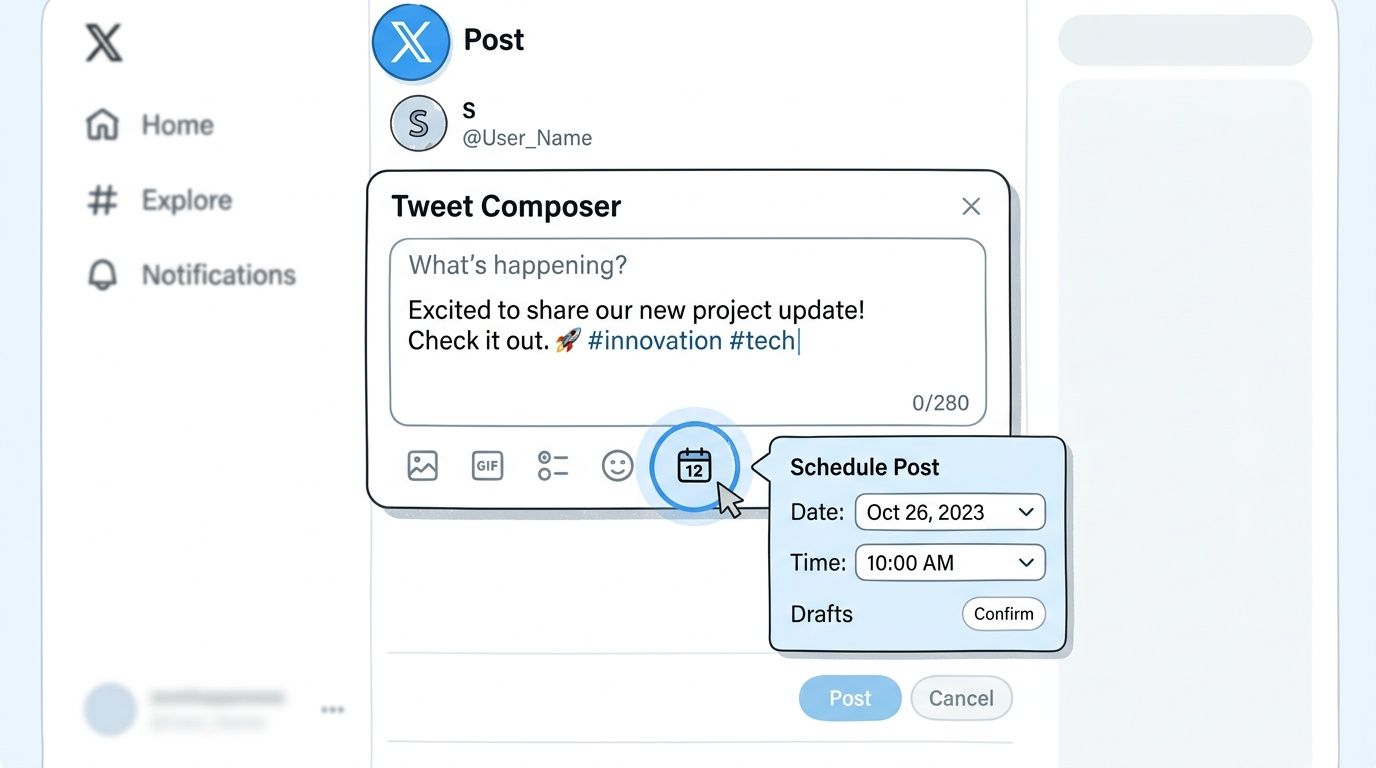
Schedule a single post in the X composer
Use the desktop version of X and follow this flow:
- Write your post inside the native composer.
- Click the calendar or schedule icon in the composer controls.
- Choose the exact date and time you want the post to publish.
- Confirm the timing in the scheduling window.
- Click the blue Schedule button to finalize it.
That final click matters. The post isn't committed just because you opened the date picker and selected a time.
According to Tweet Archivist's scheduling guide, once you schedule the post, it is stored under Scheduled Posts, where you can later edit, reschedule, or delete it. The same guide also notes that the native scheduler supports entire threads, which is useful for launches, tutorials, commentary series, and multi-post campaign rollouts.
Where teams usually make mistakes
The interface is easy. The execution can still go wrong.
Common issues include:
- Forgetting the final confirmation: People choose the time and then back out without pressing Schedule.
- Missing the local time context: A scheduled hour may be right for your laptop clock and wrong for the audience you intend to reach.
- Treating threads like single posts: If you're publishing a thread, review the sequence before scheduling. A weak opening tweet can sink the whole chain.
Scheduled content works best when the publishing step is paired with a quick review step. Check time, copy, media, and the live context you expect the post to enter.
If you want a visual walkthrough, this video covers the scheduling flow:
What about TweetDeck or X Pro
Power users often prefer TweetDeck or X Pro because the column layout is better for monitoring lists, replies, and timelines while working through a queue. It can feel more natural when you're scheduling several posts around live activity.
That said, the underlying logic stays the same. Native scheduling is best for straightforward publishing. It gets less comfortable when you need approvals, shared calendars, asset history, or collaboration across multiple stakeholders.
Comparing Your Options for Scheduling Tweets
Scheduling tweets stops being a simple publishing task once multiple people touch the same campaign. A solo creator can queue a post from desktop and move on. A brand team managing approvals, launch timing, paid support, creator deliverables, and last-minute edits needs a system that shows who owns what, what is scheduled, and what still needs review.
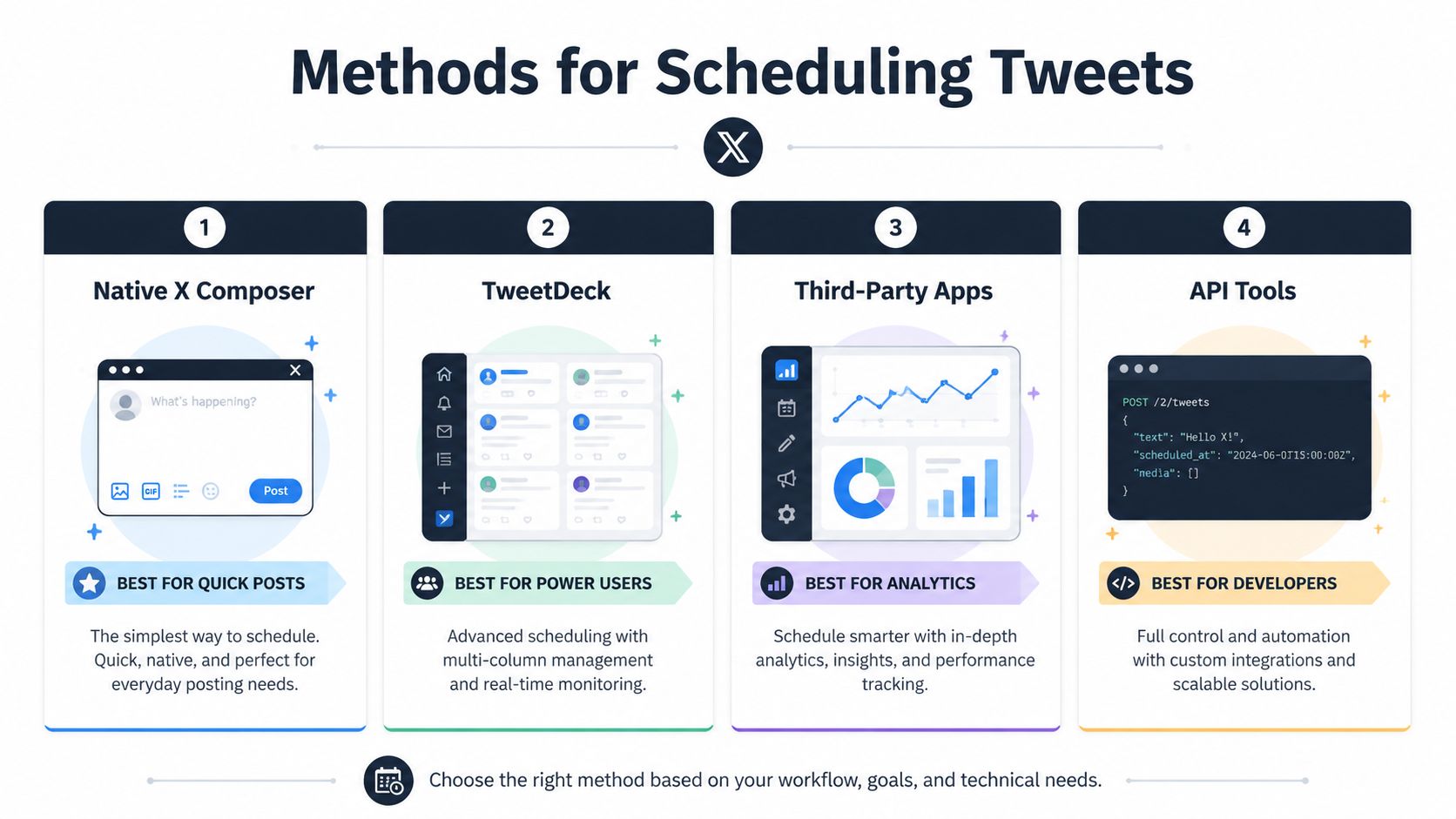
Comparison of Tweet Scheduling Methods
| Method | Best For | Cost | Key Limitation |
|---|---|---|---|
| Native X Composer | Quick one-off scheduling on desktop | Included within X workflow | Limited for team review and mobile-led work |
| TweetDeck or X Pro | Power users who monitor and publish in one interface | Varies by X access context | Still not a full campaign workflow tool |
| X Ads Manager | Longer-range campaign planning | Varies by ads use | Built around ads account workflows, not general team collaboration |
| Third-party apps | Teams, creators, and multi-platform managers | Varies by tool | Quality and feature depth differ widely |
| API tools | Developers and custom systems | Varies by implementation | Requires setup and ongoing technical ownership |
Native tools work for publishing. They struggle with operations.
The native scheduler covers the basic job well. You write the post, choose a time, and queue it. For a single operator working from a desktop, that is often enough.
The limits show up fast in professional workflows. Native scheduling is still weak for mobile-led execution, shared approvals, and campaign-wide visibility. If a creator manager needs to approve copy from a phone, a legal reviewer needs to check final language, and a strategist needs to confirm the tweet lines up with posts on Instagram and LinkedIn, the native queue starts to feel isolated instead of useful.
The usual pressure points are practical:
- Approvals: No real approval chain for clients, brand leads, or compliance reviewers
- Calendar visibility: You can see scheduled posts, but not a clear campaign calendar across stakeholders
- Mobile execution: Edits and approvals are harder when the team works away from desktop
- Cross-channel planning: X may be one part of the launch, not the whole launch
- Audit history: It is harder to track who changed copy, timing, or creative
Third-party tools earn their place when campaigns get layered
At that point, the question is no longer whether you can schedule tweets on Twitter. The question is whether your team can coordinate a campaign without missing approvals, duplicating work, or publishing the right post at the wrong moment.
That is where purpose-built scheduling platforms pull ahead. A stronger tool gives teams a shared calendar, role-based access, approval steps, asset organization, and a cleaner view of how X fits into the rest of the campaign. If you are comparing options built for that kind of execution, this guide to social media scheduling software for campaign teams is a useful benchmark.
API-based setups sit in a different category. They make sense for companies building custom workflows, internal dashboards, or automated publishing systems tied to their own data. The trade-off is technical ownership. Your team has to maintain the integration, handle failures, and account for platform changes. If that route is on the table, this guide to a reliable social media automation API is a practical starting point.
The right option depends on workflow complexity, not just posting volume. Native X works for straightforward scheduling. Teams running influencer campaigns, product launches, or multi-stakeholder content operations usually need more structure than the native queue can provide.
How to View Edit and Cancel Scheduled Tweets
Scheduling isn't the end of the job. You still need to manage the queue, especially when news changes, a launch shifts, or someone catches an error before publish time.
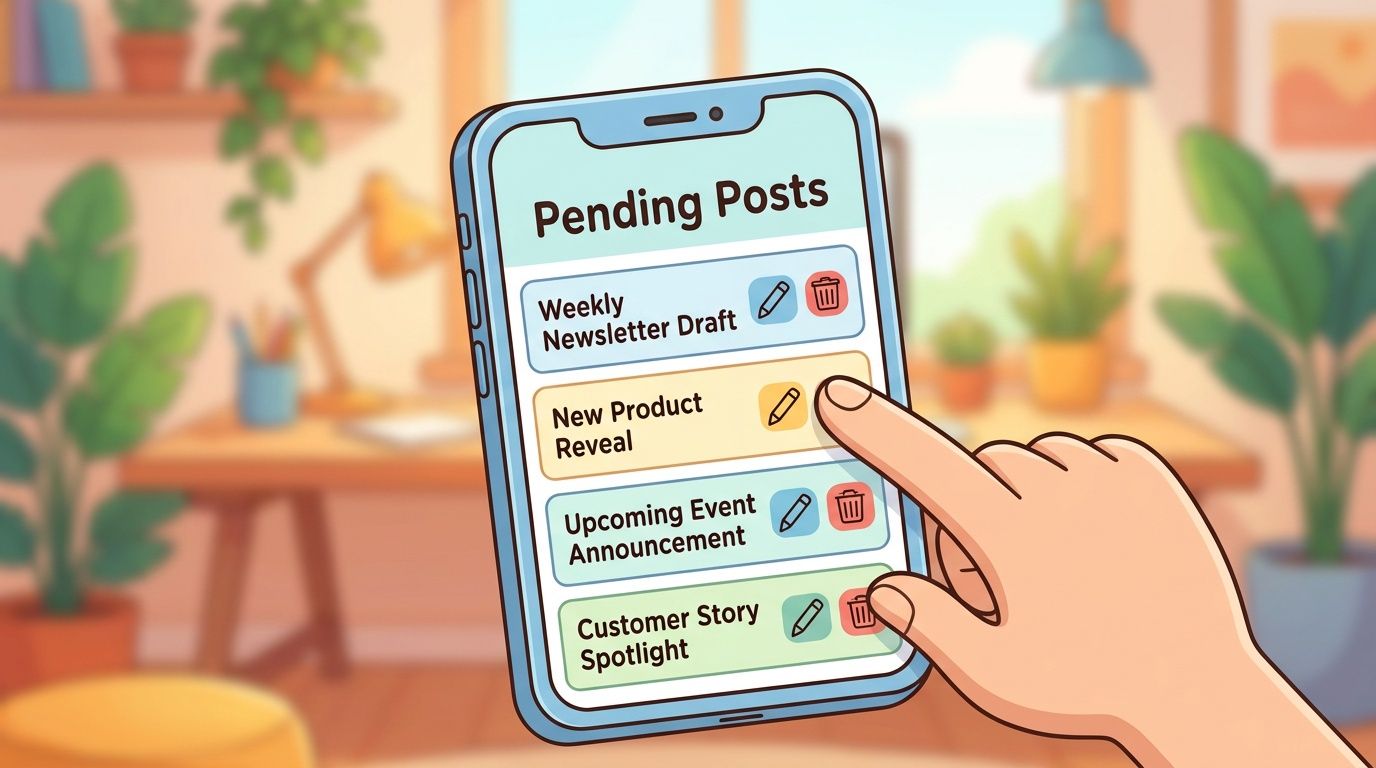
Find your scheduled posts
In the native X interface, open the composer again and go back to the schedule icon. From there, access the area where your queued content is stored. Depending on the interface wording, you may see Scheduled Posts or Unsent Tweets.
Once you're inside the scheduled list, you can review what's pending before it goes live.
Edit, reschedule, or delete
Use this checklist:
- Edit the post copy: Open the scheduled item and update text, links, or media if needed.
- Change the publish time: Reschedule the post if the original time no longer fits the moment.
- Delete it completely: Remove the post if the content is outdated, risky, or no longer relevant.
This matters more than people think. Scheduled posts can look smart in planning and tone-deaf in context. A campaign queue should always have a quick review pass before major news events, launches, or sensitive moments.
If a post would need an apology after publishing, it shouldn't stay in the queue just because it was already scheduled.
Best Practices for Scheduling Tweets in Influencer Campaigns
Scheduling gets more complicated when multiple creators, approvals, and deliverables are involved. At that point, the post itself is only one piece of the work.
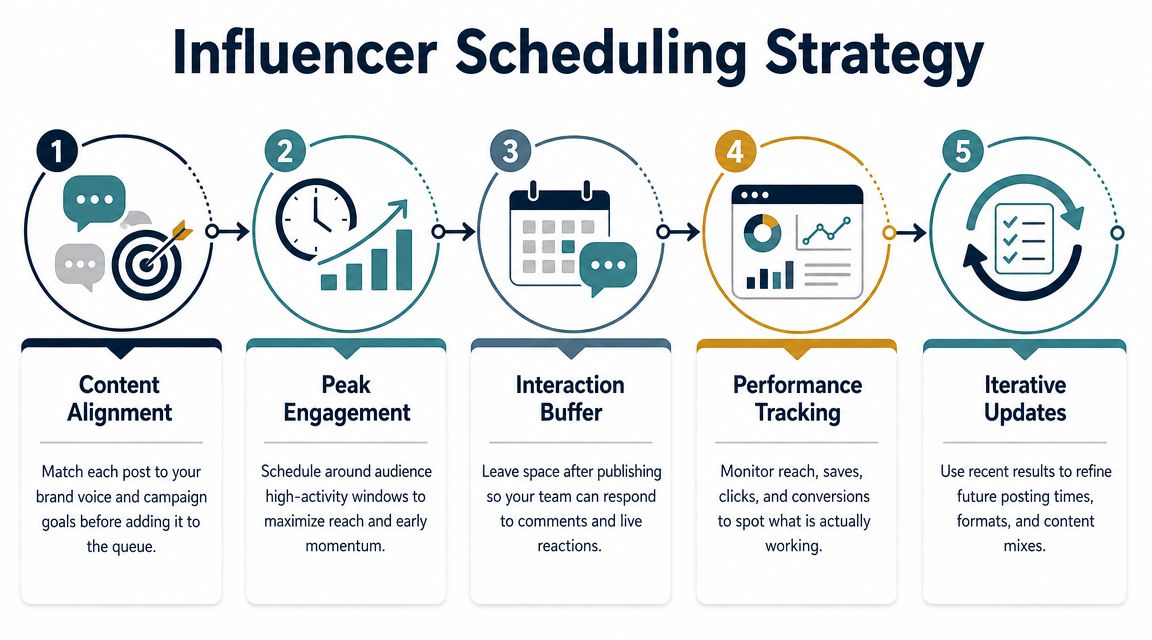
Use scheduling to control sequence, not just timing
In influencer campaigns, strong scheduling is less about filling slots and more about managing sequence.
A practical rollout often includes:
Teaser content first
Let one creator introduce the theme or product angle before broader promotion starts.Core announcement next
Schedule the main posts close enough together to create momentum, but not so tightly that every message lands as a duplicate.Follow-up content after the initial burst
Queue reminders, reactions, clips, or thread-based education after the first wave.Support replies and live engagement windows
Leave room for people to answer comments, quote posts, and react in real time.
That last part is where many teams get lazy. They schedule everything and assume the job is done. On X, that usually undercuts performance because the platform still rewards speed, relevance, and active participation in the moment.
Know when live posting beats scheduled posting
This is the strategic tension most basic guides miss.
Sprout Social notes that X's native tools allow scheduling up to 18 months in advance in some contexts, but also highlights the bigger question of whether scheduling is better than posting live on a platform where real-time engagement and trend participation can outperform planned content, as explained in Sprout Social's guide to scheduling X posts.
Use this rule of thumb:
- Schedule evergreen posts, planned launch beats, partner reminders, and thread-based education.
- Post live when the value depends on speed, reaction, audience sentiment, or fast-moving conversation.
- Hold buffer space between scheduled campaign moments so a creator or brand account can still respond naturally.
A practical campaign framework
Teams managing influencer work usually need a structure like this:
| Campaign need | What works |
|---|---|
| Brand consistency | Pre-approved copy direction and content themes |
| Creator flexibility | Space for native voice and last-minute edits |
| Compliance review | Approval before scheduling |
| Launch coordination | Shared timing plan across accounts |
| Post-launch optimization | Adjust later posts based on audience response |
If you're building that system, these best practices for influencer marketing offer a useful operating lens.
The strongest campaigns don't choose between scheduling and spontaneity. They use scheduling for control, then protect enough room for creators and social teams to act like humans when the audience starts reacting.
From Scheduling Tweets to Managing Campaigns
So, can you schedule tweets on twitter? Yes. The native X tools handle the basics well on desktop, and they're enough for straightforward post planning.
But that's only the first layer.
Once you move into launches, creator coordination, approvals, threads, and multi-market timing, scheduling becomes part of campaign operations. At that stage, the primary challenge isn't clicking the calendar icon. It's keeping the whole machine organized without losing speed or context.
For teams that also care about audience growth, this XBurst guide to X growth is a helpful companion read because scheduling works best when it supports a bigger content strategy instead of replacing one.
If your current workflow still depends on scattered notes, manual reminders, or disconnected posting habits, it's worth tightening the system around your publishing process. This guide to automating Twitter posts in a more structured workflow is a good next step for that shift.
If you're ready to go beyond basic scheduling and run influencer campaigns without spreadsheets, scattered DMs, and approval chaos, take a look at REACH. It gives brands and agencies one place to organize campaign workflows, track deliverables, manage communication, and keep execution moving from outreach through payment.
