 Skip to content

At its most basic, a marketing automation workflow is a set of automated actions you build to guide people through their journey with your brand. Think of it as your marketing engine, always running in the background to deliver the right message to the right person at the perfect moment. By mastering this process, you can save time, nurture leads more effectively, and drive significant business growth.
This guide will walk you through everything you need to know, from strategy and design to measurement and optimization, helping you create a marketing automation workflow that delivers real results.
Table of Contents
- Unpacking the Power of a Marketing Automation Workflow
- Laying the Foundation: Building Your Workflow Strategy From the Ground Up
- How to Design Your First Marketing Automation Workflow
- Proven Workflow Blueprints for Influencer Marketing
- How to Measure and Optimize Your Workflows
- Got Questions About Your Marketing Automation Workflows?
Unpacking the Power of a Marketing Automation Workflow
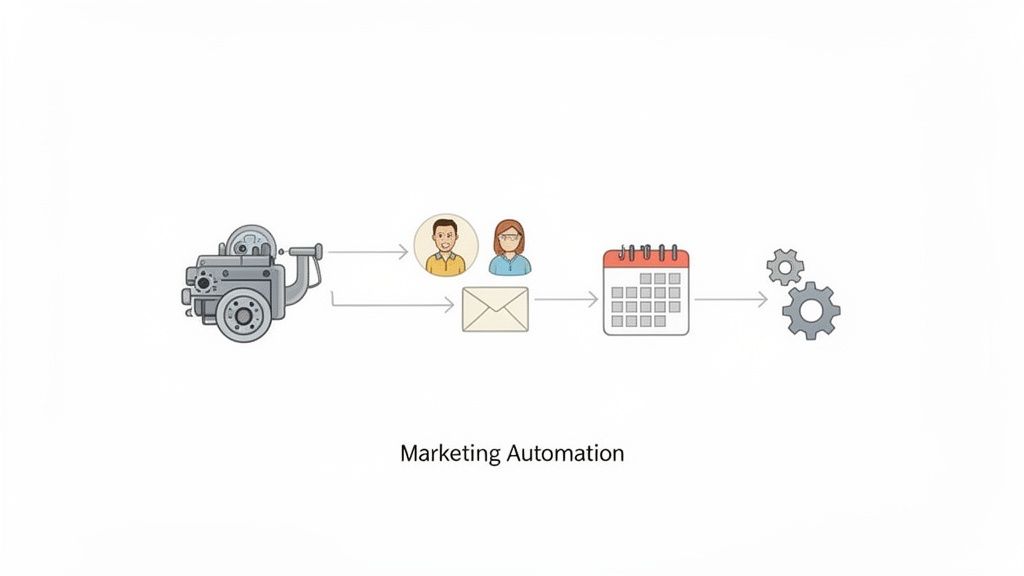
A marketing automation workflow is your secret weapon for making personalization happen at scale. Instead of your team manually sending every single email or social media post, these systems run on a simple "if this, then that" principle. This approach is especially powerful in specialized fields like influencer marketing, where platforms like REACH Influencers use automation to streamline everything from creator discovery to payment processing, demonstrating incredible authority and efficiency.
These automated sequences are set in motion by specific things your audience does—we call these triggers. Someone downloading an ebook, for instance, could kick off a series of emails with more helpful content on that topic. A visitor checking out your pricing page could trigger a follow-up from your sales team. This kind of immediate, relevant communication saves a ton of time and seriously boosts the quality of your leads.
Why Automation Is a Game-Changer
The real magic here is the boost in both efficiency and effectiveness. When you automate all those repetitive tasks, your team is freed up to focus on what humans do best: strategy, creative thinking, and building relationships.
The financial upside is huge, too. Marketing automation isn't just a time-saver; it delivers an incredible $5.44 ROI for every $1 invested over three years.
This happens because the system does the heavy lifting, making sure no lead ever slips through the cracks. It nurtures those relationships around the clock, guiding potential customers from curiosity to purchase without anyone having to manually track every interaction. If you want to see what this looks like day-to-day, checking out some practical marketing automation workflow examples from a reputable source like Profilespider can give you some great ideas.
To really get a handle on building your own workflows, you first need to understand the fundamental building blocks.
Core Components of a Marketing Automation Workflow
This table breaks down the essential elements of any workflow, providing a clear definition and a practical example for each to help you quickly grasp the core concepts.
| Component | Definition | Example |
|---|---|---|
| Trigger | The specific user action or condition that starts the workflow. | A user submits a form to download an ebook. |
| Action | The automated task the system performs once a trigger occurs. | Send a "Here's your ebook!" email immediately after the form submission. |
| Delay | A set period of time between actions to space out communication. | Wait 3 days before sending the next email in the sequence. |
| Decision | A fork in the road that directs users down different paths based on their behavior. | If the user opens the first email, send them a case study. If not, resend it. |
With these four components, you can construct just about any automated journey you can imagine, from simple welcome sequences to complex, multi-channel nurturing campaigns.
The goal isn't just to automate tasks—it's to create a cohesive and personalized customer experience that feels one-on-one, even when you're communicating with thousands.
From Manual Headaches to Automated Success
Specialized platforms take this concept and apply it to solve specific industry problems. Take an influencer marketing platform like REACH Influencers, for example. It uses automation to manage the entire lifecycle of a creator campaign, turning what used to be a mess of manual tasks into a smooth, predictable process.
Instead of drowning in spreadsheets and endless email threads, the system handles it all:
- Initial Outreach: Automatically sends personalized invites to influencers who are a perfect match for your campaign's criteria.
- Content Approvals: Instantly notifies your team when a creator submits content for review and sends gentle reminders if deadlines are approaching.
- Payment Processing: Triggers payouts automatically as soon as the campaign deliverables are approved and complete.
This kind of targeted automation transforms a complex, time-consuming operation into a highly efficient and scalable one. The result? You build stronger relationships with creators and drive much better campaign results.
Laying the Foundation: Building Your Workflow Strategy From the Ground Up
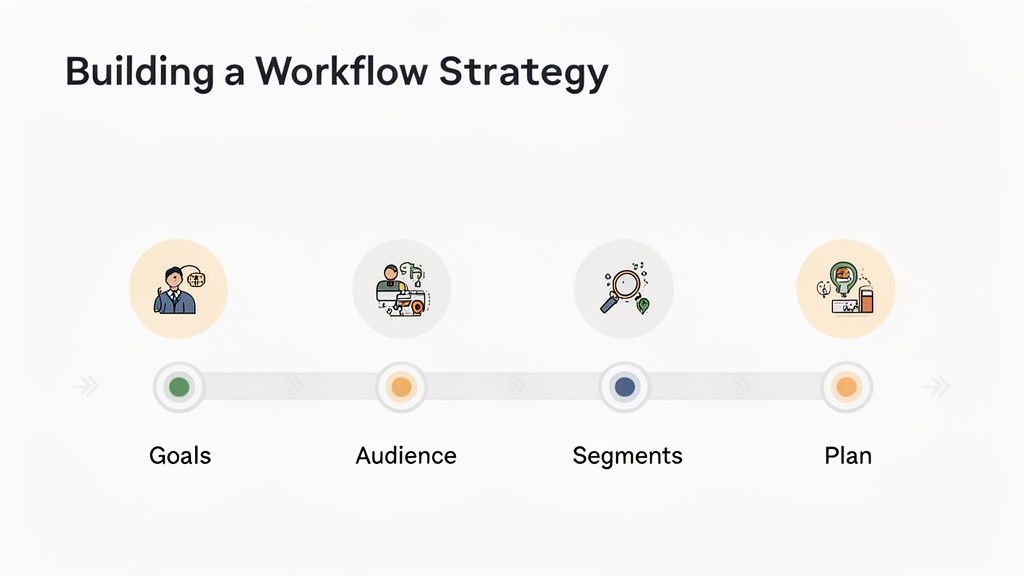
Jumping into automation software without a clear plan is like trying to build a house without a blueprint. The tech is powerful, no doubt, but it's only as good as the strategy driving it. A truly effective marketing automation workflow always starts by asking one simple question: what are we actually trying to achieve here?
Before you touch a single workflow builder, you have to define what success looks like. Is your main goal to welcome new customers and make their first impression incredible? Maybe you need to wake up a dormant list of users who haven't clicked on anything in months. Or, like many, you might be focused on nurturing fresh leads, guiding them from casual interest to being ready for a sales call.
Each of these goals demands a totally different game plan. An onboarding workflow should be helpful and informative, while a re-engagement sequence will likely need a compelling offer to win back attention.
Get Specific: Defining Clear and Measurable Objectives
Vague goals like "increase engagement" are a waste of time. Your objectives need to be specific, measurable, achievable, relevant, and time-bound—what we all know as SMART. This simple framework is your best friend for turning fuzzy ideas into concrete targets that your workflow can actually hit.
Let's look at how to transform a common marketing goal into a real, actionable objective:
- Vague Goal: Nurture new leads.
- SMART Objective: Increase our lead-to-customer conversion rate by 15% for everyone who downloaded our ebook, all within 90 days, by sending them a five-part educational email sequence.
And another one:
- Vague Goal: Onboard new users.
- SMART Objective: Hit a 70% product adoption rate (which we define as a user completing three specific actions) within the first 14 days of signing up, supported by an automated in-app and email tour.
This kind of clarity means you can actually measure whether your workflow is working and justify the investment. It keeps your team focused on real outcomes, not just the busywork of setting up automations.
A workflow without a clear objective is just a series of random messages. A workflow with a SMART goal is a strategic asset designed to produce a specific, measurable business result.
Who Are You Talking To? Understanding Your Audience on a Deeper Level
Once you know what you want to do, you have to figure out who you're talking to. Blasting a generic message to your entire list is the fastest way to get ignored. The magic of a marketing automation workflow lies in its ability to send the right message to the right person at the right time, and that's just impossible without smart audience segmentation.
It's time to dig into your customer data. Go beyond basic demographics and look for behaviors that signal what someone is interested in.
Key Data Points for Segmentation:
- Behavioral Data: Which pages did they visit? What content did they download? Did they abandon a shopping cart or attend a webinar? These actions are pure gold.
- Demographic Data: What's their job title, company size, or location? This helps you tailor the tone and focus of your messages.
- Purchase History: Is this their first purchase, or are they a loyal repeat customer? Knowing this is crucial for creating relevant cross-sell or upsell campaigns.
For instance, a brand using an influencer marketing platform like REACH Influencers can create incredibly targeted segments. Instead of sending the same generic pitch to every creator, they can slice their database by niche (like "sustainable fashion"), audience location ("New York City"), and engagement rate.
This lets them build a highly personalized outreach workflow. The email sent to a beauty micro-influencer will be completely different from the one a top-tier gaming creator receives. This strategic segmentation makes every message feel relevant, which dramatically boosts the chances of landing high-quality partnerships.
As you plan your setup, it’s worth exploring tools that help you make these complex connections. For example, an N8n integration can open up powerful new ways to pull different data sources together into one unified workflow. When you combine crystal-clear objectives with a deep understanding of your audience, you've built a solid foundation for success.
How to Design Your First Marketing Automation Workflow
Alright, you've got your strategy mapped out. Now for the fun part: actually building your first marketing automation workflow. This is where your plans turn into action.
Every workflow, no matter how complex it seems, is built from just three core components. Think of them as your LEGO bricks. A trigger is the event that starts everything. An action is what you do next. And logic is the set of rules that decides the 'when' and 'if.'
Getting a feel for how these three pieces fit together is the secret to building automations that feel genuinely helpful, not robotic.
The Core Building Blocks: Triggers, Actions, and Logic
A trigger is simply the event that kicks off your workflow. It's the signal that tells your system, "Okay, go time!" Without a trigger, your automation just sits on the sidelines.
An action is what your system actually does in response. It’s the task you’re automating—sending an email, adding a tag to a contact, or pinging a team member on Slack.
Finally, logic adds the smarts. It sets the rules of the road for your workflow. This includes things like time delays ("wait 24 hours") or conditional splits ("if they clicked the link, do this; if not, do that"). Logic makes sure the right things happen at the right time.
Once you get the hang of combining triggers, actions, and logic, you can build anything from a simple welcome series to a sophisticated, multi-channel nurturing campaign. The fundamental principles never change.
Common Trigger and Action Pairings
To see this in action, let's look at some classic pairings you'll find in almost any automation tool. These are the bread and butter of most marketing workflows.
- Trigger: Someone submits your "Download Ebook" form.
- Action: Immediately email them the download link.
- Action: Add them to your "New Leads" list for follow-up.
- Trigger: A customer leaves items in their shopping cart.
- Action: Wait one hour, then send a reminder email: "Did you forget something?"
- Trigger: A new user signs up for a free trial.
- Action: Send a welcome email with a link to a "Getting Started" guide.
- Action: Create a task for a salesperson to check in after two days.
See the pattern? These are simple, direct responses to user behavior. You're meeting people exactly where they are with timely, relevant messages.
Bringing It to Life with a Real-World Example
Let's apply this to a platform like REACH Influencers. Chasing down content submissions from a dozen creators is a huge time-sink. A simple workflow can fix that instantly.
Here’s how you'd set it up:
- Trigger: An influencer uploads their final campaign content to the REACH platform.
- Action: The system automatically sends a notification (via email or Slack) to the brand manager.
- Logic: If the manager hasn't approved or requested changes within 48 hours, the workflow sends a gentle follow-up reminder.
This one marketing automation workflow eliminates the need for manual check-ins, prevents content from falling through the cracks, and keeps your campaigns moving forward. You can dig deeper into these kinds of strategies in our guide on marketing automation best practices.
The impact here is bigger than you might think. Data shows that while automated flows might only make up a small percentage of your total email sends, they can drive an incredible portion of revenue. It all comes down to relevance. Personalized sequences see open rates that easily beat generic email blasts.
It's no wonder that, according to powerful marketing automation statistics, a majority of marketers say email automation is a top priority. Starting with these simple building blocks allows you to build workflows that save you time and create much better experiences for your audience.
Proven Workflow Blueprints for Influencer Marketing
Theory is great, but seeing a real-world marketing automation workflow in action is where it all starts to click. When it comes to influencer marketing, automation isn't just a nice-to-have; it's a must if you want to scale your campaigns without completely burning out your team.
So, let's get practical. Here are a few concrete blueprints for workflows that solve some of the most common headaches in the industry. These are the kinds of systems that top agencies and brands use every day, and they can all be built right inside a platform like REACH Influencers.
These aren't just abstract ideas. They’re tried-and-true frameworks that turn a mountain of manual, error-prone tasks into a smooth, automated process that practically runs itself.
The Influencer Onboarding Workflow
How you welcome a new creator sets the stage for the entire partnership. A messy onboarding process—think confusing email chains and missed attachments—screams disorganization. This workflow is all about making a killer first impression, ensuring every influencer feels welcomed, informed, and ready to create from day one.
Trigger: You add a new influencer to a campaign in REACH.
Actions:
- An automated welcome email fires off instantly. It should feel personal, link to the campaign brief, and clearly outline the next steps.
- After 24 hours, the system checks if the contract has been signed. If not, it sends a friendly, automated nudge. No more manual chasing.
- Once the contract is signed, the workflow adds the creator to the official campaign roster and sends a final confirmation with links to asset folders and content submission guidelines.
This simple sequence guarantees a professional and consistent onboarding experience for every single creator. It frees up your team from chasing paperwork so they can focus on what really matters: building a strong relationship.
The Content Approval Workflow
Let's be honest, one of the biggest bottlenecks in any influencer campaign is the content review process. Delays here can derail your entire posting schedule. This marketing automation workflow brings clarity, accountability, and speed to getting content from a draft to the finish line.
The logic behind any workflow is pretty simple when you break it down.
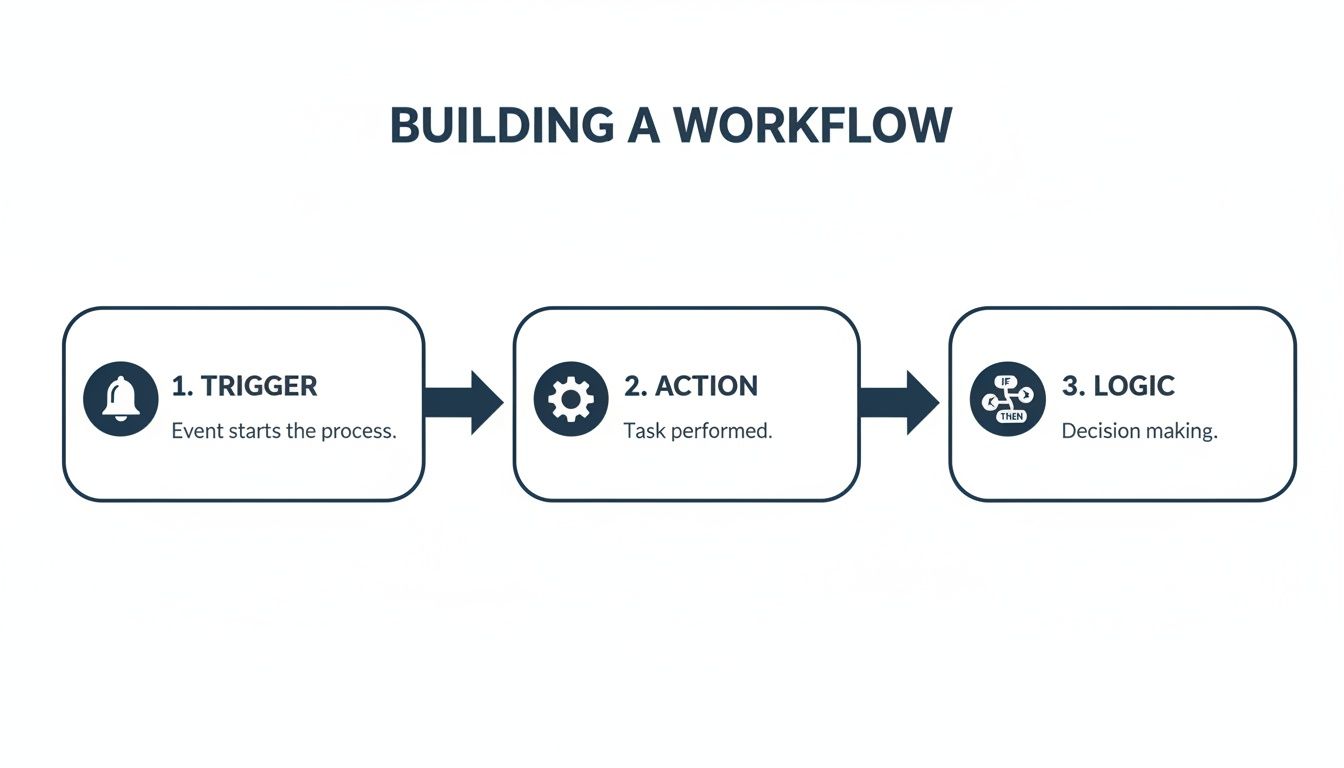
This visual shows how a single event can kick off a whole chain of smart, automated actions based on simple "if/then" logic.
Trigger: An influencer submits content for review through the campaign portal.
Actions and Logic:
- Action: The right brand manager gets an instant notification—maybe via email or a Slack message—that content is ready for their eyes.
- Logic: A 48-hour timer starts. If the manager approves the content, the workflow moves ahead. If they leave feedback, the influencer is automatically notified with the specific comments.
- Action: Once approved, the system confirms this with the influencer and provides the scheduled posting date and time.
- Logic: If that 48-hour window is about to close with no action, an automated reminder goes to the brand manager to prevent a hold-up.
This workflow isn't just about sending reminders. It creates a bulletproof system of record. Every piece of feedback, every approval, and every deadline is tracked automatically, giving you and your creators total clarity.
The Influencer Payment and Reporting Workflow
Getting your creators paid on time, every time, is absolutely non-negotiable for building trust. But manually tracking deliverables, calculating payments, and processing invoices is a logistical nightmare, especially at scale. This workflow takes the headache out of the financial side of your campaigns.
Trigger: An influencer’s final post goes live and is confirmed by the system (either through a tracked link or a quick manual check).
Actions:
- The payment amount from their contract is automatically queued up in your payment system.
- At the same time, a preliminary performance report is generated and sent to the influencer, showing them initial metrics like clicks and impressions. They love seeing this early data.
- Once the payment is processed, the influencer gets an automated receipt for their records.
- After 7 days, a final, more detailed performance report is sent to both the influencer and your internal team, officially closing the loop.
Automating these financial and reporting tasks helps you build a reputation as a professional and reliable partner. When creators know they'll be paid promptly and transparently, they’re far more likely to work with you again.
To really see the difference, let's compare the old way with the new way. This case study table breaks down just how much time and effort you can save by ditching the manual grind.
Influencer Outreach Manual Process vs Automated Workflow
| Task | Manual Process (Time/Effort) | Automated Workflow with REACH (Time/Effort) |
|---|---|---|
| Initial Outreach & Follow-up | 2-4 hours per 10 influencers. Writing emails, tracking replies. | 15 minutes. Set up sequence once, system handles follow-ups. |
| Contract Signing & Onboarding | 1-2 hours per influencer. Emailing docs, reminders, answering Qs. | 5 minutes. Triggered automatically, system tracks signatures. |
| Content Submission & Approvals | 3-5 hours per campaign. Endless email threads, missed feedback. | 30 minutes. Centralized portal, automated notifications. |
| Payment Processing & Invoicing | 4-6 hours per campaign. Chasing invoices, manual payment entry. | 10 minutes. Auto-queued payments based on deliverables. |
| Performance Reporting | 2-3 hours per influencer. Manually pulling data, creating reports. | Zero. Reports are generated and sent automatically. |
As you can see, the time savings are massive. This isn't just about being more efficient; it's about reclaiming hundreds of hours your team can use for high-impact strategic work instead of administrative tasks.
How to Measure and Optimize Your Workflows
Hitting "publish" on your automation isn't the end of the project—it's the beginning. The real magic happens when you start digging into the data to see what’s resonating and what’s falling flat. Without that feedback loop, you're just flying blind.
Think of your workflow as a living, breathing thing. It needs regular check-ups and tweaks to stay effective. This constant cycle of measuring, analyzing, and optimizing is what turns a decent workflow into a powerful engine for your business.
Identifying Your Key Performance Indicators
Before you can improve anything, you need to define what "success" actually looks like. Your key performance indicators (KPIs) are the vital signs that tell you if your workflow is healthy. While your specific goals will dictate the exact metrics, a few are non-negotiable for most email-based automations.
These core numbers tell a story about how people are engaging with you every step of the way.
- Open Rate: The percentage of people who actually opened your email. It's the first hurdle. If this number is low, your subject line probably isn't cutting it.
- Click-Through Rate (CTR): Of those who opened, what percentage clicked a link? This shows whether your message and call-to-action were compelling enough to get them to act.
- Conversion Rate: The ultimate goal. What percentage of people actually completed the desired action, like buying a product or signing up? This is your ROI metric.
- Unsubscribe Rate: The percentage of people who opted out. A sudden jump here is a massive red flag. It could mean your content is off-base or you're sending way too often.
By keeping a close eye on these KPIs for each step in your sequence, you can quickly spot where the leaks are.
Spotting Bottlenecks and Finding Opportunities
With data in hand, it’s time to put on your detective hat. Is the second email in your welcome series getting a terrible open rate? That's a classic bottleneck. It points to a problem with that email's subject line or maybe even its timing.
What if you have a high open rate but a dismal CTR? That tells you the subject line did its job and created intrigue, but the email's content didn't deliver on that promise.
For our influencer campaigns, we see this all the time. Using a platform like REACH Influencers, we can track outreach analytics in one place. If an outreach email has a great open rate but almost no replies, we know instantly that the pitch itself needs to be re-worked. The offer just isn't landing.
Optimization isn't a one-and-done task; it's a constant loop. You have to be testing, learning, and refining your strategy based on how your audience actually behaves, not on how you assume they will.
This data-first mindset takes all the guesswork out of the equation. If you want to dive deeper into connecting campaign activities with real results, take a look at our guide on understanding cross-channel marketing attribution.
The Art of A/B Testing Your Workflow
Your most powerful tool for optimization is A/B testing. It’s a simple concept: create two versions of a single element (like a subject line), show version A to one part of your audience and version B to another, and see which one performs better.
You can A/B test pretty much anything you can think of:
- Subject Lines: Try a direct, no-nonsense subject line against one that's more mysterious or creative.
- Email Copy: Does a short, snappy email work better than a longer, more detailed one? Test it.
- Calls-to-Action (CTAs): See if a "Shop Now" button gets more clicks than a "Discover the Collection" button.
- Timing and Frequency: Does your audience engage more on Tuesday mornings or Thursday afternoons? Do they prefer emails every two days or every four?
The golden rule here is to only test one thing at a time. If you change both the subject line and the CTA in the same test, you'll have no idea which change was responsible for the results. By isolating one variable at a time, you can make small, confident improvements that add up to huge wins over time. This is how you turn a good marketing automation workflow into a truly great one.
Got Questions About Your Marketing Automation Workflows?
Even with the best plan in hand, jumping into marketing automation for the first time can feel a little daunting. It's totally normal to hit a few snags or have questions pop up as you get started. Let's clear up some of the most common ones so you can build your workflows with confidence.
Think of this as your go-to guide for navigating those early hurdles. We'll give you direct, practical answers to get you unstuck and moving forward.
How Complicated Should My First Workflow Be?
My advice? Start simple. Seriously. Your first workflow doesn't need to be some sprawling, multi-branched beast with a dozen different paths. The real goal here is to get comfortable with the tools and see a win, fast.
A basic welcome series for new subscribers is a perfect starting point. Or maybe a simple lead nurturing sequence for people who downloaded a specific guide. For instance, a quick three-step flow that sends a welcome email, follows up with a related resource two days later, and then sends a final check-in is incredibly effective. You can always get fancier and add more logic once you see how people are actually interacting with it.
A clean, 3-5 step workflow is often far more effective than a 20-step monster that’s impossible to manage or troubleshoot. Simplicity wins, especially at the beginning.
What Are the Biggest Workflow Mistakes to Avoid?
Honestly, a lot of the biggest slip-ups happen before a single email is even sent. Just being aware of these common pitfalls can save you a world of hurt later on.
Here are the top issues I see time and time again:
- No clear goal: If you don't know what you want the workflow to do, how will you know if it's working? You'll just be sending messages into the void.
- Sending too much, too fast: This is the quickest way to annoy your audience and send your unsubscribe rate through the roof. Use time delays to give people some breathing room.
- Forgetting an exit strategy: People should be pulled out of a workflow once they've done what you wanted them to do (like making a purchase). Nothing feels worse than getting a sales pitch for a product you just bought.
- Relying on messy data: Personalization is only as good as the data behind it. If your segmentation is built on bad or incomplete info, your messages will feel generic and totally miss the mark.
Always, always double-check your triggers, your logic, and your content before you hit that "activate" button on any marketing automation workflow.
Can This All Feel a Bit… Robotic?
It absolutely can, but only if it's designed without thinking about the person on the other end. Great automation should feel personal, timely, and helpful—not like it’s being sent by a machine. The secret is using your data to create a genuinely human connection.
This is where segmentation and dynamic content really come into play. When you can send a message that references a product they looked at, an article they just read, or a webinar they attended, the communication instantly feels relevant to them. The technology is just the vehicle; your strategy is what makes the experience feel human.
How Does a Platform Like REACH Work with My Other Tools?
Today’s marketing platforms are built to play well with others. They have to connect with the rest of your tech stack to create a truly seamless system. For example, a platform like REACH is designed to integrate with your CRM, e-commerce platform, or analytics tools through APIs or connectors like Zapier.
This is where things get really powerful. Imagine an influencer drives a certain number of sales, which gets tracked in Shopify. That event could automatically trigger a bonus payment to them through REACH, and at the same time, update their contact record in your CRM with that performance data. This kind of integration is what turns a collection of separate tools into a smooth, automated marketing engine.
By now, you should have a clear understanding of what a marketing automation workflow is and how to build one that drives results. Ready to stop wasting time on manual influencer marketing tasks and start scaling your campaigns? With REACH, you can build powerful automated workflows for everything from creator outreach to content approvals and payments. Discover how REACH can transform your influencer marketing today.
{ “@context”: “https://schema.org”, “@type”: “BlogPosting”, “mainEntityOfPage”: { “@type”: “WebPage”, “@id”: “https://reachinfluencers.com/blog/marketing-automation-workflow” }, “headline”: “Your Expert Guide to Building a Powerful Marketing Automation Workflow”, “description”: “Learn how to build, optimize, and measure a powerful marketing automation workflow. This comprehensive guide covers strategy, design, and real-world examples to help you save time and drive growth.”, “image”: “https://cdn.outrank.so/64cdc0e0-2a54-4cd9-a45d-c4196c5e1d4e/6ee9011d-af5f-47c1-90b2-1e6c8d69ee08/marketing-automation-workflow-diagram.jpg”, “author”: { “@type”: “Organization”, “name”: “REACH Influencers”, “url”: “https://reachinfluencers.com/” }, “publisher”: { “@type”: “Organization”, “name”: “REACH Influencers”, “logo”: { “@type”: “ImageObject”, “url”: “https://reachinfluencers.com/logo.png” } }, “datePublished”: “2023-10-26” }
