 Skip to content

If you search for the worst time to post on Instagram, you'll get a tidy list of hours that look universal. That advice is useful, but it's incomplete. A dead zone for one account can be a solid slot for another, especially when audience geography, format, and campaign goals shift from post to post.
The better question is not “what is the worst time to post on Instagram?” It's “where are my audience's dead zones, and how do I stop publishing into them?” That's the question that protects launch posts, creator deliverables, and paid amplification plans from weak first-hour performance.
For practitioners, this matters because timing errors are expensive in hidden ways. You don't just lose likes. You waste creative effort, lower the odds of early interaction, and make campaign reporting harder to interpret. If you're building a repeatable process, broad timing benchmarks can help, but they should only be the starting line. For broader Instagram workflow ideas, Upvote Club for Instagram growth has a useful roundup of tactics that pairs well with timing analysis.
Introduction Why 'Worst Time to Post' Is the Wrong Question
There isn't one single worst time to post on Instagram for every account.
There are, however, predictable weak windows that show up across large datasets. Those are helpful because they tell you where risk is high before you've done any account-level analysis. But broad benchmarks can't see your follower mix, your content format, or whether your audience is local, national, or spread across several time zones.
That's why generic timing advice often fails in practice. A B2C brand with a local audience, a creator posting Reels, and an agency managing influencer deliverables for multiple markets can all get different outcomes from the same clock time. Treating them as if they should publish on the same schedule creates avoidable misses.
Practical rule: Use platform-wide timing data as a filter, not as your final calendar.
The phrase worst time to post on Instagram is still worth paying attention to. It gives you a baseline for what to avoid first. But the strategic advantage comes from finding the hours when your audience is least likely to respond, then building publishing rules around those troughs.
That's where experienced teams separate themselves. They don't ask social managers or creators to “post sometime in the evening.” They define windows, test them, compare formats, and keep weak slots off the calendar unless a post doesn't depend on immediate engagement.
The Universal Dead Zones to Avoid on Instagram
Some timing patterns are weak often enough that they should be treated as default no-go zones until your own analytics prove otherwise.
The overnight void
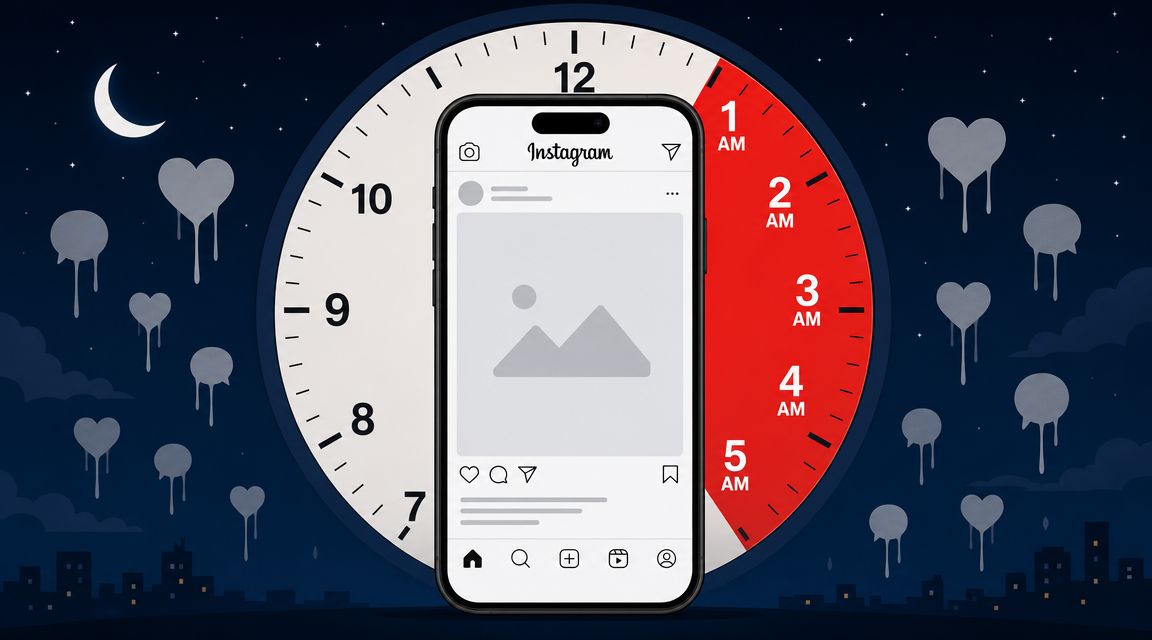
The clearest example is the overnight window. Buffer's analysis of 9.6 million posts found that 1 a.m. to 5 a.m. was the worst time to post on Instagram across any day, and the same report identified Friday and Saturday as the worst days overall. Buffer also found stronger posting windows in midweek daylight hours, especially Thursday at 9 a.m., Wednesday at 12 p.m., and Wednesday at 6 p.m. (Buffer's Instagram timing analysis).
That matters because “late night” is too vague. This is a defined block where audience activity is consistently weak.

The weekend weakness
Weekend posting is another common trap. MeetEdgar's 2026 review says Saturday all day is among the worst engagement periods and calls Saturday from 6 a.m. to 9 a.m. the single worst time because it combines the weakest day with a sleep-heavy morning window (MeetEdgar's guide to Instagram timing).
Weekend underperformance doesn't mean nobody uses Instagram on weekends. It means attention becomes less routine and more fragmented. People travel, run errands, meet friends, or scroll less predictably.
The weakest baseline windows
If you need a practical default, avoid these first:
- Overnight publishing: Posts that go live between 1 a.m. and 5 a.m. carry the highest baseline risk.
- Saturday morning launches: The combination of weekend behavior and sleep-heavy early hours is especially weak.
- Friday and Saturday priority posts: If the content depends on immediate interaction, these days are riskier than midweek slots.
A simple planning table helps:
| Window | Why it fails | What to do instead |
|---|---|---|
| Overnight hours | Fewer people are active right away | Move important posts into local daytime or early evening |
| Saturday morning | Users are sleeping in or off routine | Save key announcements for stronger weekday windows |
| Friday and Saturday priority content | Attention shifts away from regular scrolling habits | Use these days for lower-stakes content if needed |
Broad timing data doesn't replace audience analysis. It gives you a safer default before you test.
The Science of a Failed Post Why Timing Matters
A post can fail even when the creative is good.
Instagram rewards content that gets early interaction. If a post goes live when followers are inactive, it starts cold. Fewer people see it, fewer people react quickly, and the post can lose momentum before it has a real chance to spread.

Early velocity decides a lot
The first wave of engagement acts like a quality signal. When nobody is around, the algorithm gets weaker evidence that the post deserves broader distribution. That doesn't mean the content is bad. It means the content entered the feed at a low-attention moment.
This is why timing should be treated as an operational variable, not a cosmetic one. Teams often spend hours on the caption, creative, approvals, and creator coordination, then undercut the whole effort by publishing into an empty room.
If you're measuring campaign performance, understanding what Instagram impressions actually mean helps connect timing decisions to visibility outcomes.
Bad timing creates false conclusions
Poor timing also distorts analysis. A weak result can look like a content problem when it was a scheduling problem.
That leads teams to make the wrong changes:
- They rewrite creative when the actual issue was publish time.
- They blame the creator when the audience wasn't active.
- They overcorrect the format instead of fixing the calendar.
A post published at the wrong hour can make a good asset look average.
The practical takeaway is simple. If a post needs reach, comments, saves, shares, or product-click momentum, don't schedule it in a low-attention window and expect the algorithm to rescue it. Timing won't fix weak content, but weak timing can absolutely suppress strong content.
Your Framework for Finding Your Audience's Worst Times
The most useful schedule is built from your own audience behavior. Generic advice can narrow your starting range, but it can't identify your account's specific dead zones.
Start with audience activity, not guesses
Open Instagram Insights on a professional account and review when followers are active. The “Most Active Times” view is often used to find peak hours, but it's just as valuable for spotting valleys. Those valleys are your first candidates for the worst time to post on Instagram for your account.
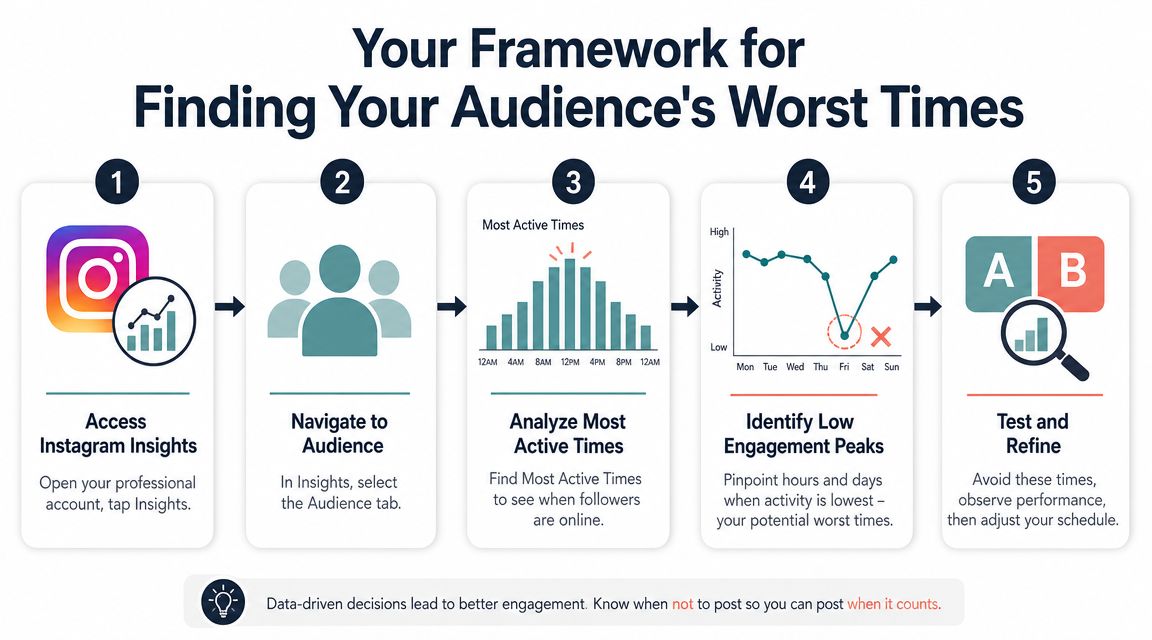
Use this sequence:
- Open Insights: Go to your professional profile and pull up audience activity.
- Find low points: Don't focus only on peaks. Mark the hours and days where activity dips.
- Check geography: If your audience spans markets, convert those windows into local time.
- Flag weak bands: Keep a running list of hours you should avoid for important content.
- Test and refine: Compare similar assets posted in stronger and weaker windows.
Mailchimp's guidance makes the operational point clearly: don't assume “worst time” is universal. It recommends mapping follower geography, converting posting windows into local time zones, and avoiding historically weak bands like early mornings from 3–7 a.m. and weekends unless your own data supports them (Mailchimp's guide to the worst times to post on Instagram).
A centralized analytics view also helps when you're comparing content and reporting over time. If you're organizing several channels or campaigns, this guide to a social media dashboard for 2026 is useful for setting up cleaner tracking.
Run small timing tests
Don't test everything at once. Keep the format, topic, and creative quality as consistent as possible, then compare performance across two timing windows.
A simple test structure works:
| Test element | Good practice |
|---|---|
| Content | Use similar post quality and topic |
| Timing | Compare one stronger slot against one suspected weak slot |
| Audience | Keep targeting and account conditions the same |
| Review | Look at relative engagement and early traction, not just total vanity metrics |
This walkthrough can help if you want a visual refresher before testing your own schedule:
Build a do-not-publish list
Focus is often placed on best times. In practice, a do-not-publish list is often more useful.
That list might include:
- Deep overnight hours for all key posts
- Weekend mornings for launch content
- Specific local afternoon or evening dips if your audience analytics show them
- Creator-specific weak windows when managing collaborations across markets
Field note: The fastest scheduling improvement usually comes from removing obvious low-performance slots before chasing the perfect posting time.
Once you've identified those dead zones, keep them off the calendar for any content that depends on immediate traction.
Advanced Scheduling Beyond Posts and Time Zones
A lot of timing advice breaks down because it treats every Instagram asset the same. They aren't the same.
Format changes the timing decision
Adobe's 2026 guide notes that overall best times differ from Reels best times, with separate windows listed by day. That means the worst time for a feed post might not be the worst time for a Reel (Adobe's Instagram posting guide).

That's an important distinction for campaign planning.
A static feed post often depends more heavily on immediate follower response. A Reel can continue finding viewers later through different discovery paths. So if a team asks for one universal posting calendar across photos, carousels, Reels, and creator deliverables, the calendar is already too blunt.
Objective matters too
Think in terms of goals:
- Awareness content: Needs broad visibility, so weak launch windows are costly.
- Community posts: Can tolerate narrower windows if the audience is loyal and active.
- Sales or launch content: Should avoid uncertain slots because timing errors reduce early momentum.
- Evergreen creator content: Can be more flexible if immediate spikes aren't essential.
Campaign managers often encounter difficulties with multi-creator schedules. A creator in one region may post at a perfectly fine local hour that lands in a weak window for the brand's primary market. If three creators do that on the same campaign, reporting gets messy fast.
Time zones create hidden dead zones
For single-account brands, local scheduling is manageable. For agencies and influencer teams, it gets harder because each creator has a different audience mix, posting habit, and local clock.
The fix isn't complicated, but it does require discipline:
- Set campaign-level rules: Define publish windows by market, not by convenience.
- Separate formats: Don't use the same timing logic for feed posts and Reels.
- Automate where possible: Use tools that support scheduling, approvals, and visible posting calendars. If you want to reduce manual posting errors, this guide on how to post to Instagram automatically is a practical place to start.
Good scheduling isn't about finding a magic hour. It's about removing the wrong hours for each asset type and objective.
Conclusion Stop Guessing and Start Measuring
The worst time to post on Instagram isn't a trivia answer. It's a working constraint.
Yes, broad patterns matter. Overnight posting is risky. Weekend lows are real. But practitioners get better results when they treat those as starting assumptions, then test their own audience behavior until they can spot account-specific dead zones with confidence.
That approach does two things. First, it protects the effort behind every post, especially when content has to earn attention quickly. Second, it gives you a cleaner operating system for content planning, influencer coordination, and performance analysis.
If you want one simple rule, use this: stop asking for the best generic posting time and start building a list of hours you should avoid. That shift alone usually improves scheduling quality.
For a narrower day-specific angle, this guide on how to maximize your Friday Instagram engagement is a useful complement because Friday behavior often needs separate treatment from stronger midweek windows.
REACH helps brands, agencies, and social teams run influencer campaigns without relying on spreadsheets, scattered DMs, and manual follow-up. If you need a cleaner way to coordinate creator deliverables, track content across platforms, manage approvals, monitor posting schedules, and keep campaign operations in one place, explore REACH.
