 Skip to content


Meta description: Can you schedule Facebook posts? Yes. Learn how to schedule natively in Meta Business Suite, when to use third-party tools, how group scheduling works, and how to time posts for better reach.
If you're asking can you schedule facebook posts, you're probably already feeling the pain that creates the question.
A post is due. The asset still needs resizing. Someone wants copy approval. The social calendar lives in one sheet, creative feedback lives in email, and publish time somehow ends up depending on who remembers to hit the button. That’s how Facebook posting turns into a scramble.
The good news is simple. Yes, you can schedule Facebook posts. Better still, you can do it in a way that gives your team breathing room, keeps your Page active, and makes campaign timing far more deliberate.
Used well, scheduling does more than save time. It helps you line up launches, coordinate creator content, keep approvals clean, and post when your audience is around to engage. Used badly, it creates a queue full of stale content that misses the moment.
That trade-off is what matters. The mechanics are easy. The judgment is where teams either look organized or look robotic.
Yes You Can Schedule Facebook Posts And It’s A Game-Changer
The short answer is yes. Facebook lets you schedule posts for business pages through Meta Business Suite, and that single shift changes how a team operates.
The biggest win isn't convenience. It's control.
A lot of junior teams treat posting as the job. It isn’t. Planning, timing, approvals, asset readiness, and performance review are the job. Hitting publish is the last inch.
When teams post manually, three things usually go wrong:
- Timing slips: Good content goes out whenever someone is free, not when the audience is active.
- Approvals get messy: Last-minute edits create avoidable mistakes in links, captions, and tags.
- Campaigns lose shape: Instead of a coordinated rollout, posts feel random.
Scheduling fixes that. It gives your content a place in a system.
What changes when you stop posting manually
A scheduled workflow lets you batch work. Copy gets reviewed once. Assets get loaded once. Stakeholders can see what’s coming before anything goes live.
That matters even more when you're supporting launches, seasonal promotions, or creator partnerships. A Facebook post often isn't a standalone asset. It’s one piece of a broader campaign that also includes Instagram content, landing pages, and reporting.
Practical rule: Schedule your planned content. Leave room for live content. Teams that do both usually look sharper than teams that do only one.
What scheduling does well and what it doesn’t
Scheduling is excellent for evergreen posts, product education, planned promotions, testimonials, and pre-approved creator content.
It’s weaker for trend-based moments, breaking updates, and anything that depends on live conversation. If the context changes fast, a queued post can look tone-deaf just as quickly.
That’s why the complete answer to can you schedule facebook posts is broader than yes. You can, and you should. But you still need someone paying attention.
How To Schedule Posts Natively on Facebook
For most brands, start with Meta Business Suite. It’s free, it’s built for Facebook, and it handles the core job well enough for a lot of teams.
The workflow is straightforward, but the reason behind each step matters. You’re not just loading a post into a queue. You’re setting up content so it can go live without requiring rescue later.
The native workflow that actually works
According to Yard Art Academy’s walkthrough of scheduling in Meta Business Suite, you schedule by choosing Create Post, composing the content and uploading media, selecting Schedule from the publishing options, setting the date and time, and then confirming the post. The same source notes you can schedule up to 6 months in advance, posts stay editable in the Planner tab, and scheduling 3 to 5 times per week can lift visibility by 25 to 40% (Yard Art Academy).
In practice, the cleanest way to use this is:
- Draft the caption in full before you upload anything.
- Add the image or video and preview it carefully.
- Check the destination. Page posting is simple, but teams often schedule to the wrong asset when they manage multiple brands.
- Pick the time based on audience behavior, not office hours.
- Review the post later in Planner so you catch any awkward line breaks or creative issues.
That last step saves more embarrassment than people think.
What Meta Business Suite is good at
If your workflow is mostly one Facebook Page, one approval layer, and a manageable volume of posts, native scheduling is enough.
It’s especially useful for:
- Small teams: You don’t need another subscription just to keep a posting cadence.
- Basic campaign calendars: Product drops, announcements, and weekly series fit well here.
- Quick edits: Planner makes it easy to adjust scheduled content before publish time.
A smart team also pairs Business Suite with a separate content calendar. Even a simple spreadsheet works if it tracks owner, asset status, link status, and approval state. Native scheduling handles publishing. It doesn’t replace planning discipline.
A quick visual walkthrough helps if you’re training a team member:
Where native scheduling starts to feel tight
The limitation isn’t posting. It’s coordination.
Once multiple stakeholders need to review copy, several brands need separate calendars, or creators need to submit content on a schedule, Meta Business Suite starts feeling like a publish tool rather than a campaign system.
If you’re constantly exporting assets from one place, checking approvals in another, and reporting in a third, the problem isn’t your posting cadence. It’s the stack.
That’s usually the moment teams start looking at third-party schedulers.
Using Third-Party Tools For Advanced Scheduling
Third-party schedulers exist because native publishing tools stop short of operations. They let teams manage volume, multiple destinations, and repeatable workflows with less manual handling.
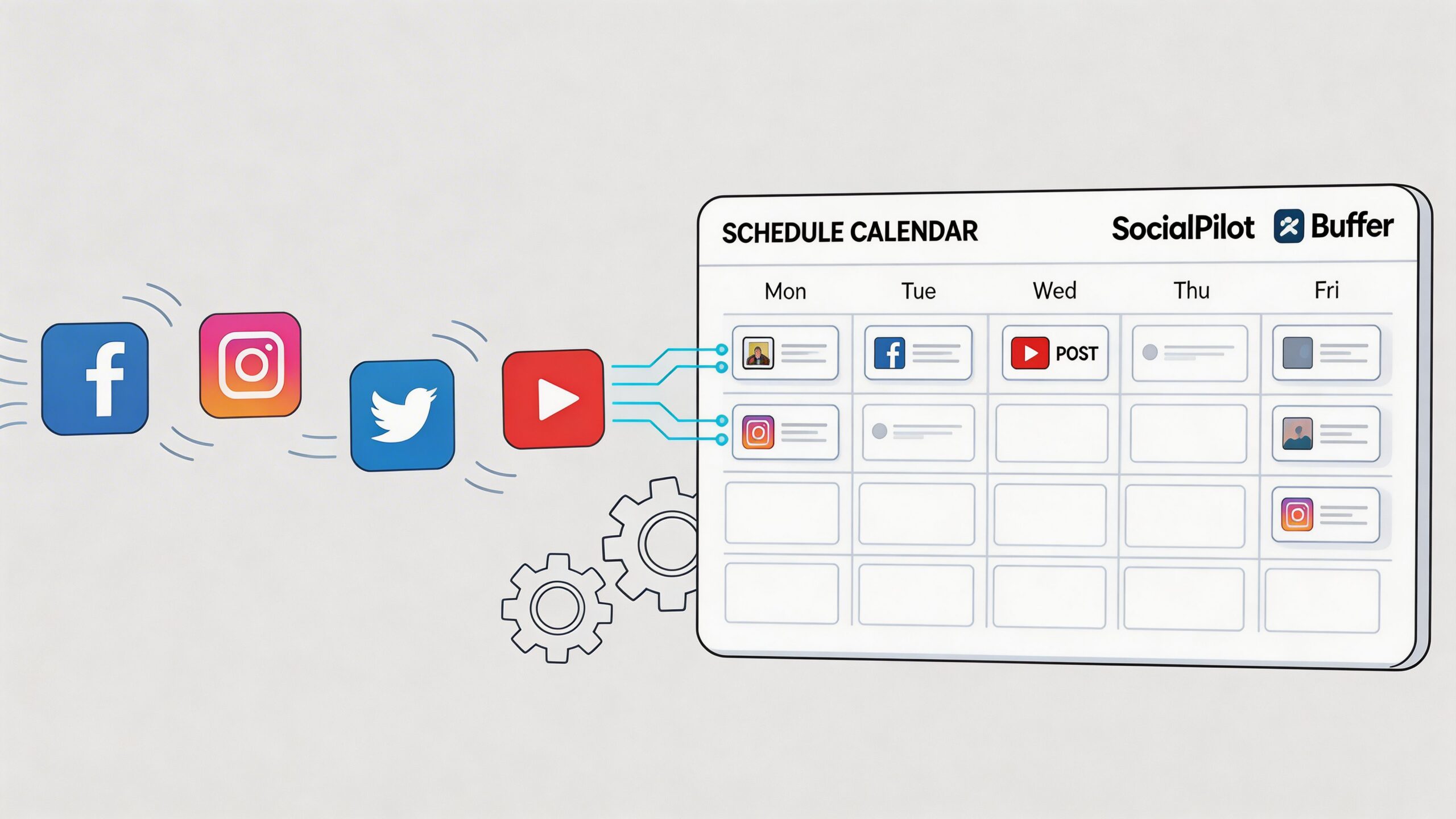
If you manage one brand and one Page, you may not need them. If you manage several clients, partner content, and cross-platform calendars, you probably will.
What you gain beyond Meta Business Suite
The biggest upgrade is bulk control.
Socinator’s overview notes that third-party schedulers can connect multiple Facebook Pages and Groups, bulk upload over 100 posts via a CSV file, and offer AI caption support. The same source says teams need to watch API rate limits of around 200 calls per hour per page and account for Meta’s 2025 policy updates that require manual approval for many group posts. It also reports potential gains of 35% engagement uplift and 50% management time savings when these tools are used well (Socinator on Facebook scheduling tools).
Those features matter for specific reasons:
- Bulk upload: Useful when you already have approved copy and creative for a full campaign.
- Queues and recurring slots: Helpful for series content like weekly tips, promos, or community prompts.
- Multi-account views: Necessary when one team touches several brands.
- Analytics dashboards: Better for comparing what was scheduled, what was adjusted, and what performed.
Native tool versus third-party scheduler
| Need | Meta Business Suite | Third-party tools |
|---|---|---|
| One Page scheduling | Strong | Strong |
| Bulk uploads | Limited | Better |
| Multi-brand management | Basic | Better |
| Group workflows | Limited | Better, but often restricted |
| Cross-platform planning | Weak | Stronger |
| Approval-heavy campaigns | Manual | More structured |
The right choice depends on how much coordination sits behind each post.
If you’re comparing options for broader workflow support, this overview of social media scheduling software is useful for seeing how teams move from simple publishing to more connected planning.
The trade-off most people miss
Advanced scheduling tools save time, but they also make it easier to over-automate.
That sounds efficient until every Page starts posting at identical intervals with recycled copy patterns. Facebook notices unnatural behavior. Audiences do too.
Manager’s note: Automation should remove repetitive work, not remove judgment.
A good setup uses third-party tools for structure, then keeps a human checking timing, creative fit, and context before content goes live.
Scheduling for Facebook Groups And Influencer Campaigns
Facebook Groups are where scheduling gets messy.
Pages are relatively straightforward. Groups aren’t. The rules are tighter, the workflows are clunkier, and what looks automated on the surface often still depends on a human finishing the job.
Why group scheduling frustrates teams
A cited tutorial on group scheduling explains the core issue clearly: Meta’s API changes often prevent third-party tools from auto-publishing directly into groups, so many tools rely on a Notify Me workflow that pushes a mobile alert when it’s time to post manually. The same source notes that group posts can drive 2 to 3 times higher engagement, yet up to 70% of creators report scheduling friction because of these limitations (YouTube tutorial on Facebook Group scheduling limitations).
That creates a practical problem.
You can prepare the post. You can load the copy. You can assign the timing. But for many groups, someone still has to be available with the phone notification at the right moment.
For community managers, that means the calendar is only half automated.
What works for groups right now
The cleanest approach is a hybrid one:
- Pre-write the post: Get copy, links, and assets approved in advance.
- Set reminders intentionally: Don’t bury group posts in a generic queue.
- Track admin rules separately: Some groups have posting standards that matter as much as timing.
- Keep event posts flexible: Group conversations shift faster than branded Page content.
If a team assumes group scheduling works like Page scheduling, they usually get burned.
Why influencer campaigns make scheduling harder
Creator campaigns add more moving pieces than standard brand posting.
You’re not just deciding when a post goes out. You’re handling draft review, usage rights, product timing, talking points, compliance language, and often a sequence of assets rather than one post. A creator may need to publish on one day, your brand Page may amplify that content later, and community content may need a different angle again.
That’s why campaign managers need a workflow that separates these stages:
- Content submission
- Brand review
- Revision
- Final approval
- Scheduled publication
- Performance follow-up
When that chain lives in scattered tools, delays pile up. The scheduling issue usually isn’t publishing. It’s approval latency.
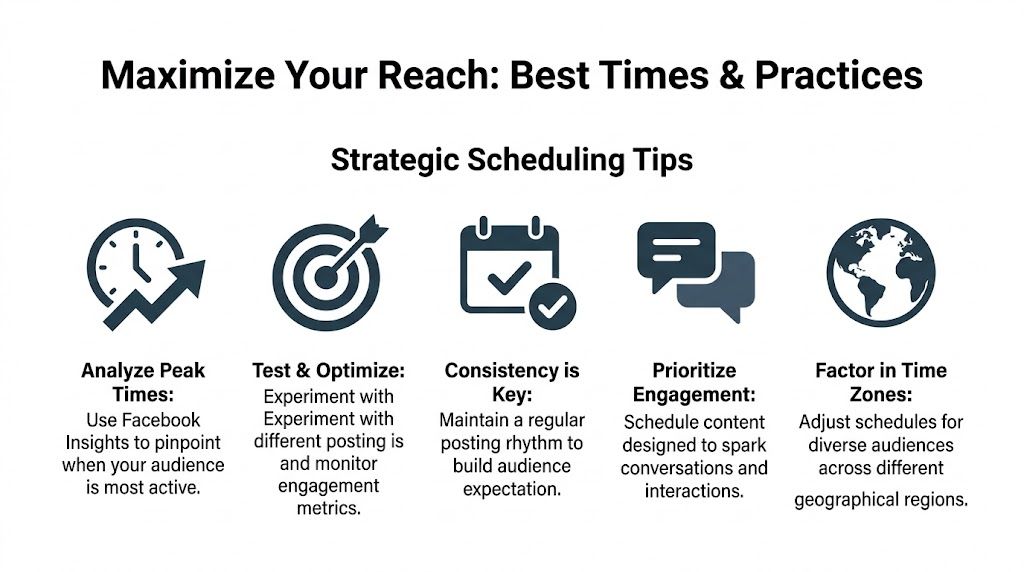
Best Times And Practices To Maximize Your Reach
Scheduling helps only if the timing is good.
A post queued for convenience can still underperform. That’s why timing needs to be based on audience behavior first, team availability second.
The timing baseline worth starting from
Sprout Social’s 2026 analysis of nearly 2 billion engagements across roughly 307,000 social profiles found that Tuesdays and Wednesdays from 12 p.m. to 8 p.m. local time are the strongest windows for Facebook engagement, with weekends tending to be weakest (Sprout Social’s Facebook timing analysis).
That gives you a strong default.
If you're building a Page schedule from scratch, midweek and local-time posting is a sensible place to begin. It’s much better than posting whenever the team happens to finish the asset.
A second large dataset points in a slightly different direction. Buffer’s review of 14 million Facebook posts found Thursday at 9 a.m. was the best single time, with Wednesday as the strongest overall day and weekday mornings from 6 to 11 a.m. outperforming afternoons (Buffer’s best time to post on Facebook research).
That difference isn’t a contradiction. It’s a reminder that audience behavior changes by niche, geography, and content type.
The practical way to use those findings
Don’t treat any published time slot like a law. Use it as a test starting point.
A working framework looks like this:
- Start with proven windows: Try midweek local-time slots first.
- Separate content types: Links, videos, and community prompts don’t always perform the same way.
- Review by audience location: A US-heavy Page and a Europe-heavy Page shouldn’t run the same calendar.
- Adjust after a few cycles: Keep what performs. Drop what doesn’t.
If you want another useful reference point while building that test plan, this guide on the best day for social media posts is worth reviewing alongside your own platform data.
For teams that need a tighter planning rhythm, building the schedule in a documented calendar helps prevent random posting decisions. This guide on how to create a content calendar is a practical starting point.
When you should not schedule
This is the part most basic tutorials skip.
A verified summary in the source material notes a contrarian point from Brandwatch analytics: for time-sensitive trends, real-time posts can outperform scheduled ones by up to 35% because algorithms may favor content that feels fresh in the moment. That’s included in the verified dataset and tied to the earlier Sprout reference.
That matches what most working social teams see in practice. Scheduled content wins on consistency. Live content often wins on relevance.
Schedule your pillar content. Post trend content live when the moment is real and the team can respond in context.
So the best answer to can you schedule facebook posts is not “schedule everything.” It’s “schedule what benefits from preparation, and keep room for what benefits from immediacy.”
Transform Your Strategy From Manual To Automated
The issue often isn’t a posting problem. They have a workflow problem.
If content is always late, approvals are always buried, and posting still depends on someone remembering at the right time, scheduling is the first fix. It moves Facebook from reactive work to planned execution.
Start with Meta Business Suite if your setup is simple. Move to a third-party scheduler if volume, multiple brands, or cross-platform planning are slowing the team down. Treat Facebook Groups as a separate workflow. They need more care. For influencer campaigns, tighten approvals before you worry about queue volume.
The teams that get the best results usually do three things well. They batch content early, schedule the pieces that benefit from consistency, and stay available for live moments that can’t be planned.
If your next step is reducing manual work across approvals, planning, and publishing, this look at social media marketing automation is a strong place to start.
REACH helps agencies, brands, and creators manage more than scheduled posts. If you want one platform for influencer discovery, campaign coordination, content approvals, reporting, payments, and performance tracking, explore REACH.
