 Skip to content

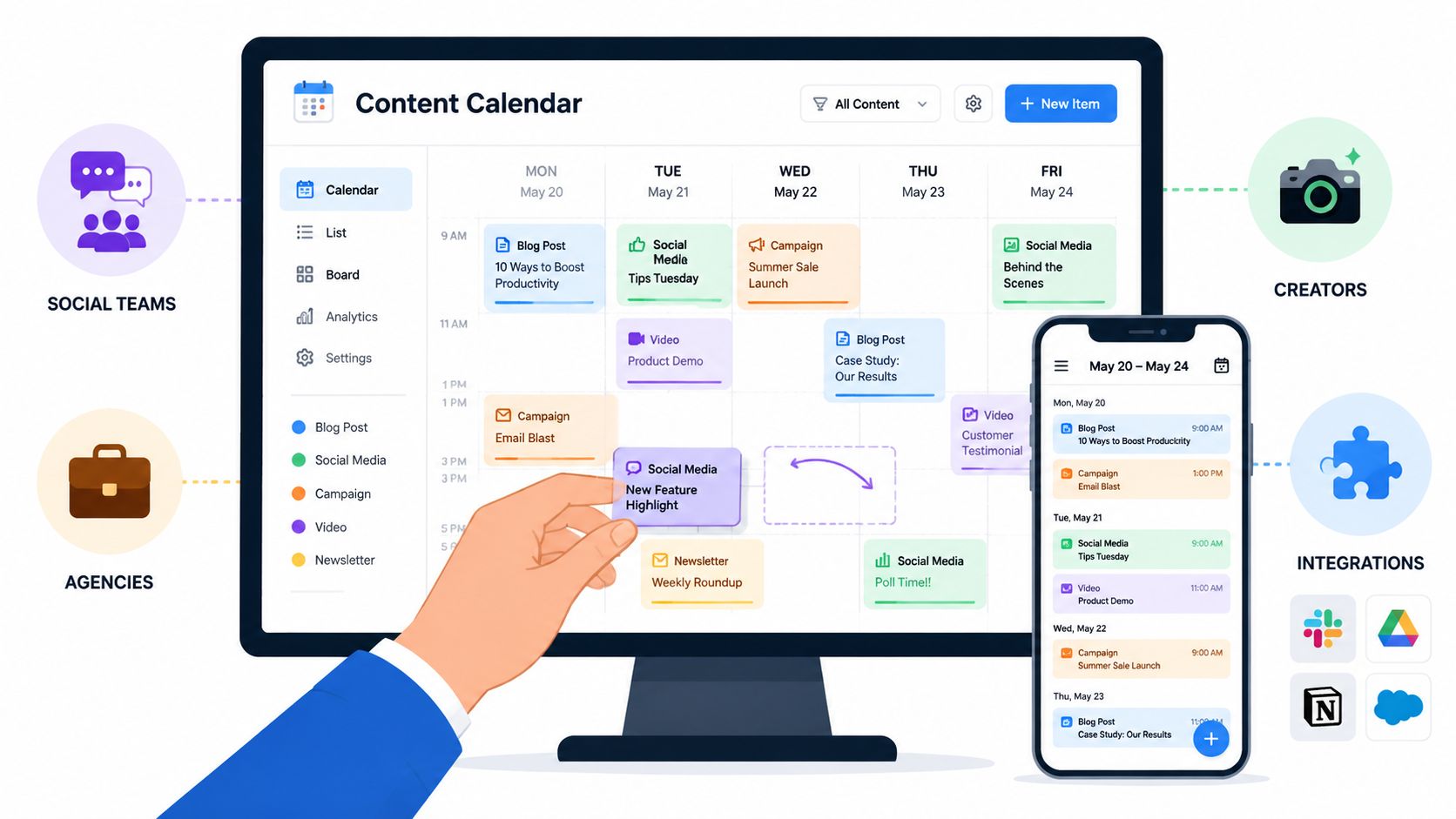
Juggling content ideas in notes, drafts in docs, approvals in Slack, and post dates in spreadsheets gets old fast. At some point, the spreadsheet stops being a calendar and starts becoming a liability. People miss handoffs, two teams publish overlapping messages, and nobody is fully sure what's approved, what's delayed, or what's going live this week.
That's why content calendar software matters. It gives marketing teams one place to plan, assign, review, publish, and measure work instead of trying to stitch the process together manually. According to Sprout Social's content calendar guide, 76% of marketers use tools for calendaring, collaboration, or workflow in their content marketing activities. This reflects practical realities. Spreadsheets still exist, but they're no longer enough once multiple channels and stakeholders are involved.
If influencer marketing is part of your mix, the coordination problem gets bigger. Creator deadlines, brand approvals, launch posts, whitelisting windows, product shipments, and follow-up content all need to line up. That's where a platform like REACH Influencers fits alongside your calendar stack. REACH helps brands and agencies manage what happens after creator discovery, including campaign organization, shared deadlines, content tracking, and brand content scheduling that needs to align with influencer posts.
Here are the content calendar software tools worth considering for 2026, grouped by the workflow they serve best.
1. CoSchedule
If you want a tool that feels like a calendar first and a workflow tool second, CoSchedule is one of the easiest places to start. That's its appeal. Small teams, lean in-house departments, and agencies that don't want a heavy setup usually get value from it quickly.
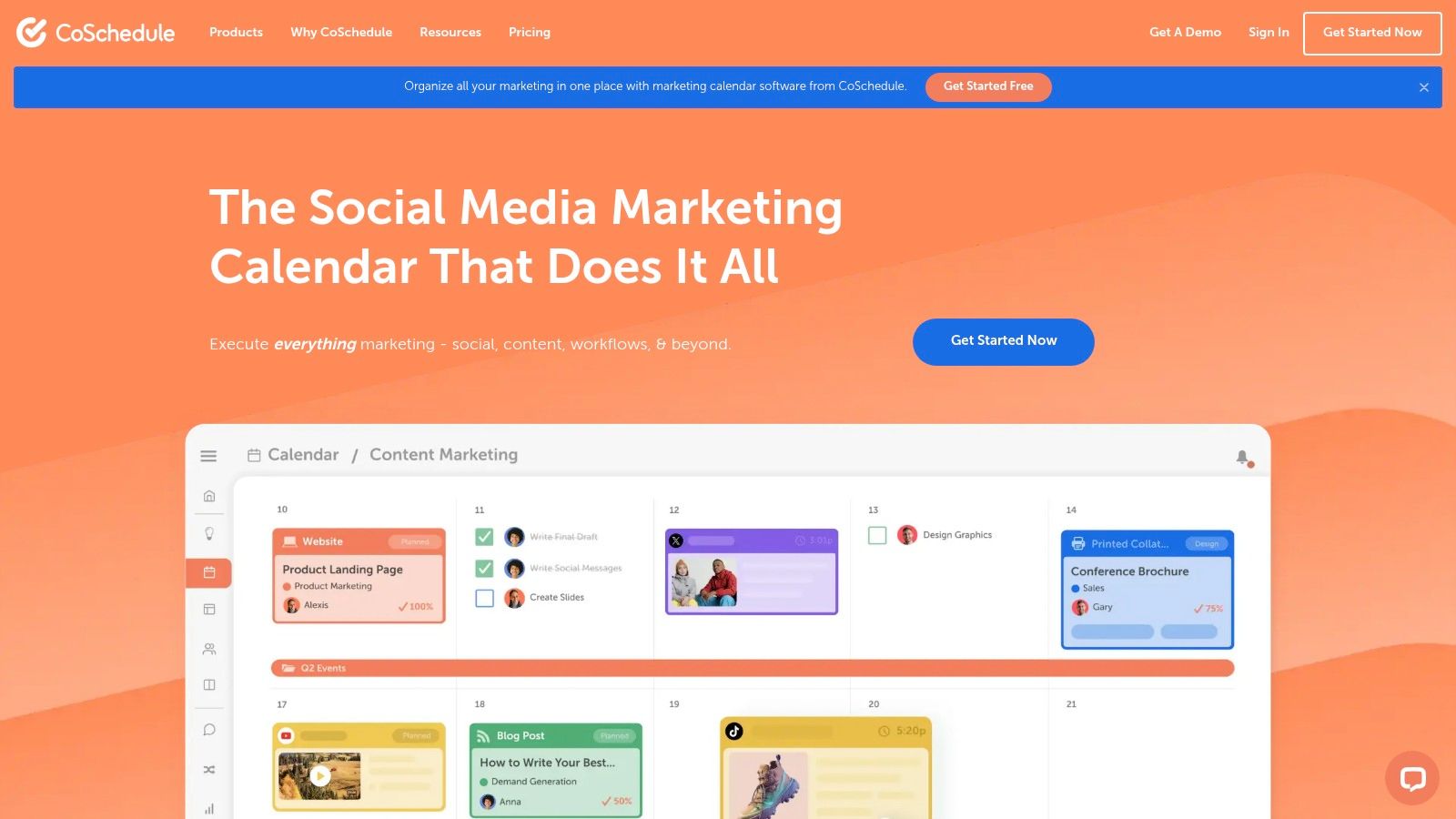
The drag-and-drop calendar is straightforward, and the social scheduling layer makes sense for teams that want one planning surface for blog posts, campaigns, and social promotion. ReQueue and timing recommendations are useful if your social strategy includes resharing evergreen posts instead of building every slot manually.
Where CoSchedule works best
CoSchedule is strongest when your content operation is still compact. You've got a manageable number of approvers, a clear publishing rhythm, and you want the team to use the system without a long rollout.
What usually works well:
- Fast adoption: The interface is easy to read, so teams move out of spreadsheets without much resistance.
- Calendar-led planning: It's good for marketers who think in campaigns and publishing dates, not in database fields.
- Useful social add-ons: ReQueue and scheduling help keep channels active without constant manual rescheduling.
The trade-off is depth. Once multiple teams want separate workflows, detailed permissions, or more complex approval chains, CoSchedule can start to feel a bit small unless you move into higher-tier products.
CoSchedule is a good fit when your bottleneck is organization, not governance.
2. Hootsuite
Hootsuite sits firmly in the social media scheduler category, but for larger teams, that undersells it. It's really a social operations platform with a calendar attached. If your day-to-day work revolves around publishing across many profiles, routing approvals, and managing engagement in one place, Hootsuite is built for that.
Its biggest strength is governance. You can manage permissions, approvals, queues, and inbox workflows without relying on a patchwork of tools. That makes it useful for brands with regional teams, compliance needs, or a lot of hands touching social content before it goes live.
The real trade-off
Hootsuite is excellent when social publishing is the center of your calendar. It's less compelling if you need a full marketing planning hub across blog, email, launch assets, and campaign production. In that case, the calendar can feel execution-heavy rather than strategy-heavy.
A practical way to think about it is this:
- Choose Hootsuite if publishing and governance are the main problem.
- Don't choose Hootsuite alone if your bigger issue is cross-channel planning across content, creative, and campaign teams.
If you're comparing scheduler-first tools, this list of social media scheduling software is a useful companion read.
For influencer-heavy brands, Hootsuite usually needs a second system. It handles brand-side publishing well, but creator coordination, deliverables, and payment-related workflow still belong elsewhere.
3. Sprout Social
Sprout Social fits teams that need their calendar to answer two questions at once: what is publishing next, and what did the last round of content produce? That combination matters for in-house marketing teams, agencies, and brands reporting up to leadership. A pretty scheduler is easy to find. Clear reporting that people will use is harder.
Sprout sits in the social media scheduler category, but it reaches a bit further into performance management than lighter tools. The platform is polished, the workflow is easy to follow, and the reporting is often the reason teams stay. If a director, client, or VP regularly asks for evidence behind the calendar, Sprout makes that conversation easier.
Where Sprout earns its price
Its strongest use case is social teams that need publishing, approvals, inbox management, and reporting in one place.
A few strengths stand out:
- Reporting that travels well: Exports and dashboards are easier to share with stakeholders who care about outcomes, not platform details.
- Approval workflow that reduces bottlenecks: Teams with brand review or legal review can build a more reliable process instead of chasing feedback in email. REACH's guide to a better content approval workflow is useful if that part of your process is still messy.
- Good day-to-day usability: Calendar views and the Smart Inbox help social managers spend less time switching tabs and more time managing live work.
The trade-offs show up fast if budget is tight. Sprout can be expensive for smaller teams, and some of its more valuable analytics and listening features sit higher in the pricing structure. That means the tool makes the most sense when reporting quality is part of the buying decision, not an afterthought.
It also helps to place Sprout in the broader workflow mix. If your operation is mostly social publishing and engagement, Sprout can cover a lot. If your team also runs blog production, email calendars, campaign asset tracking, and influencer deliverables, Sprout usually works best as one layer in a larger system, not the entire content ops hub. That is where the article's workflow split matters. Scheduler-first tools handle distribution well. Flexible content ops platforms handle cross-channel planning better. Influencer work often needs another layer again, especially for creator coordination, approvals, and deliverable tracking through a tool like REACH.
For another outside comparison, this Marketing social media tool directory is a useful skim.
A good rule of thumb: Buy Sprout for reporting discipline and operational clarity, not just for the posting calendar. If leadership will judge the program by the quality of insights, the extra cost can be justified.
4. Buffer
Buffer has stayed relevant by not trying to become everything. That's a strength. For creators, consultants, very small brands, and lean marketing teams, Buffer is often the right amount of software.
It gives you a simple calendar, a queue, posting support across major networks, and enough analytics to run a sane publishing process. You won't spend much time learning it, which matters more than people admit. A tool only helps if the team opens it every day.
When Buffer is the smart pick
Buffer makes the most sense when your content process is simple and repeatable. You're publishing regularly, you need reliability, and you don't need a deep governance system.
Its practical advantages are easy to see:
- Low friction: Teams can start scheduling quickly.
- Predictable setup: The product doesn't ask you to build a custom workflow first.
- Good for solo and small-team use: The simplicity is part of the value.
The compromise is depth. If you need layered approvals, extensive permissions, or broad campaign planning across multiple departments, Buffer will feel narrow. It's a scheduler, not a full content ops platform.
That's fine if you know what you're buying. A lot of teams overbuy here.
5. Later
A common scenario: the team is planning a product drop, half the discussion is happening in DMs, and everyone wants to see how the feed, Stories, and short-form video will line up before anything goes live. Later fits that kind of workflow well. Later is built for visual planning, which is why it tends to click with fashion, beauty, food, travel, and other consumer brands that publish social content as part of the brand experience, not just as distribution.

What stands out in practice is how quickly teams can move from asset review to scheduled output. The visual calendar, media library, and social-first planning model reduce a lot of the small approval loops that slow down campaign execution. That matters if your content calendar is functioning as a publishing engine, not a master planning system.
Later also sits in a specific category in this list. It is a social media scheduler first, not an all-in-one marketing suite or a flexible content ops platform. That focus is a strength if the job is to plan, preview, and publish social content efficiently. It becomes a constraint if the same team also needs to manage briefs, blog production, web content, legal review, and cross-functional launch timelines in one place.
Later is usually a strong fit when:
- Visual channels carry a large share of performance
- Instagram, TikTok, and creator-led content shape the calendar
- The team wants a clear publishing workflow without building a custom system
The trade-off is operational range. Later handles social execution well, but it usually will not become the system of record for every content type across marketing.
That distinction matters for influencer programs. For brands running creator campaigns, Later can manage the brand's publishing calendar, while a separate system like REACH handles campaign coordination, creator deliverables, approvals, and deadline tracking behind the scenes. That split is often more practical than forcing one social tool to cover both outbound publishing and influencer operations.
6. Loomly
Loomly is one of the more practical picks for agencies or teams managing a lot of profiles without wanting enterprise-level complexity. It's calendar-first, approval-friendly, and easier to price mentally than some of the larger platforms.

The value here is structure without too much overhead. You get roles, approvals, analytics, asset organization, and integrations with tools like Slack and Microsoft Teams. That makes it easier to fit Loomly into an existing marketing workflow instead of asking the team to change everything.
Why agencies often like Loomly
Loomly is especially useful when you need a lot of calendars and a lot of collaborators, but you don't need a broad social listening suite or a complicated enterprise security review.
What stands out in practice:
- Simple planning views: Easy for both internal teams and clients to follow.
- Approval support: Helpful for agencies balancing speed with review control.
- Transparent feel: The tool does what it says without much mystery.
The limitation is breadth. Loomly isn't trying to be your whole content operating system, and that's apparent once campaign planning extends beyond social and assets.
7. Planable
Planable is built around one stubborn problem. Content gets delayed because too many people need to review it. If that's your reality, Planable deserves a serious look.
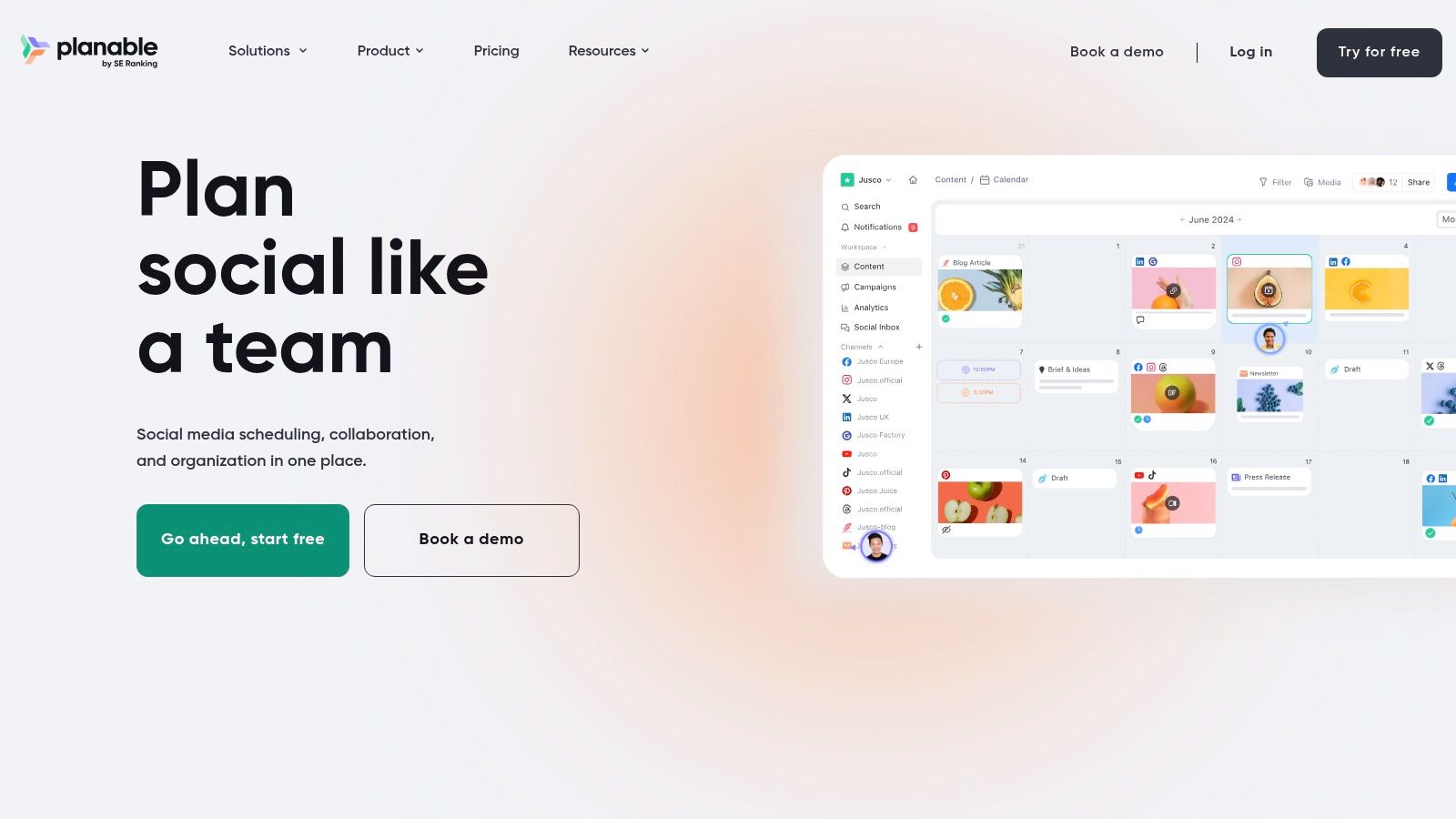
The different views, post mockups, threaded comments, and shareable links all support the same goal. Get feedback faster without making people log into a clunky system or dig through email threads.
One broader industry point matters here. Airtable's content calendar software guide notes that effective content calendar software now needs features like drag-and-drop planning, conflict detection, approvals, reminders, metadata, integrations, and reporting. The same guide says centralized workflows can cut approval time in half when teams use them for oversight without constant follow-up. That's the kind of problem Planable is explicitly designed to solve.
Best use case for Planable
Planable is ideal for agencies and client-service teams where lots of stakeholders need visibility, but not everyone should be a paid seat on a traditional platform.
It shines when:
- Approvals are the bottleneck
- External stakeholders need a simple review experience
- You want realistic previews of social content before it's published
Its weakness is that it remains more social-centric than cross-channel. If your “content calendar” includes web pages, emails, editorial production, influencer shipments, and launch operations, you may outgrow it.
Approval tools work best when they reduce conversation, not when they create a new place to argue.
8. Notion
Notion isn't a social scheduler, and that's exactly why many teams love it. It's one of the best planning environments for teams that want a source of truth for briefs, drafts, campaign notes, editorial status, and linked assets.

If your team's real problem starts before publishing, Notion can be more valuable than a posting tool. You can create editorial databases, campaign hubs, content briefs, approval pages, and status views that make planning visible long before a post reaches a scheduler.
What Notion does and doesn't do
Notion works best as the planning layer. It usually needs another tool for actual social publishing.
That split is often healthy:
- Use Notion for planning: briefs, themes, campaigns, owners, approvals, notes.
- Use another tool for scheduling: social publishing, queues, network-specific posting.
- Use REACH for creator operations: campaign deadlines, influencer deliverables, communication, and coordination.
If you need help structuring the planning side, this guide on how to create a content calendar pairs well with a Notion-based setup.
The downside is setup time. Notion is flexible, but flexibility means someone has to decide how the system should work. Teams without a clear workflow can build a beautiful mess.
9. ClickUp
ClickUp is what I'd call a content ops platform disguised as project management software. It can absolutely function as content calendar software, but only if your team wants operations depth as much as calendar visibility.
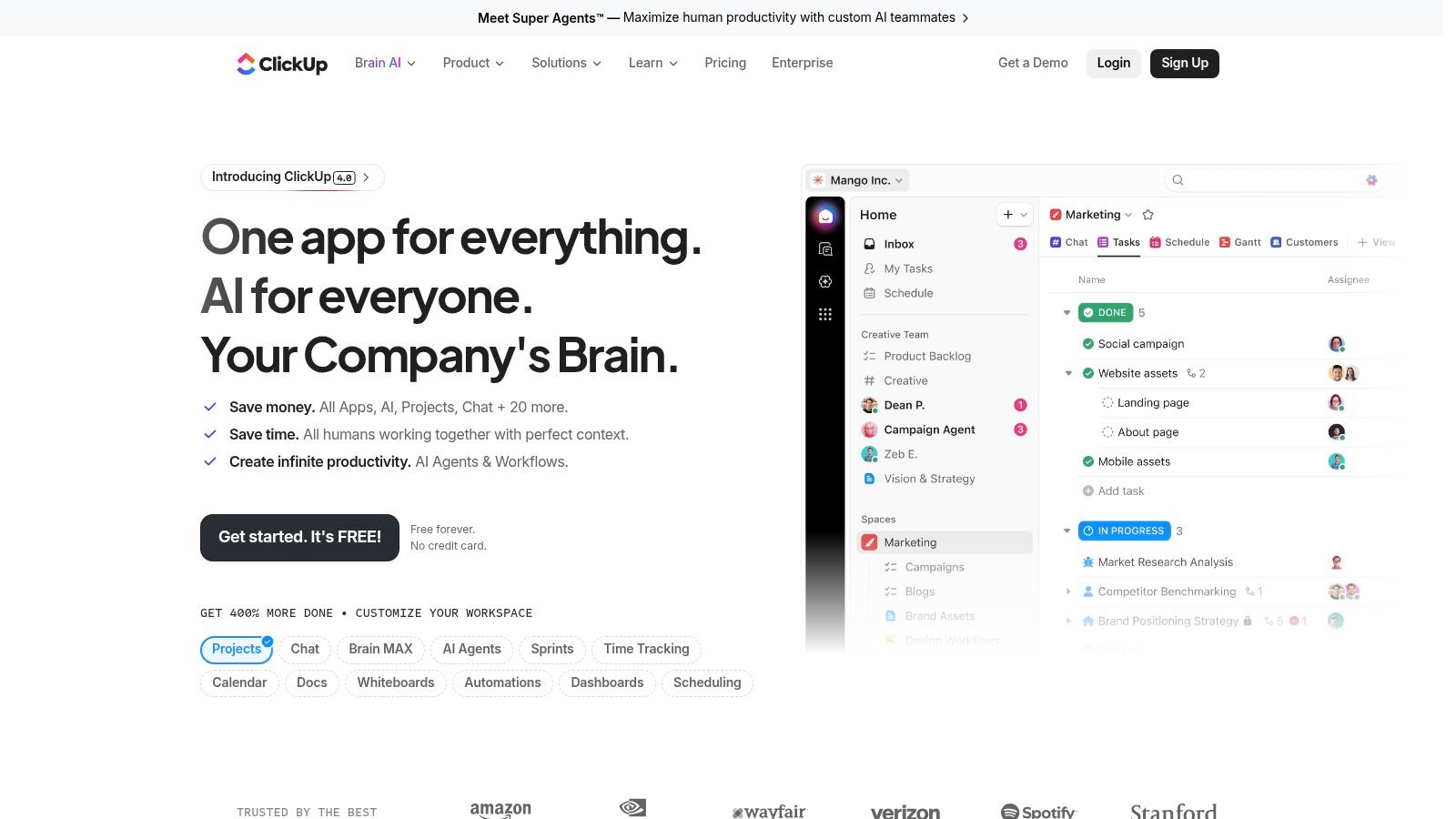
Its real advantage is handoff management. You can connect ideation, drafting, design review, stakeholder feedback, legal checks, and publication prep inside one system. For cross-functional marketing teams, that's often more important than having the prettiest calendar.
The trade-off with ClickUp
ClickUp is powerful, but it can also feel heavy. If your only need is social scheduling, it's more software than necessary. If your problem is broken production flow between content, design, and marketing ops, it starts to make a lot more sense.
It's a strong fit when:
- Multiple departments touch content before launch
- You want automations and dashboards
- The calendar needs to connect to project execution
It's weaker when a team wants lightweight adoption and minimal admin. ClickUp gives you room to build a full workflow, but that also means someone has to manage the workflow.
10. Airtable
Airtable is the most flexible tool on this list, and also the easiest one to misjudge. In the right hands, it can become a powerful content operating system. In the wrong setup, it becomes a prettier spreadsheet that still depends on manual upkeep.
Airtable is best for teams with complex schemas. Think ideas linked to briefs, briefs linked to assets, assets linked to campaigns, campaigns linked to stakeholders, and all of it visible through filtered views for different teams. That structure is hard to replicate cleanly in simple schedulers.
Why Airtable is powerful and demanding
Airtable's own framing is useful here. As noted in the broader category discussion earlier, modern content calendar software has expanded beyond dates and publishing windows. Airtable leans into that by connecting calendars to other operational layers like intake, budgeting, launch planning, and vendor management instead of isolating planning in one static view.
The caution is maintenance. Neutral reviews also point out that flexible systems like Airtable can require custom configuration and ongoing upkeep, while generic work tools aren't always built specifically for marketing calendars. That's a real issue for teams trying to answer the operational ROI question. You can read that angle in this roundup of content calendar software in 2026.
Airtable is best when:
- The workflow is complex enough to justify custom structure
- Different stakeholders need different filtered views
- Your team can maintain the system over time
It's not ideal if you want out-of-the-box publishing and no setup burden.
Top 10 Content Calendar Tools, Feature Comparison
| Product | Core focus | Key strengths ✨ / 🏆 | UX & Quality ★ | Value / Pricing 💰 | Best for 👥 |
|---|---|---|---|---|---|
| CoSchedule | Calendar‑first marketing planning | Drag‑drop calendar, ReQueue auto‑reshare ✨ 🏆 | ★★★★ | 💰 Affordable entry plans | 👥 Small teams & agencies |
| Hootsuite | Enterprise social management | Governance, approvals, multi‑network ✨ 🏆 | ★★★★☆ | 💰 Premium / per‑seat | 👥 Large brands & compliance teams |
| Sprout Social | Analytics & reporting | Deep native analytics, stakeholder reports ✨ 🏆 | ★★★★☆ | 💰 Higher per‑user cost | 👥 In‑house teams & agencies |
| Buffer | Lightweight scheduler | Simple queue, per‑channel pricing, reliable ✨ | ★★★★ | 💰 Very affordable | 👥 Creators, small brands, consultants |
| Later | Visual planning for IG/TikTok | Visual calendar, media library, link‑in‑bio ✨ 🏆 | ★★★★ | 💰 Mid / creator plans | 👥 Visual brands & creators |
| Loomly | Calendar + content ops | Generous account caps, AI captions, approvals ✨ | ★★★★ | 💰 Transparent tiered pricing | 👥 Agencies managing many profiles |
| Planable | Review & client approvals | Multi‑level approvals, client views, unlimited users ✨ 🏆 | ★★★★ | 💰 Per‑workspace value for agencies | 👥 Agencies & client‑facing teams |
| Notion | Planning / source‑of‑truth | Flexible DBs, templates, docs + AI ✨ | ★★★★ | 💰 Good price/seat | 👥 Teams needing editorial ops & briefs |
| ClickUp | Project + content operations | Automations, proofing, templates ✨ 🏆 | ★★★★ | 💰 Workspace pricing (scales) | 👥 Cross‑functional marketing teams |
| Airtable | Schema + complex workflows | Linked records, interfaces, automations ✨ 🏆 | ★★★★ | 💰 Flexible but can add up | 👥 Multi‑brand content pipelines |
Build Your Content Command Center
Monday at 9 a.m. is when weak systems show up. Social posts are queued, the campaign brief is buried in a doc, design feedback is sitting in Slack, and the person managing creators is still piecing together approvals from email threads and DMs. The problem is coordination.
That is why content calendar software matters as an operations decision, not just a publishing one. The right tool gives teams one place to plan campaigns, assign owners, track approvals, store assets, and keep deadlines visible across channels. In practice, the purchase usually happens after the process starts slipping. Missed handoffs, unclear ownership, and scattered files create more pain than the act of scheduling posts.
A better way to choose is by primary workflow.
Social Media Schedulers fit teams whose bottleneck is getting posts reviewed, approved, and published on time. Hootsuite, Buffer, Later, Loomly, and Planable are strongest when channel execution is the center of the job. They reduce friction in publishing, but they are not always the best home for campaign dependencies, editorial planning, or multi-team project management.
Flexible Content Ops Platforms fit teams that need the calendar to connect to the rest of marketing work. Notion, ClickUp, and Airtable handle briefs, production stages, assets, dependencies, and reporting structure far better than lightweight schedulers. The trade-off is setup. Someone has to define statuses, permissions, templates, and rules, or the system turns into another messy workspace.
CoSchedule sits in a different lane. It works well for teams that want planning and publishing in the same environment without building the entire workflow from scratch. That middle ground appeals to marketing teams that need more structure than a scheduler provides, but do not want the overhead of designing an operations system from zero.
Influencer campaigns add another layer that standard content calendars only partly cover. A marketing calendar can track launch dates and brand assets, but it usually does not handle creator outreach, deliverables, approvals, payment status, usage rights, and posting coordination well. REACH covers that workflow so brand content and creator activity stay aligned, especially when teaser posts, launch-day assets, and follow-up content all need to hit in sequence.
The strongest setup is usually a fit-for-purpose stack. Use a scheduler, suite, or ops platform for your core planning workflow. Add a specialist tool where campaign execution has different requirements.
If your team already has the calendar under control but influencer work still lives across spreadsheets, inboxes, and DMs, REACH is the practical fix. It helps teams manage creator communication, deliverables, approvals, payments, and timing without forcing that work into a calendar built for something else.
If you're also refining your wider process, this guide to social media automation is a useful companion read.