
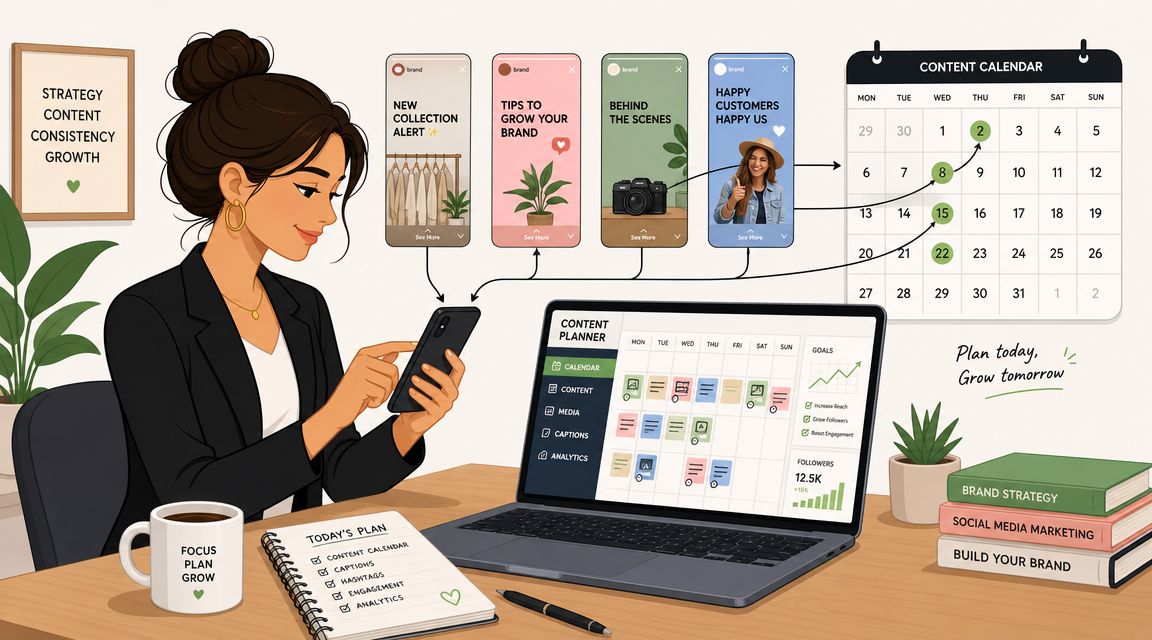
Your phone buzzes on a Saturday because a launch Story has to go live at a precise time. You open Instagram, upload the asset, check the link, fix a typo, and post. The work takes a few minutes. The interruption takes over your day.
That's usually the moment teams decide to learn how to schedule Instagram Stories properly.
Scheduling isn't about being lazy. It's about getting control back. If you manage a brand account, support multiple clients, or coordinate creator content, reactive posting creates avoidable mistakes. Captions get rushed. Timing slips. Someone forgets which version was approved. A campaign that looked organized in a deck turns messy in execution.
Why You Need to Schedule Instagram Stories
The biggest shift happens when Stories stop being treated as one-off posts and start being handled like planned campaign assets. A scheduled calendar gives you room to batch creative, review copy, and line up publishing windows before the day gets chaotic.
For a solo marketer, that means fewer last-minute uploads from your camera roll. For an agency team, it means fewer Slack messages asking who is posting what and when. For influencer campaigns, it means each Story slot fits into a broader content plan instead of floating around as a loose deliverable.
What changes when you stop posting manually
A manual workflow usually creates the same problems:
- Timing gets fragile because the post depends on one person being available at the right moment.
- Approvals drag on because content often isn't assembled until the day it needs to publish.
- Campaign visibility drops because Stories live in one app, briefs live in another place, and creator updates sit in DMs.
That's why scheduling quickly becomes an operations decision, not just a publishing preference.
Practical rule: If a Story matters enough to be tied to a launch, a promo window, or a creator deliverable, it should be scheduled or prebuilt in advance.
There's also a team management angle here. If you're trying to build calmer workflows, this guide on boosting creative team productivity is useful because the same principle applies to social content. Move repeatable work out of real-time whenever you can.
Scheduling is the baseline, not the whole system
It's worth framing this correctly. Scheduling solves the when. It doesn't solve approvals, creator handoff, content tracking, or payment follow-up. That matters most when you're managing several moving parts at once, especially in influencer campaigns where Story deliverables have to line up with briefs, posting windows, and brand requirements.
That's why experienced teams treat scheduling as the first layer of campaign control. Once that layer is stable, everything else gets easier.
Scheduling Instagram Stories with Meta Business Suite
A Story scheduled at 9:00 a.m. is easy. A Story tied to a product drop, legal approval, creator posting window, and regional account is where process starts to matter.
Meta Business Suite is the first system I set up for any team because it gives you a native scheduling workflow without adding another tool on day one. For a single brand account, it handles the basics well. For agencies and influencer teams, it also gives you a clean baseline before you decide what still needs stronger oversight.
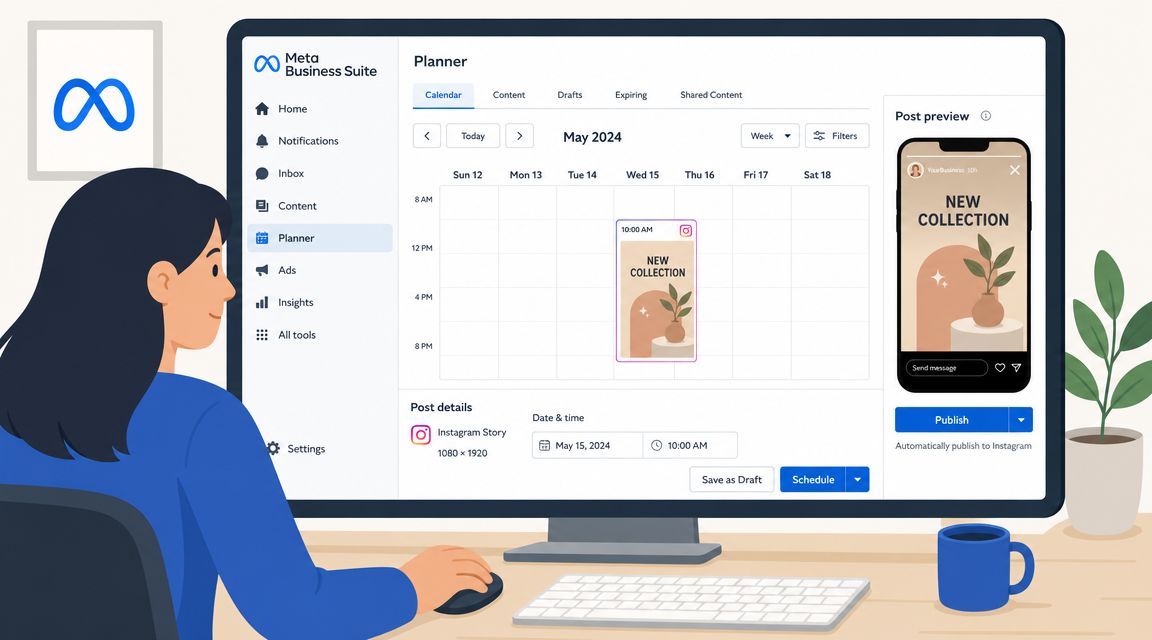
Meta's native flow is straightforward. Connect a professional Instagram account, open Story creation in Business Suite, upload the asset, choose the publish time, and schedule it. The clicks are simple. The mistakes usually happen before or after that step, especially when someone schedules the wrong version, the wrong account, or a Story that has not been fully approved.
The exact Meta Business Suite workflow
This is the handoff I give new team members:
Confirm the account connection first
Check that the Instagram profile is a professional account and properly connected in Meta Business Suite. If permissions are broken, scheduled Stories can fail without notification or end up inaccessible to the person who needs to edit them.Start inside Business Suite, not in your camera roll
Open Create story first. That keeps the asset, caption elements, timing, and account selection in one place instead of scattered across Slack threads and downloads folders.Choose the correct Instagram profile under Share to
This is a common agency mistake. Brand, regional, and creator-managed accounts often sit next to each other, and one wrong selection creates a cleanup job on publish day.Upload the final media, not a draft placeholder
Teams under deadline often schedule with “close enough” creative and plan to swap it later. That works until nobody confirms the replacement. Schedule the approved asset whenever possible.Review the Story frame-by-frame
Check crop, safe text placement, and whether any design element sits too close to the UI. What looks centered in a design file can get covered by profile icons, reply fields, or link stickers.Set the publish date and time in the actual campaign timezone
This matters in influencer work. A post that is “scheduled for Tuesday morning” means different things across client teams, creators, and paid amplification partners.Verify it in the calendar view
I always do one last check in the content calendar. It is the fastest way to catch overlaps, duplicate posts, or a Story that should go live before a feed post but is sitting after it.
What Meta Business Suite does well
Meta Business Suite works best when your team needs native control and a clear approval-to-publish path for owned brand accounts.
It is useful for:
- Scheduling planned Story content in advance for launches, offers, events, and recurring campaigns
- Prebuilding Story sequences for review before the posting window opens
- Keeping publishing inside Meta's own environment when you do not need a larger multi-client workflow
- Training junior team members on the core scheduling process before they touch more complex campaign tools
That native setup also helps teams understand the difference between basic scheduling and full campaign operations. If you are comparing Story scheduling with broader native publishing options, this REACH guide on whether you can schedule posts on Instagram is a useful reference.
A related read if you want to automate your Instagram content covers the wider scheduling picture beyond Stories alone.
Here's a walkthrough if your team prefers to learn visually before touching the workflow itself.
The limits to watch
Meta Business Suite handles scheduling. It does not give you much protection against workflow mistakes around the post.
The practical limits show up fast in campaign work. Story formatting still has constraints. Interactive elements can behave differently depending on how the asset was built. Last-minute creative swaps are harder to manage when approvals live outside the scheduler. If a creator campaign is involved, Meta also does not give you broader visibility into deliverables, approvals, compensation status, and whether every required Story matched the brief.
Those gaps matter more than the scheduling button itself. In-house teams can often work around them with a tight checklist. Agencies and influencer managers usually need stronger tracking around who approved what, which asset version got scheduled, and whether every Story went live inside the agreed posting window.
My rule is simple. Use Meta Business Suite for native scheduling. Use your campaign system to control the surrounding workflow. That is where teams start to feel the difference between “we scheduled it” and “we can trust the campaign is on track.”
When to Use a Third-Party Instagram Scheduling Tool
Meta Business Suite is enough for many in-house teams. It stops being enough when the workflow gets wider than one brand account and one content calendar.
That usually happens when you're juggling multiple clients, managing creators across time zones, or trying to coordinate Story publishing with other channels. At that point, the question isn't “can I schedule this?” It's “can I trust the post to go live correctly, with the right workflow around it?”
The feature that matters most
The biggest technical difference is publishing mode.
Later explicitly offers Auto Publish or Send Notification, and Metricool describes an auto-publish flow plus an optional best-time recommendation based on audience activity, according to Later's support article on Instagram Story scheduling. That sounds like a detail. In practice, it's the difference between a dependable campaign workflow and a missed post.
If your tool relies on a phone notification, you haven't fully automated the post. You've only moved the reminder.
A notification-based flow can still work. It just shouldn't be mistaken for full automation.
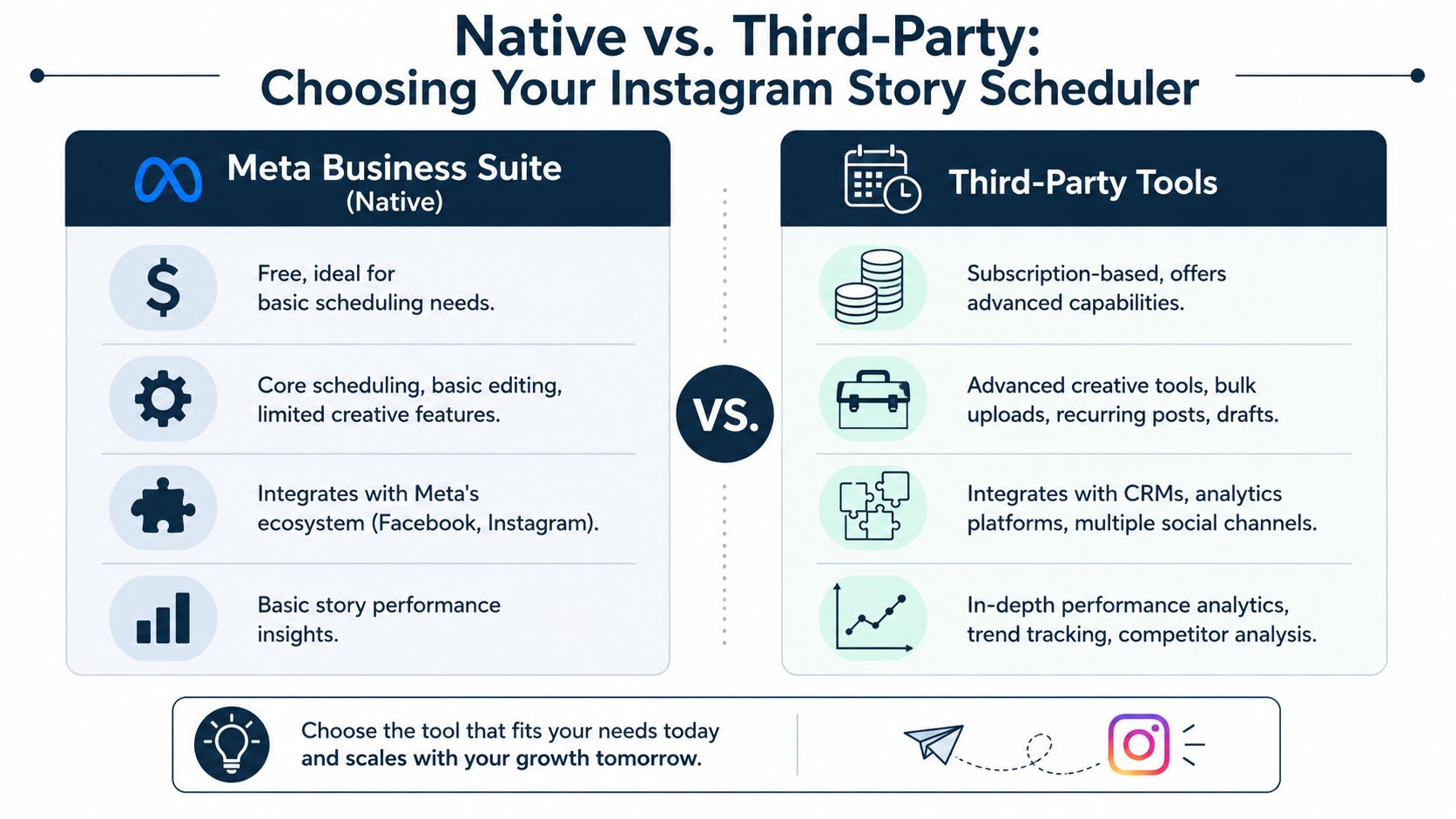
Native versus third-party decision points
Use this rule of thumb:
| Need | Meta Business Suite | Third-party tool |
|---|---|---|
| One brand account | Strong fit | Often unnecessary |
| Multiple client accounts | Limited | Better fit |
| Team approvals and drafts | Basic | Usually stronger |
| Time-sensitive campaign windows | Depends on workflow | Better if auto-publish is available |
| Content libraries and queue planning | Limited | Often stronger |
The practical trade-off is simple. Native tools reduce tool sprawl. Third-party tools reduce operational risk when the calendar gets crowded.
When I'd upgrade
I'd move to a third-party scheduler in these situations:
- Launch windows are strict and a delayed manual publish would hurt campaign timing.
- You manage multiple handles and need one dashboard instead of switching between accounts.
- Several people touch the workflow and you need clearer drafting, review, and scheduling steps.
- The content library matters because you reuse approved assets across campaigns.
The strongest case for paid tools isn't convenience. It's reliability under pressure.
If you're evaluating broader platform options, REACH has a useful overview of social media scheduling software that helps frame what to compare beyond just pricing.
Integrate Story Scheduling into Your Campaign Workflow
A scheduler can publish the asset. It can't manage the campaign around that asset.
That gap shows up fast in influencer work. One creator posts early, another forgets to tag the brand, someone sends a revised Story frame in email, and the approvals team is checking three different spreadsheets to figure out what's live. The posting tool isn't broken. It just was never designed to run the full operation.
What scheduling tools don't solve
Story scheduling covers one narrow task: getting content onto the platform at a planned time.
It usually does not cover:
- Creator coordination across multiple deliverables
- Brand review status for each Story sequence
- Centralized communication when revisions are needed
- Payment and compliance workflows after content goes live
- Cross-platform tracking when a campaign spans Instagram, TikTok, and YouTube
That's why campaign management needs a separate layer of organization.
How to build a cleaner workflow
The better setup looks like this:
Plan the content calendar first
Lock the publishing windows before creators start producing final assets.Map deliverables by creator
Each Story sequence should have a clear owner, approval status, and publish expectation.Separate scheduling from oversight
Use the scheduler for posting. Use your campaign system for approvals, communication, and tracking.Review post-publication quickly
Check that the Story went live as expected, includes the right brand elements, and aligns with the campaign brief.
If you need help building the planning layer before the posting layer, this guide on how to create a content calendar is worth bookmarking.
The cleanest influencer campaigns don't rely on memory. They rely on visible workflows, clear ownership, and one place to check status.
There's also a downstream content benefit here. Once Stories are planned and tracked well, it becomes easier to repurpose media for wider audiences across other channels without losing the thread of the campaign.
Best Practices for High-Performing Scheduled Stories
A Story can publish on time and still underperform. That usually happens when the team treats scheduling as the finish line instead of one step in campaign execution.
For brands and agencies, the job is bigger than getting content into the queue. The Story has to match the brief, fit the creator's style, survive approval delays, and still feel relevant when it goes live. That matters even more in influencer campaigns, where one weak frame can make sponsored content feel stiff fast.
Build the asset for the format
Creative quality decides whether scheduling helps or hurts.
Start with the basics:
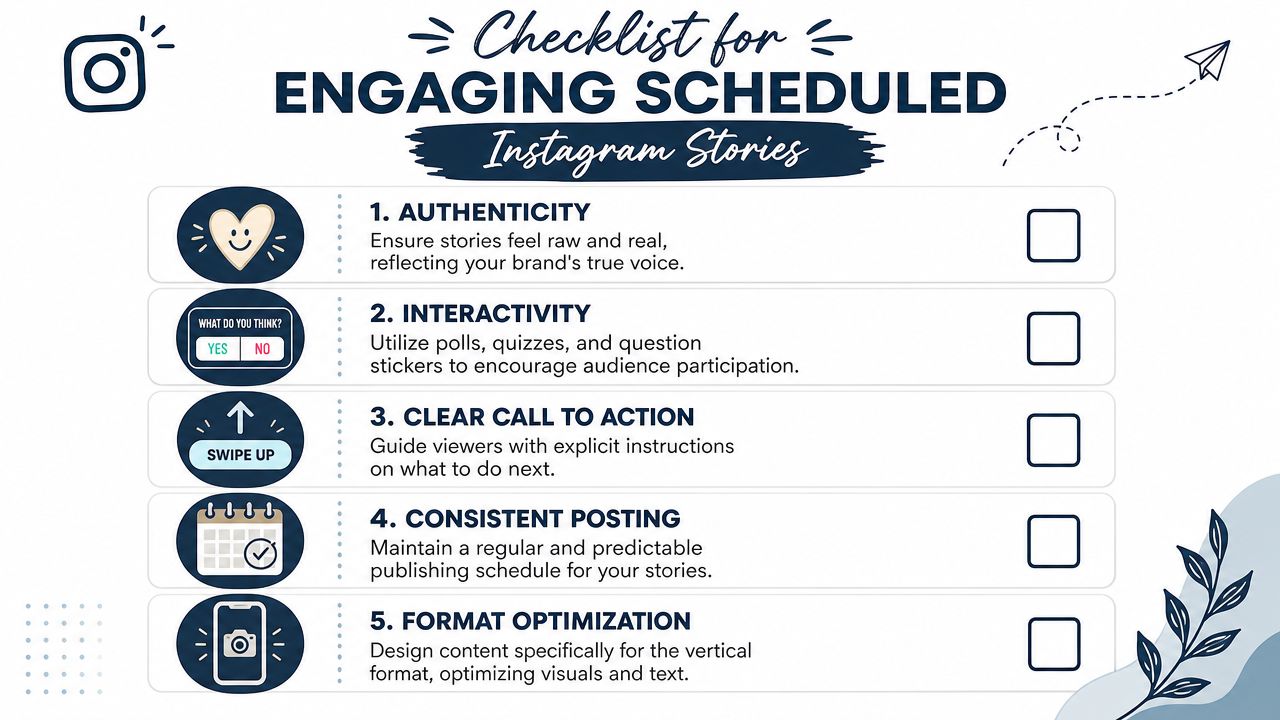
- Design vertically so faces, products, and text sit naturally in the frame.
- Make the first frame do real work because users decide quickly whether to keep tapping.
- Write for fast reading with short lines and clear hierarchy.
- Use one direct action such as replying, visiting the profile, or watching the next frame.
I also check safe zones before anything gets approved. Captions, stickers, and interface elements can cover important text near the edges, and that problem often gets missed when assets are reviewed on desktop.
Plan for feature gaps before launch day
Scheduling gets harder when the campaign depends on interaction. Some tools handle basic Story publishing well but still limit link stickers, polls, mentions, or final in-app edits, as Sprout Social explains in its Instagram Stories scheduling support guide.
That changes the workflow. The question is not only whether the Story can be scheduled. The question is whether the scheduled version still supports the campaign goal.
A few practical adjustments help:
- Replace a poll with a DM prompt if the tool cannot publish interactive stickers reliably.
- Swap a question sticker for on-screen copy that asks for replies.
- Use a profile visit CTA if the link action has to be added manually later.
- Flag mentions for final review when a creator or partner tag must be added inside Instagram.
This is a common gotcha in influencer work. A creator can deliver approved assets on time, but the scheduled post still misses a required tag or sticker because nobody checked tool limitations against the brief.
Keep the Story timely
Scheduled Stories perform better when they leave room for small changes close to publish time.
Review the sequence like this:
- Read every frame in order and cut anything that sounds like ad copy.
- Check the date and context so the Story still fits the moment it will publish.
- Review creator language carefully to keep the tone natural for that account.
- Hold back final polish items if they are better added manually on publish day.
I use one simple standard here. If the Story looks like it was built a week ago, it probably will not hold attention today.
High-performing scheduled Stories feel current, approved, and native to the account posting them.
How to Fix Common Instagram Story Scheduling Errors
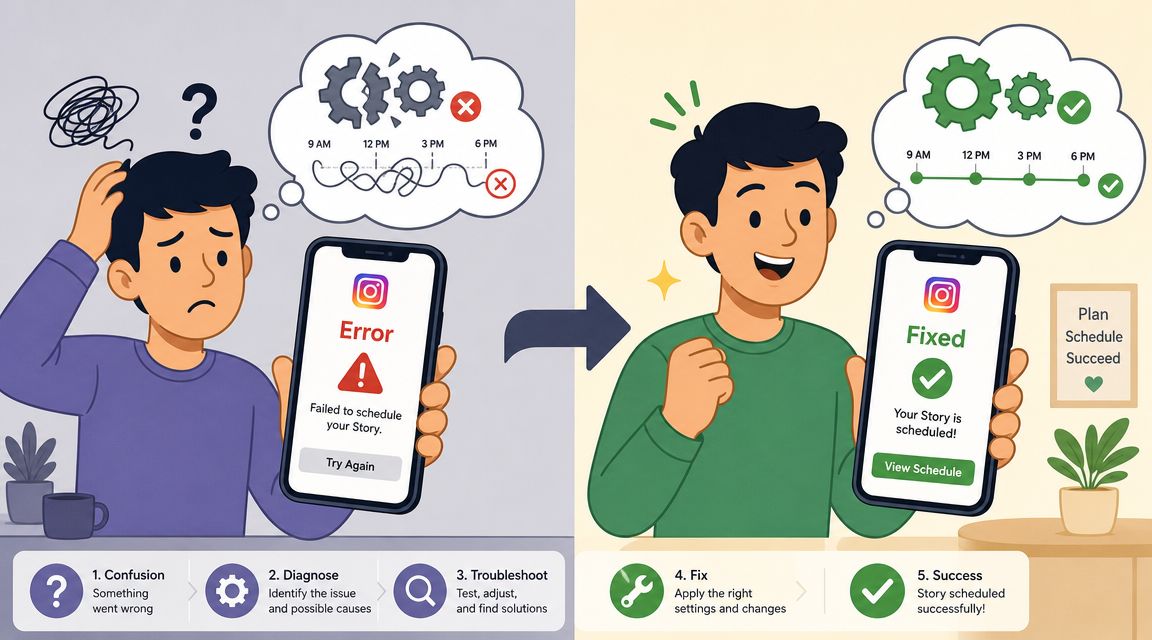
Story scheduling errors usually come from process gaps, not Instagram itself. In practice, the failure point is usually one of three things: the wrong publishing method, a feature mismatch between the brief and the tool, or an account connection that was never fully checked before launch.
Four errors that come up often
The Story didn't auto-post
Confirm whether the platform publishes automatically or only sends a reminder. Teams often mark a Story as scheduled, then miss the mobile notification required to finish posting.The upload options look limited
Check the asset build against the tool's format rules. Some schedulers handle a simple single-frame Story well but break down when you try to queue a multi-frame sequence with mixed media.The Story is missing the feature you expected
Missing stickers, mentions, or link behavior usually point to a scheduler limitation. Match the campaign brief to the tool before approvals are final, especially if a creator owes a tag, a brand mention, or an engagement prompt.The account disconnects
Reconnect the Instagram profile in the platform, then verify that the correct professional account is still attached to the right Facebook Page and workspace.
The troubleshooting mindset that helps
Start with the scheduled post record, not the asset folder. Review the setup in this order:
- Confirm the account selected for publish
- Check whether the post is set for auto-publish or notification-based publishing
- Review which Story features the tool supports on that post type
- Compare the final scheduled version against the campaign brief
That last step matters more than teams expect. In influencer campaigns, a Story can publish on time and still fail the brief because a required mention, link step, or disclosure was left out during scheduling.
I treat Story troubleshooting as campaign QA, not just post QA. One missed Story can delay approvals, create reporting gaps, and trigger avoidable back-and-forth with creators or clients. A platform like REACH helps brands and agencies keep those moving parts visible in one place, including briefs, approvals, content status, payments, and compliance checks.
