 Skip to content

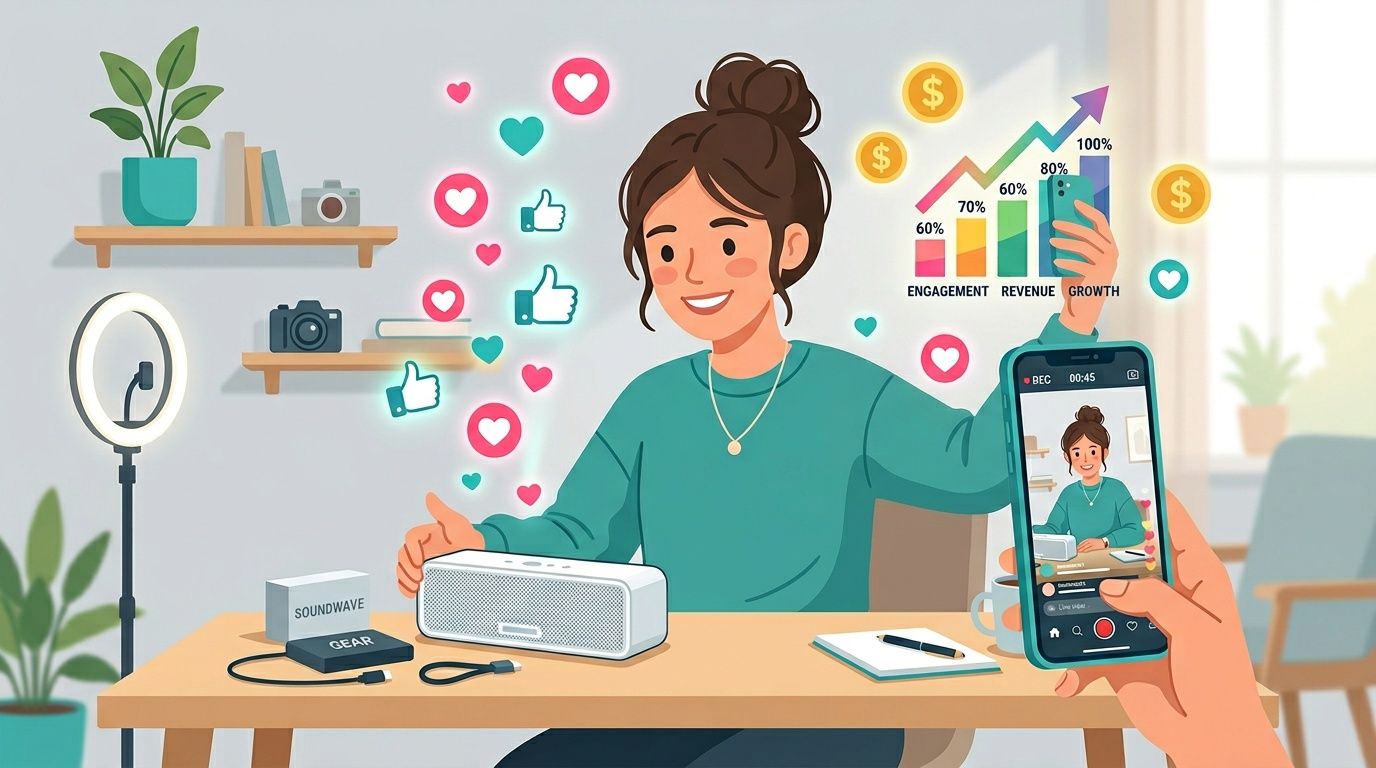
You’re probably here because your paid social creative is getting expensive, your in-house team is tired of producing polished ads that don’t feel native anymore, and your campaign files are spread across briefs, DMs, email threads, and spreadsheets.
That’s exactly where many teams start asking whats a ugc creator and whether hiring one will help.
The short answer is yes, if you understand the role correctly. A UGC creator can give your brand content that feels like something a real customer would post, but the bigger operational question is how you manage that work once you go beyond one or two creators. That’s where teams either build a repeatable system or create a mess for themselves.
What Is a UGC Creator and Why Do They Matter Now?
A UGC creator is a person a brand hires to make content that looks and feels like genuine customer content. The content usually lives on the brand’s channels, ad accounts, landing pages, or product pages, not necessarily on the creator’s own profile.
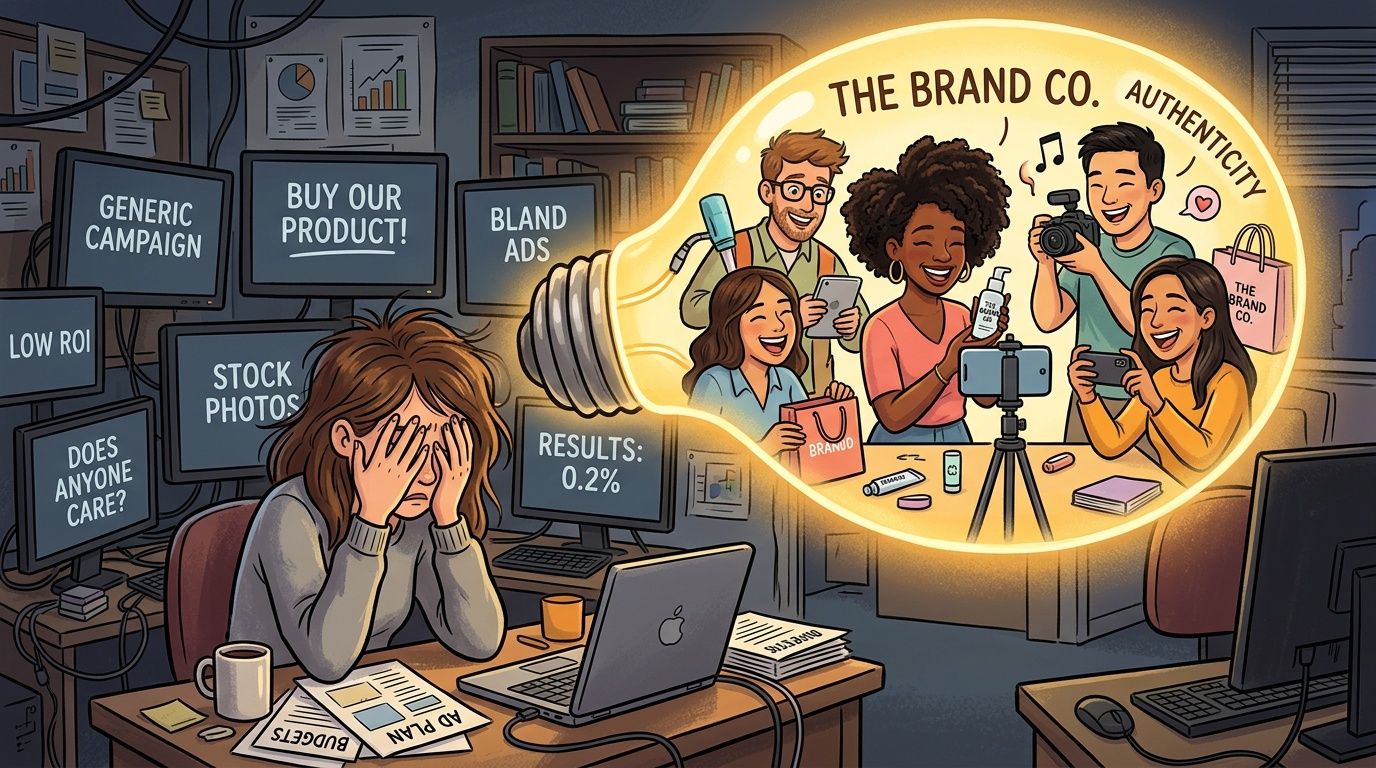
Brands care because polished studio assets often look like ads before a customer even processes the message. UGC-style content lowers that resistance. It matches how people already consume TikTok, Instagram Reels, Shorts, and product review videos.
The category is also growing fast. The UGC market is projected to surpass $27 billion by 2029, driven by a 29% CAGR, while the number of UGC creators surged 93% between 2024 and 2025, and interest in becoming one rose by over 8,700% from 2020 to 2025, according to Whop’s UGC statistics roundup.
That demand explains why teams are moving budget toward creator-made assets and away from overproduced creative that struggles to blend into the feed. It also explains why marketers need a cleaner execution process. Once you start collecting multiple hooks, revision requests, footage versions, and usage rights, the admin work multiplies quickly.
If your team is still evaluating whether this approach belongs in your mix, this guide on the benefits of user-generated content is a useful next read.
For brands that still need some polished visual assets alongside native-looking creator content, there’s also room for both. A good example is this practical breakdown of creating stunning apparel images with models, which works well when your catalog, PDP, and paid social need different creative styles.
The mistake isn’t using branded content. The mistake is using only branded content when your audience responds better to assets that feel familiar to the platform.
Why teams are shifting now
Three things changed.
- Audience behavior changed. People scroll past content that feels manufactured.
- Platform norms changed. Short-form video rewards speed, relatability, and a strong opening.
- Production expectations changed. Teams don’t need a full shoot every time they want a new angle, objection-handling video, or testimonial-style ad.
That’s why “whats a ugc creator” isn’t just a definition question anymore. It’s a workflow question.
Defining the UGC Creator A New Breed of Content Partner
A UGC creator isn’t hired for reach first. They’re hired for usable assets.
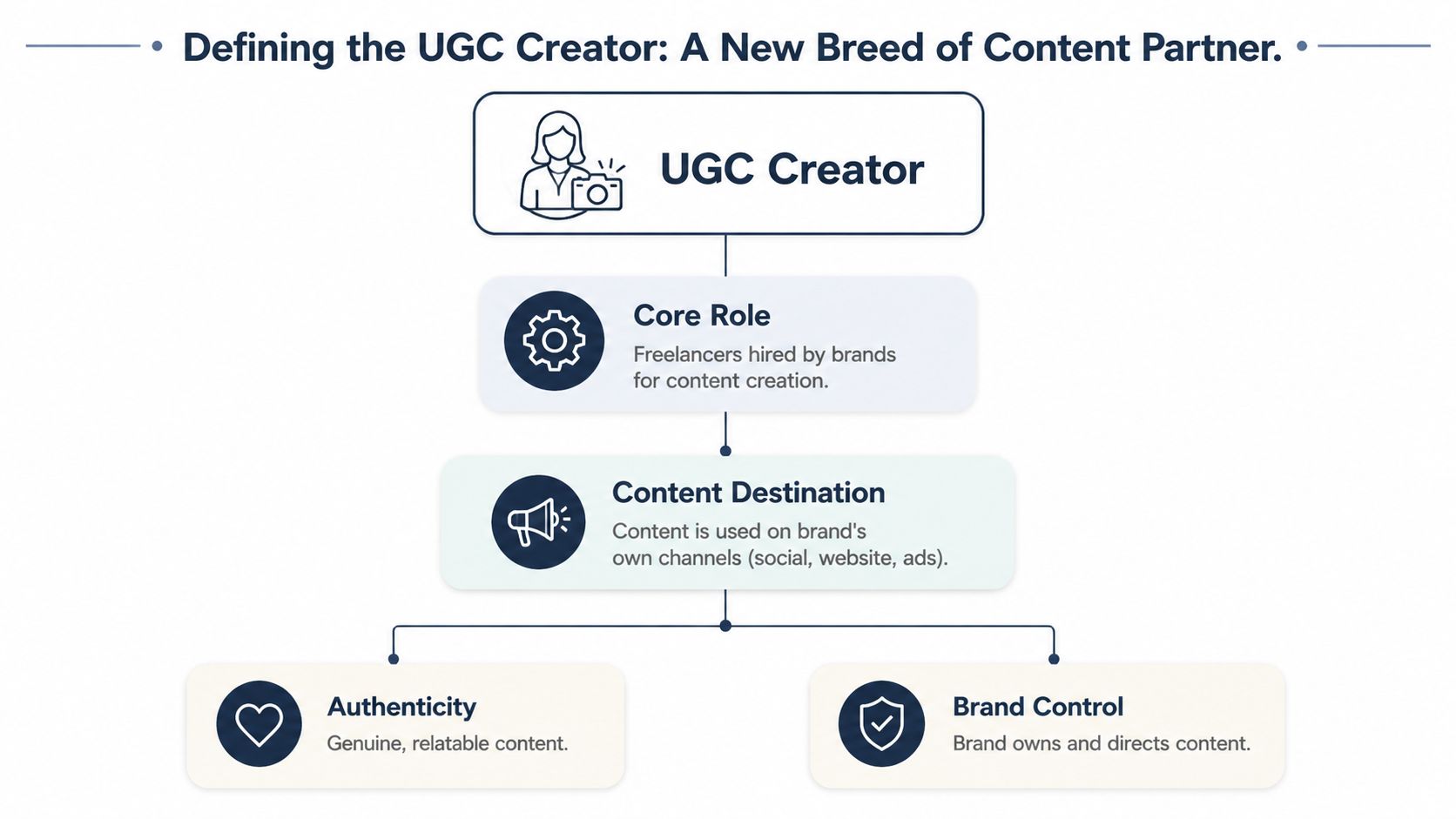
The simplest way to explain the role is this. A UGC creator is part customer stand-in, part scrappy video producer. They know how to make a product demo, testimonial, unboxing, or problem-solution clip feel believable instead of scripted to death.
That matters because the style is the point. UGC creators typically use minimal editing, smartphone footage, natural lighting, and unpolished cuts to mimic real user output. According to Showcase’s explanation of UGC creators, that style can boost click-through rates by 2 to 3 times in paid social ads and improve ROAS by 150% to 300%.
What they actually make
Most brands hire UGC creators for a defined set of deliverables such as:
- Product demos: A creator shows how the item works in normal use.
- Unboxings: Useful when packaging, first impressions, or setup matter.
- Testimonials: Framed like a customer recommendation rather than a formal ad read.
- Day-in-the-life clips: Helpful for products that fit naturally into routines.
- Objection-handling videos: A creator addresses concerns like size, setup, texture, durability, or ease of use.
These assets are usually meant for ad testing, social posting, retargeting, or landing page support. That’s different from commissioning a creator for sponsored distribution.
Practical rule: Hire a UGC creator when you need more authentic creative angles. Hire an influencer when you need borrowed attention.
What brands control
UGC still needs structure. The highest-performing campaigns usually have clear direction on hook, talking points, claims the creator can and can’t make, visual must-haves, and where the final asset will be used.
That’s why the relationship works best when the creator understands the platform language and the brand understands the conversion goal. If you want a fuller breakdown of adjacent creator roles, this REACH article on what is a content creator helps clarify where UGC fits.
A lot of teams get this wrong by asking for “something authentic” and sending no real brief. That rarely produces usable content. Good UGC is relaxed in tone, but it isn’t random.
UGC Creators vs Influencers Understanding the Key Differences
Most confusion begins at this point.
A person can be both a UGC creator and an influencer, but those are different services. One is about making content. The other is about distributing it to an existing audience.
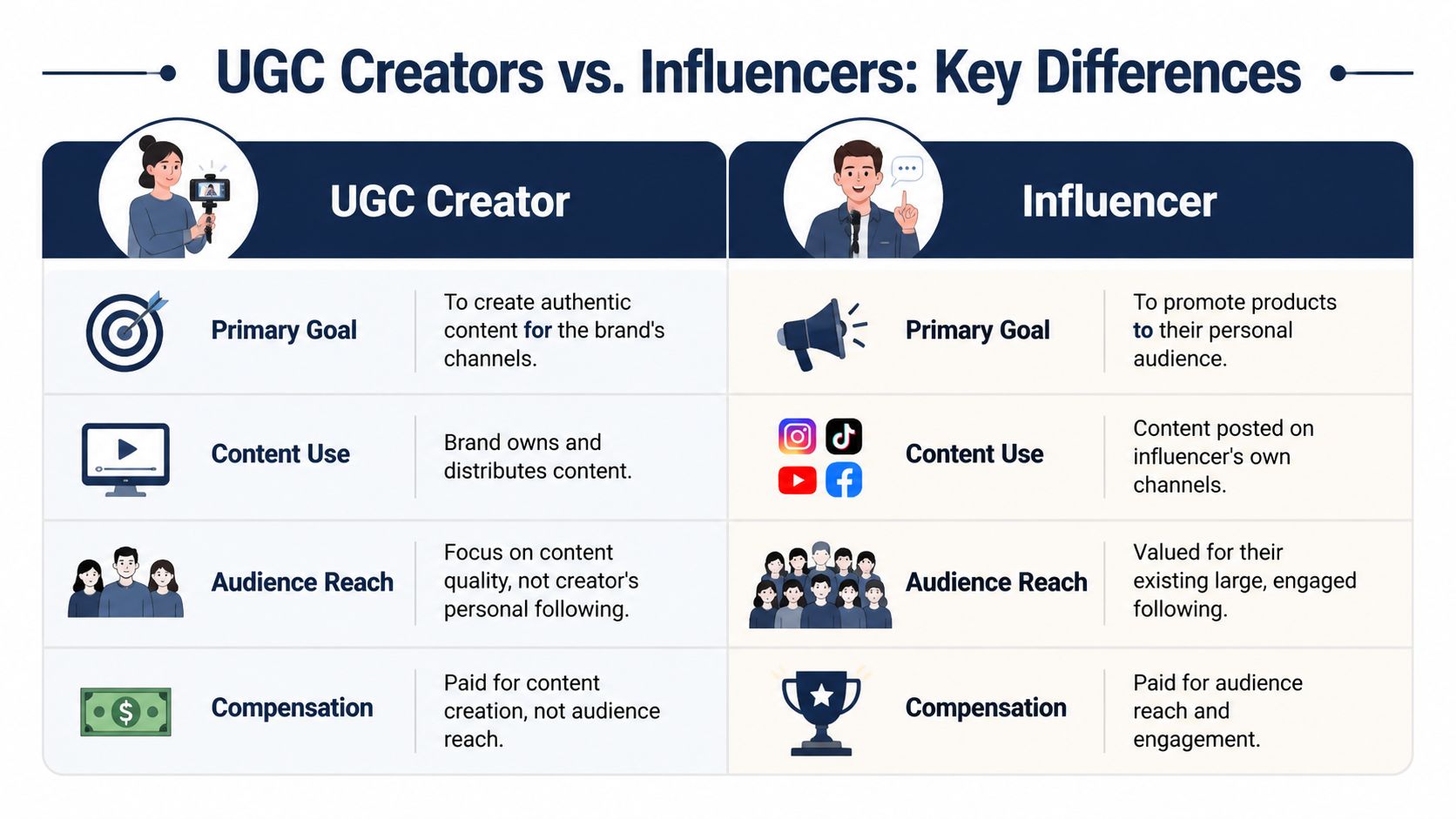
UGC creators don’t need a large following to be valuable. Their output is the asset itself. According to Flowbox’s guide to user-generated content creators, UGC creators operate without requiring a personal audience, and 92% of consumers trust UGC more than traditional ads, driving a 6x lift in purchase intent.
UGC Creator vs. Influencer At a Glance
| Attribute | UGC Creator | Influencer |
|---|---|---|
| Primary value | Content production for brand use | Audience access and promotion |
| Audience requirement | Not required | Usually central to the deal |
| Content destination | Brand channels, ad accounts, website | Creator’s own channels |
| Creative style | Native, customer-style, conversion-focused | Personal brand-driven, audience-focused |
| Usage rights focus | Important because brand often repurposes the asset | Often narrower unless extra rights are negotiated |
| Best use case | Testing creative angles at scale | Launches, awareness, social proof through distribution |
When to hire one versus the other
Choose a UGC creator if your team needs more creative volume for paid social, landing pages, or organic posting. This is often the better fit when you already have media spend and need stronger assets to feed it.
Choose an influencer if distribution is the main objective. You’re paying for creative plus access to the creator’s followers, community trust, and reach.
Some campaigns need both. A brand might source UGC-style assets for ads while also partnering with a creator who posts to their own audience. If you want a practical framework for combining those two levers, this article on using UGC and influencer content together is worth reading.
If the brief says “make us three ad variations we can test,” you’re usually talking about UGC. If the brief says “post to your audience,” you’re talking about influencer marketing.
The trade-off most teams miss
Influencer content often arrives with a stronger personal voice, but less brand control. UGC usually gives the brand more flexibility for testing and reuse, but less built-in distribution.
That trade-off matters for budgeting. If your paid team needs many hooks, offers, and audience angles, UGC is often the cleaner choice. If your awareness strategy depends on social proof from a known creator, influencer partnerships make more sense.
The problem starts when teams buy one expecting the output of the other.
The Tangible ROI of Working with UGC Creators
The business case for UGC is strong because it combines trust, speed, and adaptability.

According to Archive’s UGC content statistics, UGC campaigns can deliver up to 600% ROI, 29% higher web conversions, and 4x higher click-through rates at 50% lower cost-per-click compared to branded content. On TikTok, UGC is reported to be 22% more effective than brand videos.
That doesn’t mean every creator video wins. It means the format gives your team a stronger starting point for performance testing.
Why it tends to work
UGC usually performs well for practical reasons:
- It feels native: The content doesn’t interrupt the feed as harshly.
- It answers real objections: Creators can demonstrate fit, texture, setup, use case, or results in plain language.
- It gives media buyers more to test: Different hooks, creators, settings, and scripts create variation quickly.
- It extends farther than one channel: The same asset can support paid social, product pages, email, and retargeting.
A lot of teams discover that their expensive hero video still has a place, but it shouldn’t carry the whole account. Performance creative needs volume and freshness.
Here’s a useful video overview if you want a visual explanation before building your own workflow.
What ROI looks like in practice
The most reliable gains usually come from matching UGC to the right job.
- Top of funnel: Use strong hooks and relatable problem statements.
- Mid-funnel: Add demos, comparisons, or FAQ-style clips.
- Bottom of funnel: Use testimonials, proof points, and objection handling.
Better results usually come from a library of focused creator assets, not from asking one creator to make one “perfect” video.
What doesn’t work is treating UGC like a one-off experiment. Teams often test one creator, one brief, and one edit, then conclude the format didn’t work. That’s not a format test. That’s a single-asset test.
Best Practices for Successful UGC Creator Collaborations
Good UGC campaigns are usually won or lost in the brief.
Most failed collaborations come from fuzzy expectations. The brand wants authenticity, the creator wants creative freedom, and nobody defines the actual deliverable. Then revisions pile up because the team realizes too late that the opening hook misses the audience, the product benefit isn’t clear, or the call to action doesn’t match the funnel stage.
What to include in the brief
A workable brief should cover:
The goal
Is the asset for paid social, organic posting, a product page, or retargeting? A creator can shoot very different footage depending on where the video will live.
The hook direction
Give examples of opening angles. Problem-solution, surprise outcome, direct demo, and customer confession all create a different feel in the first few seconds.
The talking points
Keep them short. Focus on what must be shown or said, what should be avoided, and what proof matters.
Visual requirements
State whether you need vertical framing, product-in-hand shots, before-and-after moments, captions, raw footage, or edited versions.
Usage rights
Many teams get sloppy at this stage. Organic posting rights, paid usage rights, edit rights, whitelisting permissions, and duration should be clear before work starts.
What works and what doesn’t
What works is giving structure without choking the life out of the content. A creator needs enough direction to hit your message, but enough room to speak like a person.
What doesn’t work:
- Over-scripting every line: The result sounds rehearsed.
- Skipping examples: Creators interpret vague language differently.
- Ignoring revision limits: That creates friction fast.
- Forgetting asset management: Files get lost, old versions get approved, and rights details disappear into email.
If your team is building its process, it helps to review a few proven user generated content strategies before assigning your first batch of briefs.
Send creators references for pace, framing, and tone. Don’t send references so rigid that every video turns into a copy of someone else’s ad.
How teams keep quality high
The simplest quality-control system is a repeatable review checklist:
- Opening check: Does the first line stop the scroll?
- Message check: Is the main benefit obvious without extra explanation?
- Platform check: Does it feel native to TikTok, Reels, or Shorts?
- Compliance check: Are claims, disclaimers, and brand restrictions handled correctly?
- Reuse check: Can the team crop, caption, or re-edit the asset later?
That checklist saves more time than another round of opinions in Slack.
Managing UGC Creator Campaigns at Scale
Managing one creator manually is doable. Managing many creators manually is where things break.

Once a brand runs multiple creator collaborations at the same time, the work stops being mostly creative and becomes heavily operational. Briefs live in one place, shipping details in another, approvals in another, and payment status somewhere else entirely.
That friction isn’t minor. Streamyard’s overview of UGC creator workflow pain points notes that creators handling 10+ campaigns monthly spend 20% to 30% of their time on admin tasks, and 68% cite disorganized communication as a top pain point.
Where scale usually falls apart
The weak points are predictable:
- Communication drift: Feedback gets buried in email and DMs.
- Deliverable confusion: Teams lose track of what was promised, submitted, approved, or revised.
- Payment delays: Creators chase invoices instead of creating.
- Rights confusion: Nobody can quickly verify where a video can be used.
- Reporting gaps: Paid and social teams can’t connect creative output to campaign performance cleanly.
For teams trying to systematize this work, platforms that centralize creator operations are a practical fix. REACH is built for that part of the process. It gives brands and agencies an AI-powered campaign builder, a centralized dashboard for communication and deliverables, tracking across platforms, and payment plus 1099-compliant workflow support in one place. That matters because the bottleneck usually isn’t finding the idea. It’s running the campaign cleanly after kickoff.
This broader shift toward operational tooling is part of the same trend covered in pieces about how AI helps fashion brands, where teams are trying to cut repetitive coordination work and move faster without adding headcount.
UGC solves the creative problem. A centralized system solves the execution problem.
If you’re asking “whats a ugc creator,” the useful answer is this: they’re not just a trendy content source. They’re a practical way to produce trust-building assets at scale. But if your workflow stays stuck in spreadsheets and scattered messages, the content advantage gets buried under admin.
If your team wants to run creator campaigns without losing track of briefs, assets, approvals, payments, and compliance, take a look at REACH. It’s designed for the part of influencer and UGC work that usually becomes chaotic after discovery, so brands and agencies can keep campaigns organized as they grow.
