
Meta description: Learn how to use a youtube email finder to locate creator contacts, verify deliverability, and turn raw email lists into organized influencer campaigns.
You found the right YouTube creator. Their audience fits. Their content style fits. The brand fit is obvious.
Then the process stalls.
You open the channel, click around the About tab, check a few recent video descriptions, maybe send a DM on another platform, and start copying scraps of contact info into a spreadsheet that no one wants to maintain. This manual approach often causes a lot of influencer outreach to falter. The problem usually isn't identifying creators. It's finding a reliable business contact and turning that contact into a real campaign workflow.
That’s why a youtube email finder matters. It gives teams a faster way to move from creator discovery to direct outreach, which matters in a market where the influencer industry is projected to be worth $24 billion by the end of 2024 and YouTube has 2.7 billion monthly users, according to ChannelCrawlers’s overview of YouTube outreach. The same source says US brands report 35% higher response rates from creators when using verified emails for outreach compared to direct messages.
Email is the starting pistol, not the finish line.
Once you have a contact, the hard part becomes operational. You need to verify the email, segment the creator, send the right message, track replies, manage deliverables, and keep payment and compliance clean. That’s where campaign systems matter more than another spreadsheet. For teams that want a centralized workflow after contact discovery, REACH handles campaign execution across creator communication, deliverables, and payments instead of leaving the post-discovery work spread across inboxes and tabs.
Introduction The Real Challenge of Influencer Outreach
A lot of outreach advice stops at “find the email.” That’s only part of the job.
The challenge starts when you're trying to contact multiple creators at once without losing context. One creator prefers email. Another replies on Instagram. A third asks for a brief, rates, and shipping details in the same thread. If your process lives in scattered notes, your campaign gets messy fast.
Why direct email still matters
DMs are useful for lightweight contact, but email is still the practical channel for professional conversations. It’s where creators share rates, ask legal questions, confirm timelines, and loop in managers.
A youtube email finder helps because it shortens the most tedious part of outreach. It also creates a cleaner handoff into the actual campaign system you use afterward.
Practical rule: If a creator is a serious fit for a paid or product-based collaboration, try to reach their business email before you build the rest of your workflow around DMs.
What teams get wrong
Teams often waste time in one of two ways:
- They stay manual too long. That works for a short list, then collapses when the campaign expands.
- They focus only on extraction. They collect emails but don't have a process for validation, segmentation, and follow-up.
The better approach is simple. Find the right contacts, confirm they're usable, and move them into a system built for campaign operations.
Manual Methods for Finding YouTuber Emails
Manual research still has a place. If you're evaluating a small shortlist, it's often the cleanest place to start because you learn how creators present themselves, what kind of business inquiries they invite, and whether they appear to handle brand work directly.
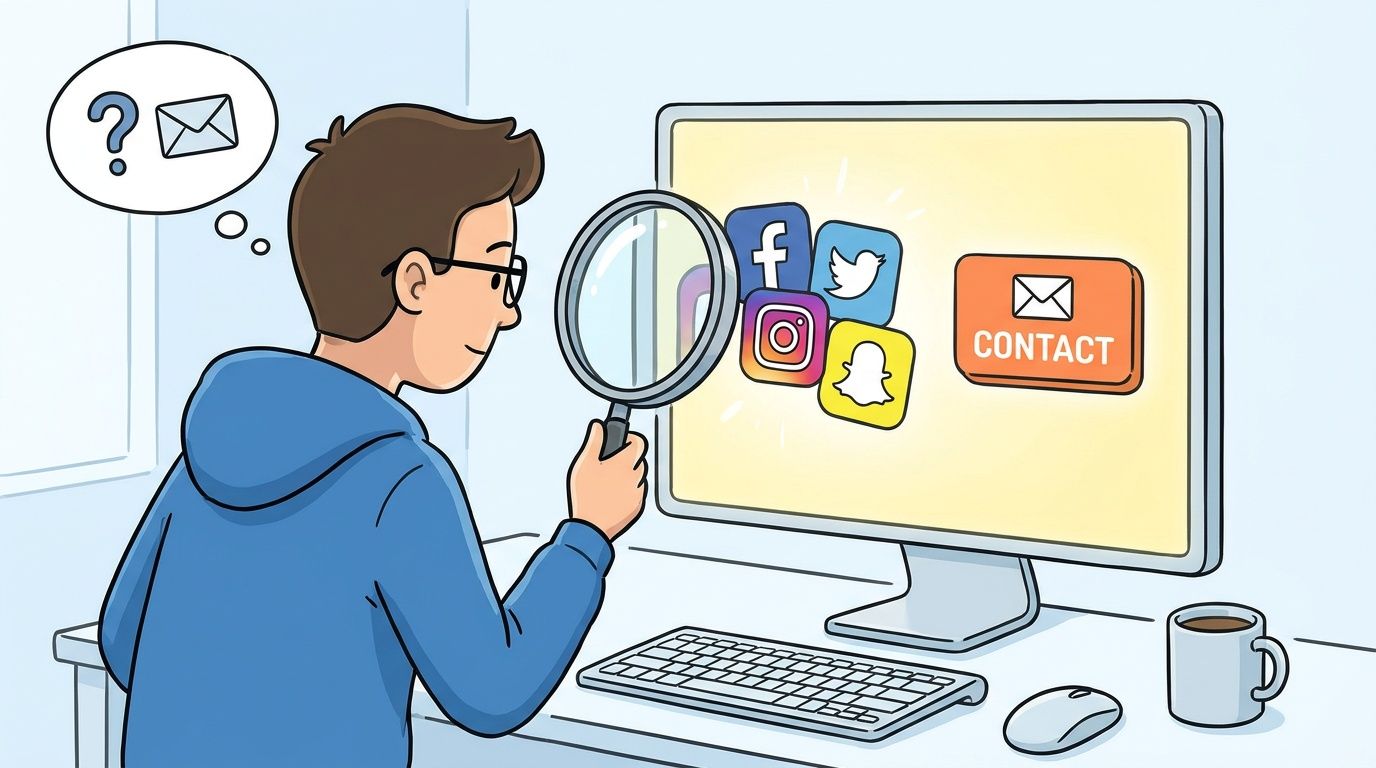
The issue is volume. Industry analysis says only 20-30% of YouTube channels publicly list a business email in their About section, which makes manual search inefficient once you're targeting more than a small set of creators, according to ScraperCity’s breakdown of YouTuber email discovery.
Check the obvious places first
Start with the channel itself. On many creator profiles, the business email is still most likely to appear in the About section.
A practical manual pass usually looks like this:
- Open the channel About tab. If a business inquiry email is listed, reveal it through YouTube’s standard prompt.
- Read recent video descriptions. Some creators put campaign or management contact details there instead of the channel bio.
- Click linked websites. Personal sites often have contact pages, inquiry forms, or media kits.
- Review linked social profiles. Instagram bios, Link-in-Bio pages, and other creator hubs sometimes list brand contacts that aren’t visible on YouTube.
That process works best when you're thoroughly vetting a creator, not when you're trying to build a broad outreach list.
What manual research is good for
Manual work has three advantages that tools don't fully replace:
- Context: You see how the creator positions themselves to brands.
- Signal quality: You can tell whether the contact appears current, personal, or management-run.
- Fit evaluation: You notice brand safety issues, posting consistency, and sponsorship style while searching.
That’s why I still use manual review even when tooling handles list building.
The best outreach lists usually combine automation for scale and manual review for judgment.
Where manual methods break down
The limits show up quickly once a team needs reach.
A coordinator who can manually review a handful of channels can’t realistically repeat that process across a large candidate set without slowing the campaign. The work becomes repetitive. Notes get inconsistent. Someone misses a management email hidden on a website, and another person copies a dead address from an outdated profile.
When the campaign needs more than a small handpicked list, it helps to pair manual review with a dedicated discovery workflow. If you're still building your shortlist on-platform, REACH’s YouTube influencer discovery workflow is a useful reference point for how discovery and contact gathering should connect.
Manual versus practical
Here’s the simple rule I use:
| Approach | Best use case | Main weakness |
|---|---|---|
| Manual checking | Small, high-priority creator list | Slow and inconsistent at scale |
| Mixed workflow | Mid-size campaign with some manual vetting | Requires process discipline |
| Dedicated finder tools | Large outreach list building | Needs verification after extraction |
Manual methods aren't wrong. They're just narrow. They help you confirm fit. They don't solve scale.
Scaling Up with a Dedicated YouTube Email Finder
Once outreach moves past a handpicked list, a dedicated youtube email finder stops being a nice-to-have and becomes part of campaign operations.
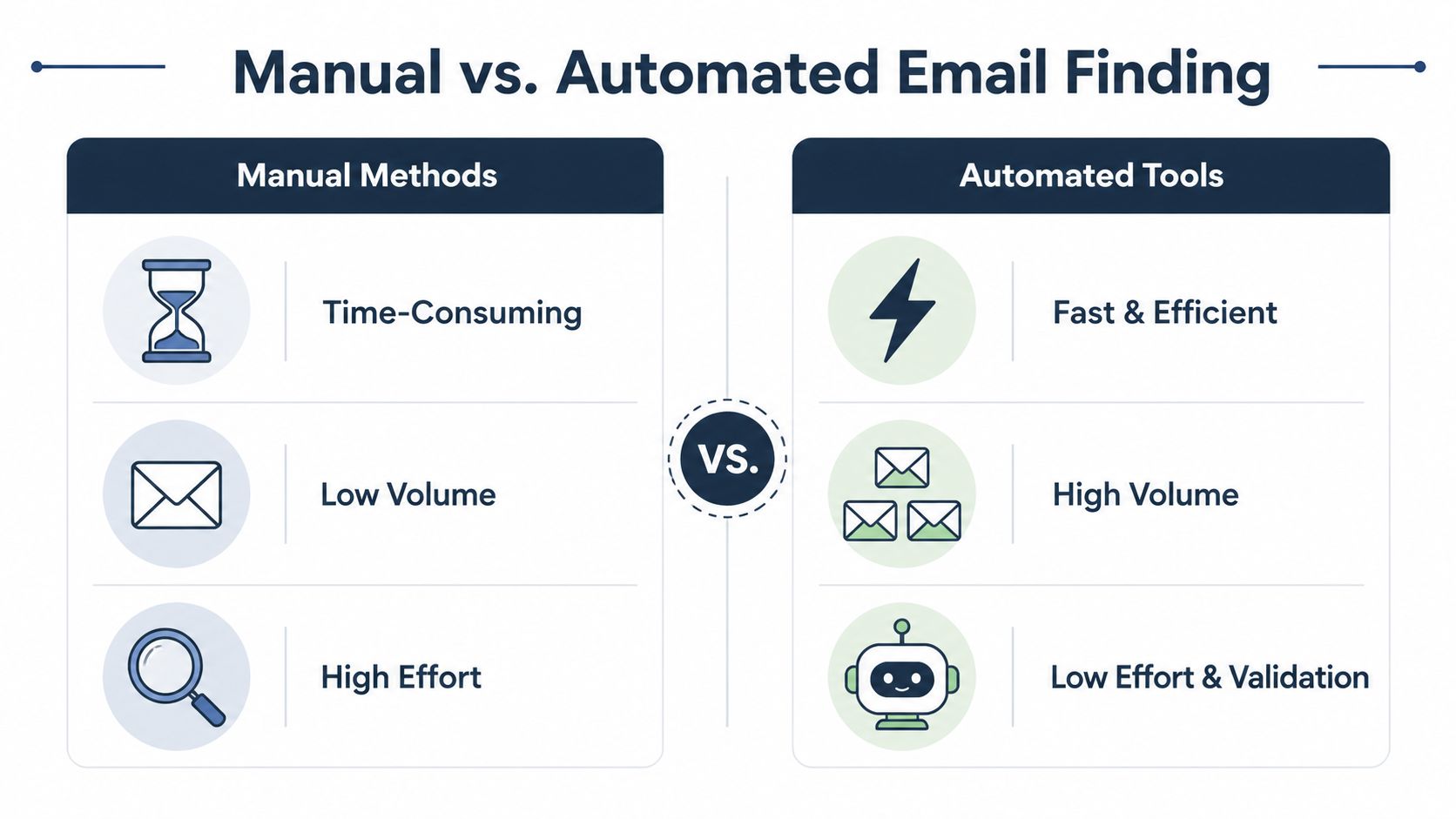
The shift is simple. A manager can review a few creators manually and still keep quality high. A team building outreach for a product launch, seasonal push, or always-on affiliate program needs a system that can gather contacts in batches, preserve context, and feed the next steps without forcing everyone back into spreadsheets.
Tools like ScraperCity are built for that stage. Its product walkthrough shows keyword-based search across large channel sets and extraction of business contact details from public channel data. That matters because speed alone is not the point. The ultimate goal is getting from search to an outreach-ready list while the campaign window is still open.
The three main tool types
Dedicated youtube email finder tools usually fall into three categories, and each one fits a different team setup.
Browser extensions
Extensions help when the shortlist already exists and the team needs contact details fast while reviewing channels one by one. They are convenient for creator managers and small brand teams doing selective outreach.
The trade-off is obvious. They save clicks, but they do not change the basic pace of page-level research.
Database-based web apps
Web apps are better for campaign planning. They let teams search larger creator datasets, filter by niche or geography, and export profiles with contact fields attached.
This is the format I prefer for repeat outreach because it keeps prospecting tied to campaign criteria. If a brief calls for creators in a specific vertical with recent posting activity, the filtering happens before outreach starts, not after someone has already exported a messy list.
APIs and custom workflows
APIs fit teams that already have internal systems for prospecting, outreach, or reporting. They make sense when contact discovery needs to feed another tool automatically.
For smaller teams, this is usually overkill. Process discipline beats custom engineering early on.
What automated tools do
A good finder does more than surface an email field.
It searches channels by keyword, parses public profile data, checks linked pages, and often pulls creator details that help with qualification. That extra context is what makes the export useful. An address without channel name, niche, audience fit, or posting signals still creates manual cleanup later.
This is the point many teams miss. Email discovery is the starting pistol. Value comes from building a list that outreach can use immediately, with enough structure to segment creators by offer type, priority, and owner.
For a basic visual walk-through of contact finding in practice, this video gives a useful starting point:
What works and what doesn't
Automation performs well when the brief is tight. It performs poorly when the search logic is sloppy.
A broad search pulls broad results. Then the team spends hours removing channels that were never a fit, separating sponsor prospects from affiliate candidates, and filling in missing notes that should have been captured at export.
Use these rules before you pull a list:
- Start with campaign language: Search terms should reflect how creators describe themselves, not just how the brand describes the category.
- Build separate prospect pools: Keep seeding, sponsorship, affiliate, and ambassador outreach in different exports.
- Export full records: Save channel name, URL, niche notes, and any available metrics with the contact.
- Review before sending: Finder output still needs verification and prioritization.
Operator note: The point of a youtube email finder is not to pile up addresses. It is to create structured prospect records that your team can route, personalize, and act on without repeating the research.
The step after extraction
A lot of guides stop at the export file. Campaign work starts there.
Every discovered address still needs validation, ownership, and context. Someone has to confirm the contact is safe to send to, tag the creator correctly, assign the right campaign angle, and keep replies tied to the record. Teams that skip that operational layer usually end up with duplicate outreach, weak personalization, and no reliable view of what is live.
For teams tightening this part of the process, this guide to email verification best practices is a useful reference because it focuses on a common failure point after discovery: deciding which addresses belong in the sequence and which ones should be held back.
REACH is one example of the kind of system teams use after discovery, when the job shifts from finding contacts to managing outreach, follow-ups, deliverables, and creator conversations at scale.
Advanced Strategies for Hard-to-Find Contacts
Some creators are easy. Others make you work for it.
They may have no visible email on YouTube, no useful website contact page, and social bios that point everywhere except a business inbox. In these instances, hard-to-find contact work separates a casual search from a real outreach process.
Use enrichment, not just extraction
Advanced finder tools do more than locate a contact. They add context that helps you decide whether the creator belongs in the campaign at all.
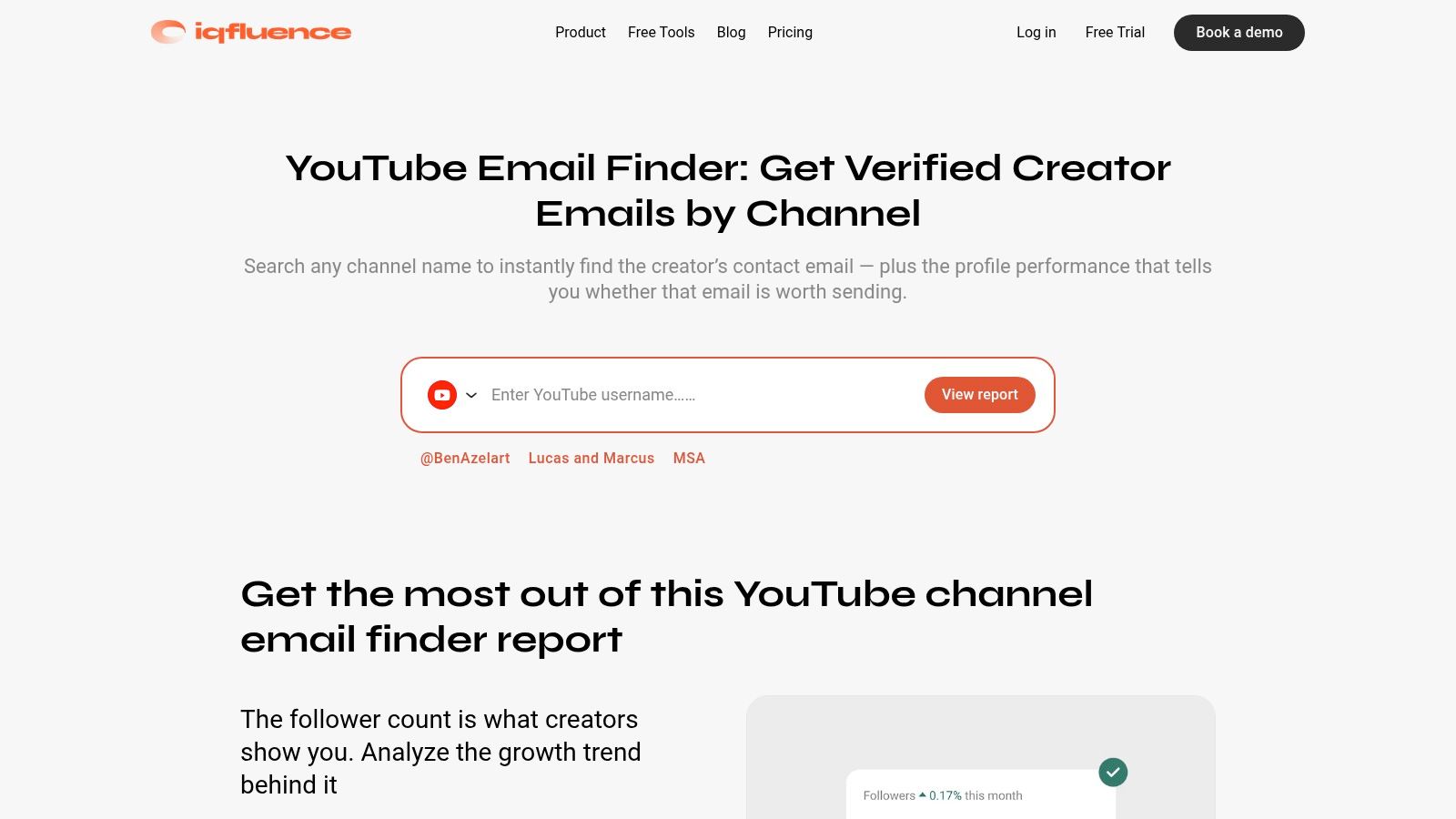
According to IQFluence’s public youtube email finder page, advanced tools can enrich contact records with 30-day growth trends, average engagement rates across recent videos, and audience demographics. That helps marketers filter for stronger campaign candidates, including channels showing more than 10% monthly growth.
That matters because contact quality and creator quality aren't the same thing. A valid email for a weak-fit creator still wastes your team’s time.
Practical recovery methods when the email isn't obvious
When a creator doesn’t list a clear business email, use a layered approach.
- Check domain ownership signals: If the creator links a personal website, inspect the contact page, footer, and policy pages for a business inbox.
- Look for management patterns: Some creators route all brand inquiries through an agent, manager, or company domain rather than a personal one.
- Use email permutation carefully: If the domain is clear and the contact structure looks business-oriented, common formats can help narrow possibilities. This only works if you verify the result before sending.
- Map the creator across platforms: Many YouTubers use a single business email across their website, newsletter, and other social profiles.
These methods work best when you’re trying to recover a small number of priority contacts, not bulk-build a list.
Pick creators with better outreach economics
Enrichment helps you make a better campaign decision before outreach starts.
Here’s a simple comparison:
| Creator type | What the list says | What enrichment tells you |
|---|---|---|
| Established but flat | Contact found | Audience may be stable but harder to activate |
| Smaller but rising | Contact found | Growth trend may justify faster outreach |
| Broad niche creator | Contact found | Audience demographics may be a poor fit |
| Narrow niche creator | Contact found | Higher alignment may justify personalized outreach |
The point isn't to chase every rising channel. The point is to avoid treating every found email as equal.
A good outreach list isn't the longest list. It's the list your team can justify contacting with a clear campaign reason.
The hidden risk in hard-to-find contact work
The harder a contact is to uncover, the more careful you need to be.
If an email looks old, disconnected from the creator’s current branding, or tied to abandoned web assets, don't assume it's safe to use. The market still has a deliverability gap. Many finder tools emphasize speed while leaving the quality check to you.
That’s the trade-off. Deeper discovery can recover useful contacts, but it also increases the odds that your team reaches an outdated or irrelevant inbox unless validation happens next.
Your Pre-Outreach Checklist for Compliance and Deliverability
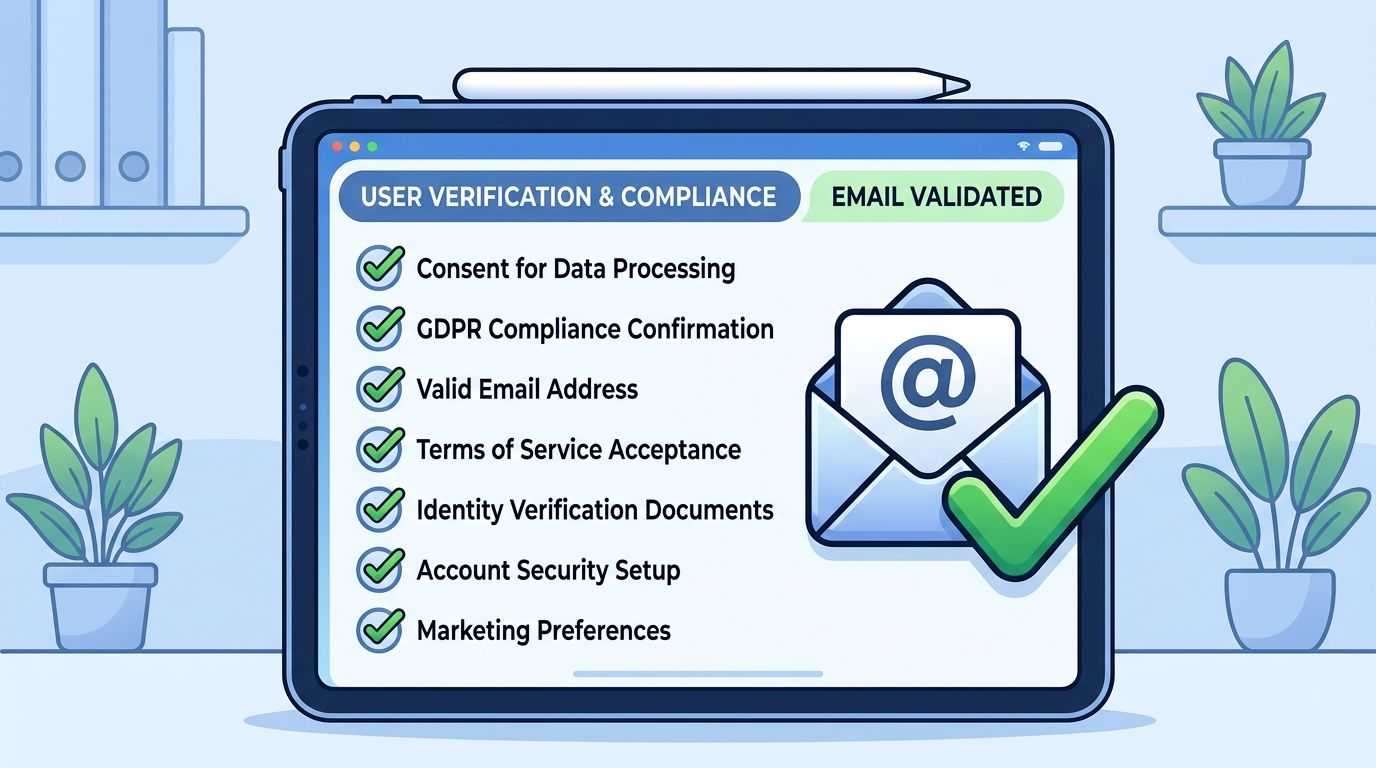
A found email isn't automatically a usable email.
That distinction matters because many tools focus on extraction speed while ignoring the quality of the address after it’s found. A market gap remains around deliverability, with many finder tools failing to address outdated or soft-bouncing emails. The practical fix is post-extraction validation, as noted in this discussion of the deliverability gap in YouTube email finder tools.
Compliance starts with intent
If you're contacting creators for partnership inquiries, your outreach should be limited to legitimate business contact channels. That means business inquiry emails, management contacts, or other clearly public professional routes.
You also need to align your process with applicable email and privacy rules in the markets you operate in. If your team works with creators in Europe, review the official GDPR information portal and make sure your outreach process reflects lawful, transparent business communication practices.
A few practical rules help:
- Use public business contacts: Don’t treat every discovered personal-looking email as fair game.
- Keep your message relevant: Contact should match a real commercial collaboration purpose.
- Make opt-out easy: Give creators a clean path to decline future outreach.
- Store contact data carefully: Keep internal lists limited to the people running the campaign.
Deliverability is an operational problem
Invalid emails don't just waste sends. They create technical consequences for the domain and inbox you're using for outreach.
If your team sends to stale addresses, bounces accumulate, inbox placement gets worse, and future outreach becomes harder even when the next list is better. That’s why validation needs to sit between discovery and sending.
Here’s the checklist I use before any campaign launch:
- Confirm the address looks current. Match the email against the creator’s active branding and linked channels.
- Verify deliverability. Run the list through a validation tool before outreach.
- Remove duplicates and role conflicts. Don’t contact the creator and their manager separately without a reason.
- Segment by campaign type. Product gifting, affiliate outreach, and paid partnerships need different messaging.
- Warm up the sending process. Use clean sequencing, reasonable volume, and stable sender practices.
If your team needs a technical overview of inbox setup before larger sends, this guide to cold email technical setup instructions is a helpful operational reference.
How to move verified contacts into a campaign workflow
At this juncture, teams usually either become organized or stay chaotic.
Once the list is verified, move each contact into a structured campaign record with the basics attached:
- Creator identity: Channel name, URL, and niche
- Contact ownership: Creator direct, manager, or agency
- Outreach status: Not contacted, sent, replied, negotiating, closed
- Campaign fit notes: Product match, audience fit, red flags, timing
- Compliance notes: Public business source and any opt-out status
That structure matters more than people think. When the list grows, your future problems aren’t “where do I find emails?” They’re “who already replied?” and “which creators are waiting on a brief?”
For teams handling regulated disclosure workflows, REACH’s FTC compliance guide for influencer marketing is a practical reference for keeping campaign records aligned with disclosure requirements.
Working rule: Validation protects the inbox. Documentation protects the team.
From Email to Campaign How to Manage Your Outreach at Scale
Once you’ve found and verified contacts, outreach becomes a systems problem.
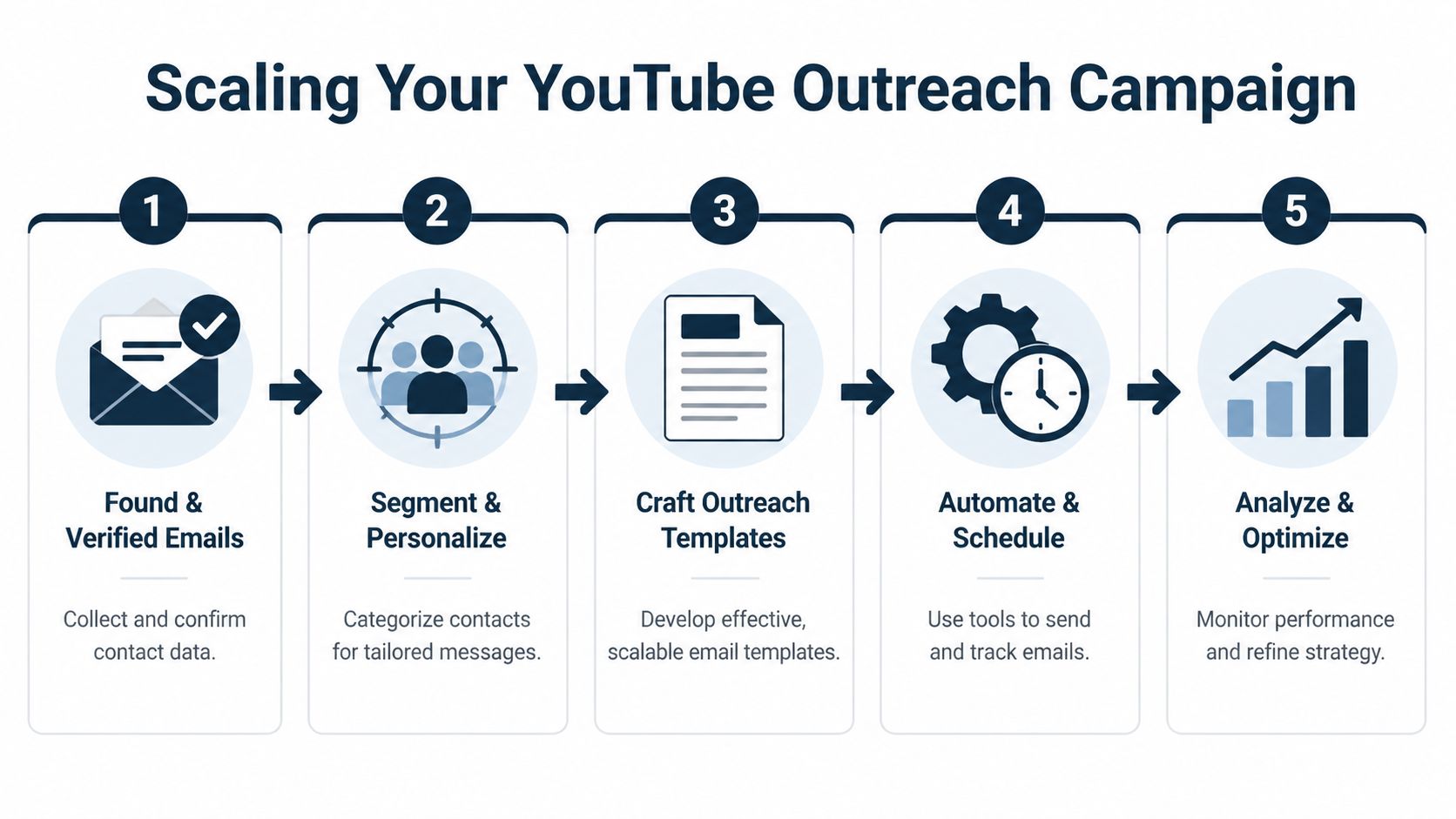
A lot of teams lose momentum here. They have a decent list, but communication spreads across inboxes, comments, shared docs, and ad hoc follow-up reminders. Good creator relationships get delayed by poor internal handling, not poor interest.
Build outreach around campaign type
Different campaigns need different opening messages.
A product seeding email should be short, specific, and easy to answer. A long-term partnership email should show that you've evaluated the creator more carefully and already have a strategic reason for reaching out.
Here are two practical templates.
Product seeding example
Subject: Product trial for your YouTube content
Hi [Name],
I’m reaching out from [Brand]. We’ve been watching your content in [niche/topic] and think you could be a strong fit for a product send.
We’d love to send [product] for you to review and consider for future content if it feels relevant to your audience. No pressure to post until there’s a mutual fit.
If you're open, I can send a short brief and shipping details.
Best,
[Name]
Long-term partnership example
Subject: Partnership idea for [Creator Channel Name]
Hi [Name],
I’m reaching out about a potential longer-term collaboration with [Brand]. Your YouTube content stands out because of your focus on [specific angle], and we think there’s a strong fit with our audience and upcoming campaign goals.
We’re looking for a creator partner for a structured collaboration, not a one-off send. If you're interested, I can share the campaign outline, timing, and deliverables for review.
Best,
[Name]
The pattern is the same in both. Keep the note clear, relevant, and easy to route to the right person.
Operationalize the list
After the first send, you need a place to manage responses and next actions. That’s where a campaign platform earns its keep.
A workable system should let your team do the following:
- Import creator lists: Bring verified contacts into one dashboard instead of scattered sheets.
- Track communication: Log who received outreach, who replied, and who needs follow-up.
- Monitor deliverables: Keep YouTube posts, short-form content, and deadlines in one place.
- Centralize approvals: Store briefs, negotiated terms, and final requirements where the team can see them.
- Handle payment administration: Keep the financial side from becoming a separate manual process.
Without that structure, success creates more work than failure. The more creators reply, the more admin your team has to absorb.
What scale looks like in practice
At small volume, one person can remember the details.
At campaign volume, memory fails. You need states, owners, and timelines. One creator is waiting on shipping details. Another needs legal review. Another accepted but hasn't confirmed deliverables. None of that should live in someone’s inbox as the single source of truth.
That’s why platforms built for campaign management matter after discovery. REACH’s campaign workflow platform is one option for moving from contact lists to active campaign operations across YouTube and other channels.
“Finding the email gets you into the room. Managing the process is what gets the campaign done.”
Measure the workflow, not just the send
The final step is optimization.
Don't just ask whether the email was opened or replied to. Ask where the workflow is slowing down.
- If replies are weak, your targeting or message may be off.
- If replies are positive but deals stall, your internal follow-up may be slow.
- If creators agree but content slips, your deliverable tracking is too loose.
- If finance becomes a bottleneck, campaign operations aren't connected tightly enough.
Strong outreach teams don't stop at contact discovery. They build a repeatable engine from verified contact to completed partnership.
Conclusion Stop Finding and Start Managing
A youtube email finder solves a real problem. It helps you get from creator interest to creator contact faster than manual searching alone.
But that’s only valuable if your team does something disciplined with the result.
The practical workflow is straightforward. Start with manual checks when the list is small. Use dedicated finder tools when scale matters. Enrich and verify before sending. Then run outreach through a process that can handle replies, negotiations, deliverables, and payment without collapsing into spreadsheet cleanup.
If you want a lightweight way to monitor early reply behavior in smaller inbox-based workflows, this guide to free email tracking for Gmail is a helpful add-on before you move into fuller campaign operations.
The teams that win with influencer outreach aren't the ones that merely find more emails. They're the ones that turn contact discovery into a clean operating system.
If you want to stop juggling spreadsheets, inbox threads, and creator follow-ups, see how REACH can help you run influencer campaigns from outreach through payment in one organized workflow.
