 Skip to content

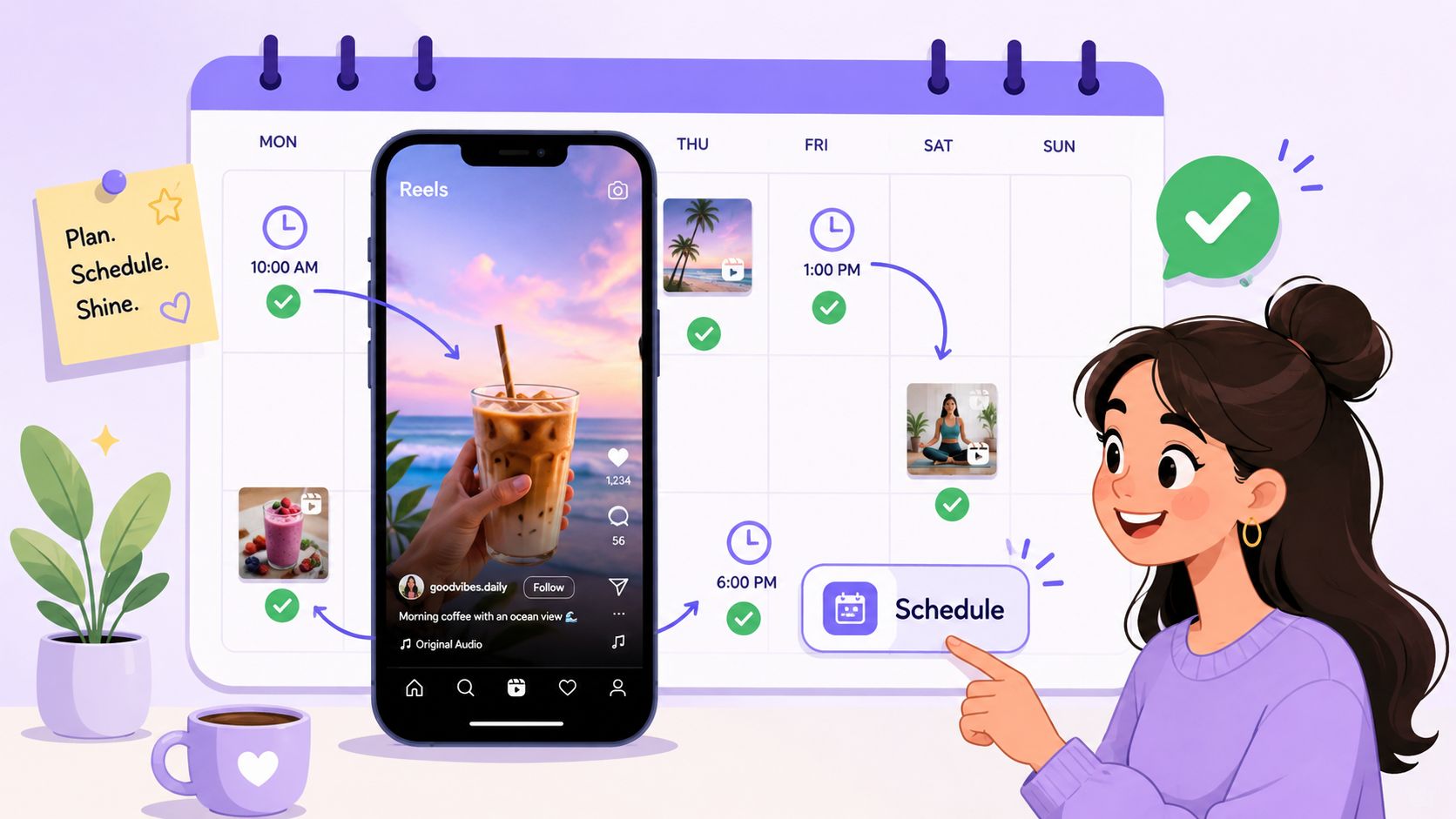
You finish editing a Reel at 10:30 a.m. The caption is clean, the cover looks sharp, and the topic is timely. Then meetings pile up, Slack keeps firing, and the post that should have gone out at the right moment sits in drafts until evening.
That's a common reason content teams lose momentum on Instagram. The problem usually isn't creativity. It's execution. If you're trying to figure out how to schedule Reels on Instagram, you're already solving the right problem. Scheduling protects consistency, removes last-minute scrambling, and gives you room to think like a strategist instead of a firefighter.
For solo creators, native scheduling can be enough. For brands, agencies, and influencer teams, scheduling is usually only one piece of a much bigger workflow. That's where a system matters more than a feature.
Why Manually Posting Reels Is Holding You Back
Manual posting feels manageable until your calendar gets crowded.
A founder might remember to post one Reel a week. A social media manager juggling multiple launches usually won't. The missed post isn't always dramatic. More often, it's small operational leakage. A Reel goes live late. The wrong team member has the draft. Someone forgets to swap the thumbnail. Comments come in while the person who uploaded the content is in transit.
The real cost is workflow friction
When teams post manually, they rely on memory and availability. That's fragile. Good content operations should survive busy days, delayed approvals, and timezone confusion.
Manual posting also creates hidden bottlenecks:
- Captions get rushed because the final write-up happens minutes before publish time.
- Approvals drift into DMs instead of staying attached to the actual asset.
- Posting windows get missed when the person assigned to publish is doing something else.
- Campaign context disappears because the post is treated like a one-off task instead of part of a series.
Practical rule: If posting depends on one person being free at one exact moment, the process is too brittle.
Scheduling changes how you plan
Scheduling doesn't just save time. It changes the way teams build campaigns. Once you know a Reel can go out at a set time, you can batch production, review assets earlier, and line up follow-up actions like community management, paid boosting, or creator reposts.
That's the shift professionals make. They stop treating publishing as the final step and start treating it as a controlled handoff.
If you're learning how to schedule Reels on Instagram for the first time, start with the simplest tool available. Then decide whether your workflow has outgrown it.
How to Schedule Reels on Instagram with the Native App
If you only need to schedule occasional Reels, Instagram's built-in option is the fastest place to start.
Instagram's native Reel scheduler works only on professional accounts. That means Creator or Business profiles. The in-app workflow is straightforward: create the Reel, edit it, open Advanced settings or More options, toggle “Schedule this reel”, choose the date and time, and confirm the schedule, as outlined in this Instagram Reel scheduling walkthrough.
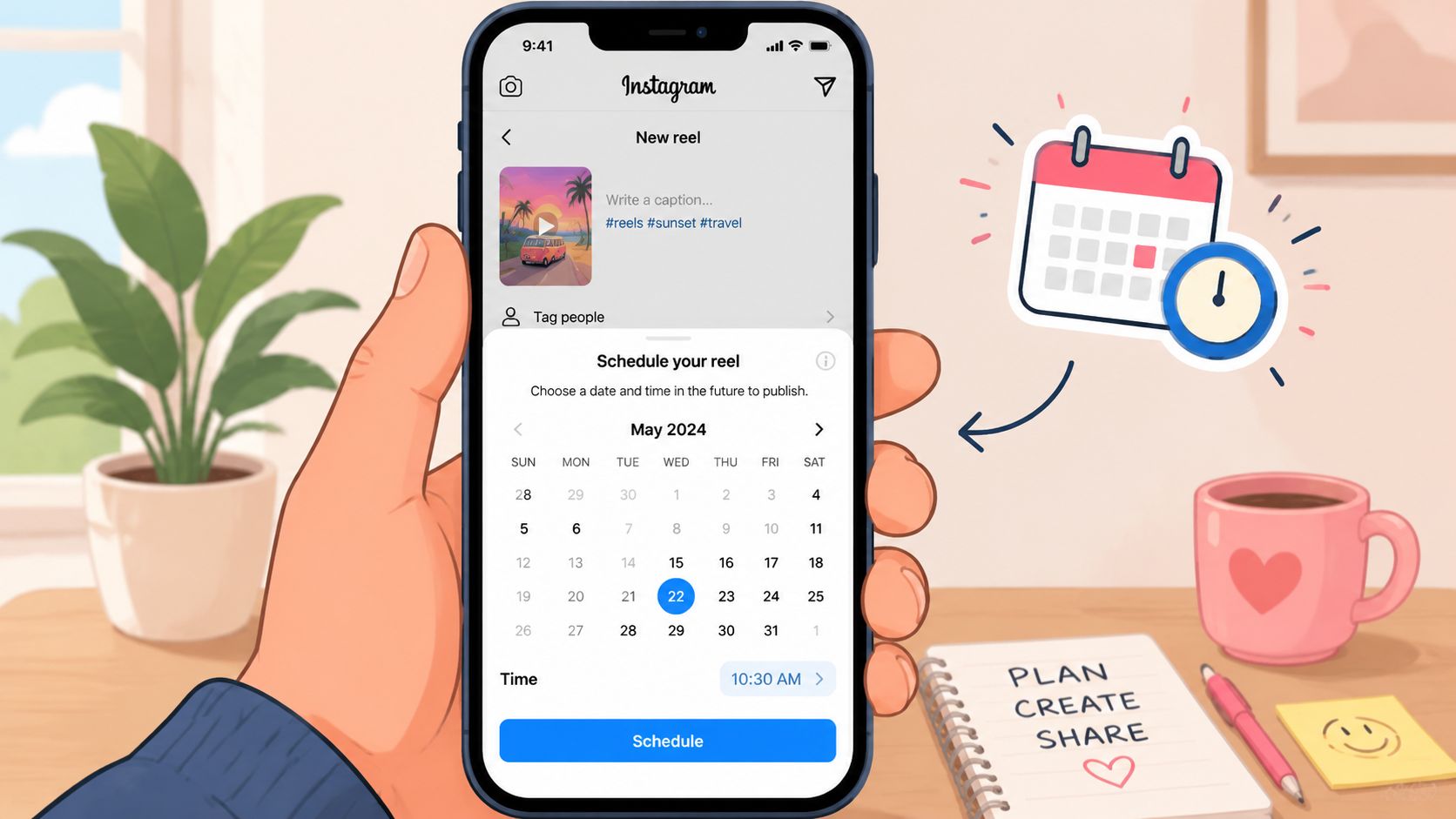
What the native workflow looks like
In practice, the process usually goes like this:
- Record or upload your Reel in the Instagram app.
- Finish your edit, add your caption, and choose your cover.
- Open the final settings screen.
- Look for Advanced settings or More options. The label can vary by device or app version.
- Turn on Schedule this reel.
- Pick the publish date and time.
- Confirm and schedule it.
If you don't see the scheduling option, check the account type first. Personal accounts won't get native Reel scheduling.
For a broader look at Instagram's built-in publishing options, this guide on whether you can schedule posts on Instagram is a useful companion.
Where the native scheduler works well
The biggest advantage is simplicity. There's no extra software, no onboarding, and no separate dashboard to learn.
Native scheduling works well when:
- You post infrequently and don't need a content calendar.
- You're a solo creator managing your own account.
- You want the shortest path to publish without leaving Instagram.
- Your approval process is informal and doesn't require stakeholder signoff.
That makes it a solid default for one-off Reels, reactive content, and simple publishing needs.
Native scheduling is best when the post itself is the project.
Where the native scheduler starts to break
Once content operations become collaborative, the native app shows its limits quickly.
It's not designed for broader planning. You won't get the kind of cross-channel view, approval routing, or campaign organization that teams usually need. It also isn't ideal for brands that batch content far in advance and want every asset attached to a calendar, not buried in one person's phone.
Another operational wrinkle is the scheduling window. Different guidance shows different caps, so don't assume everyone sees the same limit in-app.
A quick visual walkthrough can help if you prefer to see the interface before trying it:
Using Third-Party Tools for Advanced Reel Scheduling
A simple posting workflow breaks fast when a brand manager needs to approve the caption, a designer owns the cover image, and the paid team wants the same creative adapted for another channel. At that point, scheduling is no longer a publishing task. It is an operations task.
Third-party tools matter because they move the work out of one person's phone and into a shared system. Instagram can handle the publish action. External platforms handle the planning, review, and visibility that campaign teams usually need.
The difference between scheduling a Reel and managing a content workflow
Tools like Buffer and Later are useful when coordination is the actual problem, not posting. They give teams a calendar view, shared drafts, and a cleaner handoff between whoever edits the video and whoever approves the final post.
That changes day-to-day execution in practical ways:
- Drafts stay visible to the whole team
- Captions can be reviewed before the post is queued
- Multiple accounts can be managed from one dashboard
- Cross-channel campaigns are easier to line up
- Approvals happen in a documented place instead of Slack or email
Here's the working difference.
| Feature | Instagram Native Scheduler | Third-Party Tools (e.g., Buffer, Later) |
|---|---|---|
| Account requirement | Professional accounts only | Usually connected through supported account types and integrations |
| Scheduling location | Inside the Instagram app | Inside an external dashboard |
| Best for | Solo creators and simple publishing | Teams, agencies, and structured content workflows |
| Planning support | Basic | Better calendar visibility, drafts, and post organization |
| Approvals | Limited | Often includes review steps or collaboration features |
| Cross-platform use | Instagram-focused | Better for multi-channel planning |
| Operational complexity | Low | Better suited for recurring team workflows |
A good scheduler gives teams more than a posting queue. It gives them a place to organize assets, confirm copy, and see what is going live next week without asking around.
If you are comparing platforms, this list of social media scheduling software is a useful starting point for separating lightweight publishing tools from systems built for calendars, approvals, and team visibility. Even niche guides such as ChurchSocial.ai church social media reflect the same operational shift. The publishing step is only one piece of the process.
What these tools fix, and what they do not
Third-party schedulers solve content workflow problems well. They do not solve every campaign problem.
That distinction matters for brands running influencer campaigns. A scheduler can show that a Reel is planned for Thursday at 2 p.m. It usually cannot manage creator outreach, usage rights, deliverable tracking, payment status, or revision history across ten creators in one campaign.
That is the trade-off teams often miss. Scheduling software improves content operations. Influencer programs usually need campaign operations too.
Use the method that matches the job:
- Use the native app for straightforward publishing.
- Use a third-party scheduler when several people touch the content before it goes live.
- Use a campaign management platform when creators, deliverables, approvals, and reporting all need to stay connected.
If the posting calendar looks organized but the campaign still feels messy, the bottleneck is probably not scheduling. It is the system around the campaign.
Essential Best Practices for Scheduled Reels
Scheduling a Reel is easy. Scheduling one that's ready to publish without last-minute edits is where teams usually stumble.
The strongest workflow starts before you open Instagram or any scheduler. Your video, caption, cover, and approval status should already be locked. If any of those are still moving, the scheduled slot becomes a placeholder for unfinished work.
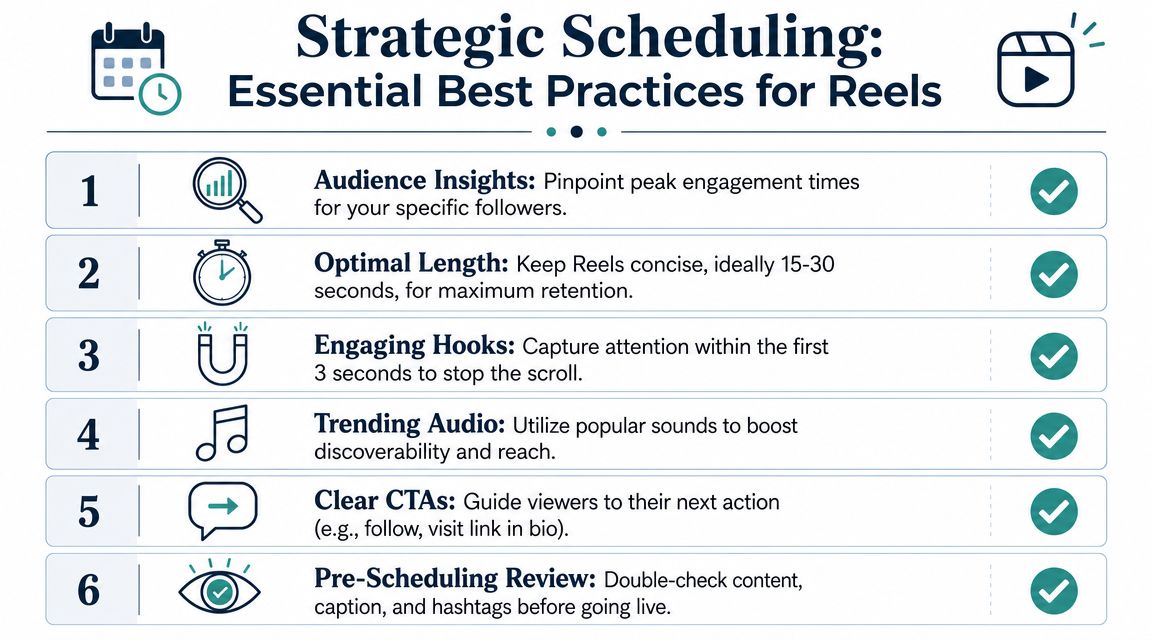
Build a pre-scheduling checklist
Use a short checklist before anything gets scheduled.
- Lock the creative first: Finalize the edit, cover image, on-screen text, and caption before assigning a publish time.
- Check follower behavior: Use Instagram Insights to see when your audience is active instead of copying generic posting advice.
- Write for the first second: Your opening frame and caption hook matter more than the scheduling tool.
- Batch similar tasks: Edit several Reels in one session, write captions in another, and schedule them together.
- Review the live details: Confirm hashtags, account tags, and any campaign-specific language before the post is set.
For teams that need help structuring recurring content calendars, this resource on Instagram Reels trends can help shape what you batch and why.
Verify the scheduling window inside the app
Don't build a campaign calendar on assumptions.
For operational planning, one guide says Instagram supports scheduling up to 75 days ahead and ties the scheduled timestamp to the device timezone, while another widely cited guide says native scheduling is available only up to one month in advance. The safest move is to verify the limit in your own app before batching future content, as explained in this Instagram Reels scheduling guide.
That matters for launch calendars, holiday content, and creator campaigns. If your team assumes a longer runway than the app supports, your posting plan can break late in the process.
Check the scheduling cap before the content sprint, not after approvals are done.
Treat scheduling as a publishing checkpoint
A scheduled Reel shouldn't be a draft with a timestamp. It should be publish-ready.
That means asking a few blunt questions:
- Is the cover image still the best choice in grid view?
- Does the caption still make sense if this publishes without manual intervention?
- Has someone confirmed the timing against the campaign calendar?
- If this post is part of a series, is the next Reel already in motion?
That last point matters a lot. Strong Instagram execution usually comes from systems, not isolated wins. If you want another useful perspective on building a repeatable scheduling habit, this article on ChurchSocial.ai church social media offers a practical look at content planning discipline across social channels.
Coordinating Schedules for Influencer Marketing Campaigns
Scheduling your own Reel is easy compared with coordinating scheduled Reels from multiple creators.
That's where many influencer campaigns get sloppy. A brand manager has one tracker in Sheets, caption notes in email, creative changes in DMs, and post confirmations scattered across screenshots. Each creator is working on a different timeline. Someone posts early. Someone misses the hashtag requirement. Someone says the Reel is scheduled, but nobody has a clean way to verify it.
Spreadsheets break first
Spreadsheets are fine for planning. They're weak for active execution.
Once a campaign has multiple creators, you need to answer a practical set of questions fast:
- Which creators have submitted drafts?
- Which Reels are approved?
- Which posts are scheduled?
- Which posts are already live?
- Which creators still need follow-up?
A spreadsheet can hold that information. It won't keep it current on its own.
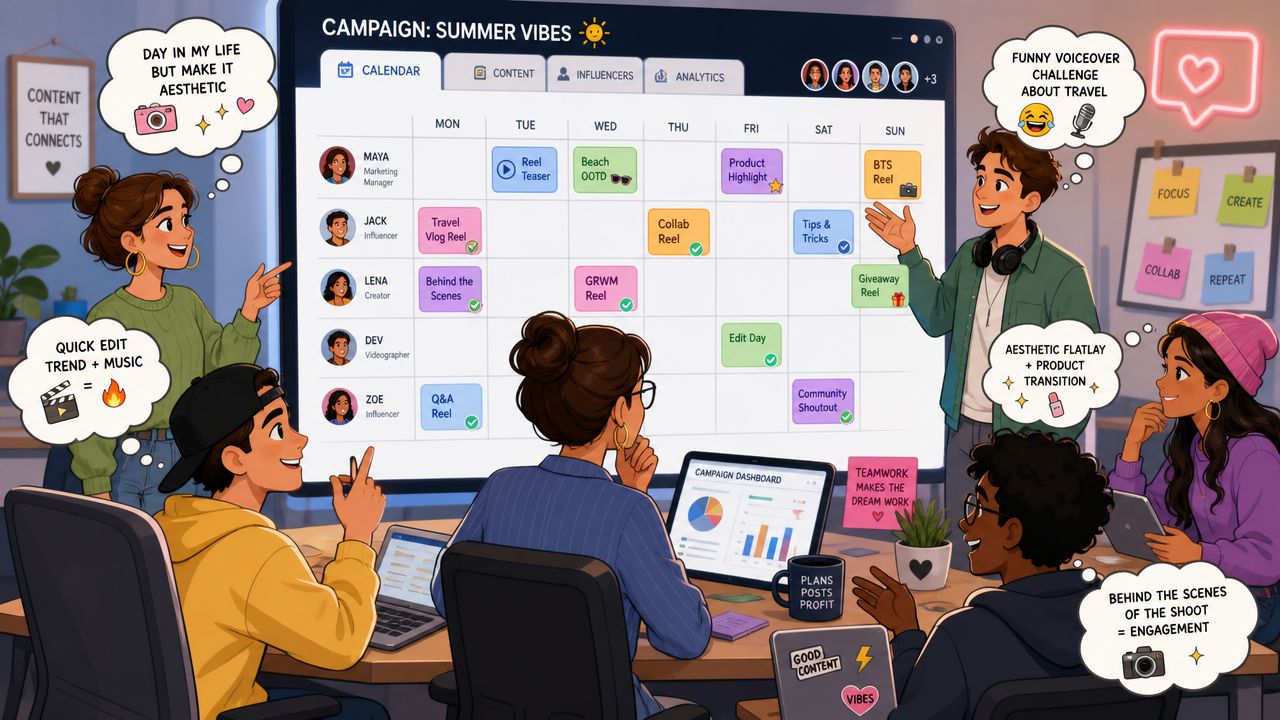
Campaign coordination needs one source of truth
For influencer campaigns, the scheduling question becomes operational, not tactical. You're not just asking when one Reel goes out. You're managing a chain of dependencies across creators, approvals, legal language, publishing windows, and payment milestones.
A clean campaign workflow usually looks like this:
- The brand sets content requirements and timing.
- Creators submit draft concepts or rough cuts.
- The team reviews, approves, and requests revisions where needed.
- Each creator confirms the scheduled publish time.
- The campaign manager verifies what is scheduled, live, or overdue in one place.
A Reel schedule only matters if the rest of the campaign can keep up with it.
This is also why a lot of standard scheduling tools feel incomplete in influencer work. They help with publishing. They don't manage the project around publishing.
If your team is trying to tighten execution across creator partnerships, this guide on how to run influencer campaigns that convert is worth reading alongside your scheduling process. It's a good reminder that campaign success depends on coordination, not just content volume.
Move Beyond Scheduling to Full Campaign Management
A scheduled Reel can still derail a campaign.
That happens all the time in influencer work. The post is queued, but the creator used the wrong CTA, legal copy never got approved, another partner publishes too early, or finance is still waiting on proof of delivery before releasing payment. Scheduling solves one task. Campaign management handles the chain around that task.
For a solo creator or a small brand running a light content calendar, Instagram's built-in scheduler or a standard social media tool can be enough. For brands managing multiple creators, product sends, revision rounds, usage rights, and launch windows, coordination is the primary bottleneck. Teams need one place to track briefs, approvals, live dates, deliverables, and payment status without chasing updates across email, DMs, spreadsheets, and shared drives.
That distinction matters because the right workflow depends on campaign complexity. A scheduler helps you publish on time. A campaign system helps you keep the whole program on track, especially when several creators are tied to the same launch. If your team is also building creator outreach before the campaign starts, these social media prospecting tools can support the top of that process.
The goal is tighter execution, fewer avoidable delays, and clear visibility from outreach to published content.
