
You're probably looking at a channel right now and asking a simple question that turns complicated fast. What is the actual subscriber number?
This holds greater significance than commonly recognized. A youtube live count subscriber check can help a creator time a milestone stream, help a social media manager judge momentum after a new upload, and help a brand compare potential influencer partners without waiting for a weekly report.
The problem is that YouTube shows different versions of subscriber data depending on where you look. Your private dashboard, the public channel page, and third-party trackers can all tell slightly different stories. That doesn't mean the tools are broken. It means you need to know which number to trust for which job.
Find Your Official YouTube Live Subscriber Count
A creator finishes a brand integration, refreshes the channel page, and sees one number. The manager opens YouTube Studio and sees another. For campaign decisions, the Studio number is the one to use.
If you own or manage the channel, check subscriber movement inside YouTube Studio first. It is YouTube's official reporting environment, and it gives you the closest view of what the channel team should act on during a launch, livestream, or post-collab review.
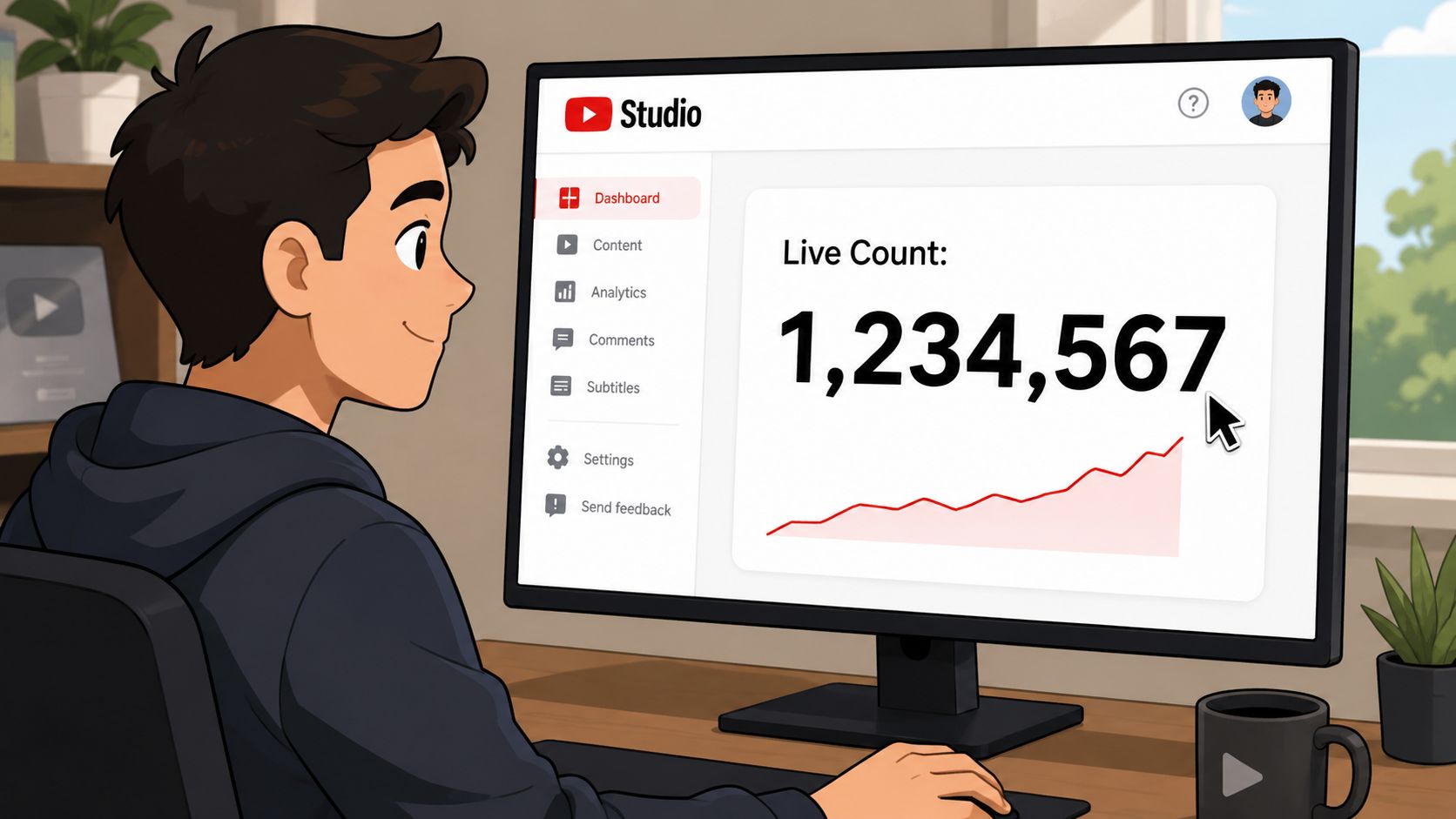
Start with the number you can make decisions from
Public counters are useful for visibility. Studio is useful for management.
That distinction matters in influencer work. If a creator mentions your product on a livestream and subscribers rise during the next hour, the channel team needs the internal view to judge timing, creative fit, and whether the mention deserves a second placement. A public count is fine for screenshots. It is weaker for reporting back to a client.
Mobile path for quick checks
For fast checks in the app, use this flow:
- Open YouTube Studio
- Tap Analytics
- Select Overview
- Find the Realtime card
- Open the detailed live metrics view
On desktop, the route is similar. Open Studio, go to Analytics, and look for realtime reporting. YouTube changes layouts from time to time, but the operating rule stays the same. Use Studio before you use anything outside it.
I use this as a simple filter with campaign teams. If the question is operational, such as whether a livestream push is working right now, check Studio. If the question is market-facing, such as how a creator appears to sponsors or competitors, use public tools later.
That small habit improves reporting quality. It also prevents bad calls during creator selection, where a rounded public number can make two channels look equivalent when one is clearly gaining momentum internally. If you manage influencer programs across several creators, pairing Studio checks with other influencer marketing tools for campaign tracking and evaluation gives you a better read on performance than subscriber totals alone.
If you also want to optimize YouTube live viewer tracking for streams, review subscriber movement beside live audience behavior so you can connect growth spikes to specific moments in the broadcast.
Using Third-Party Tools to Track Any Channel
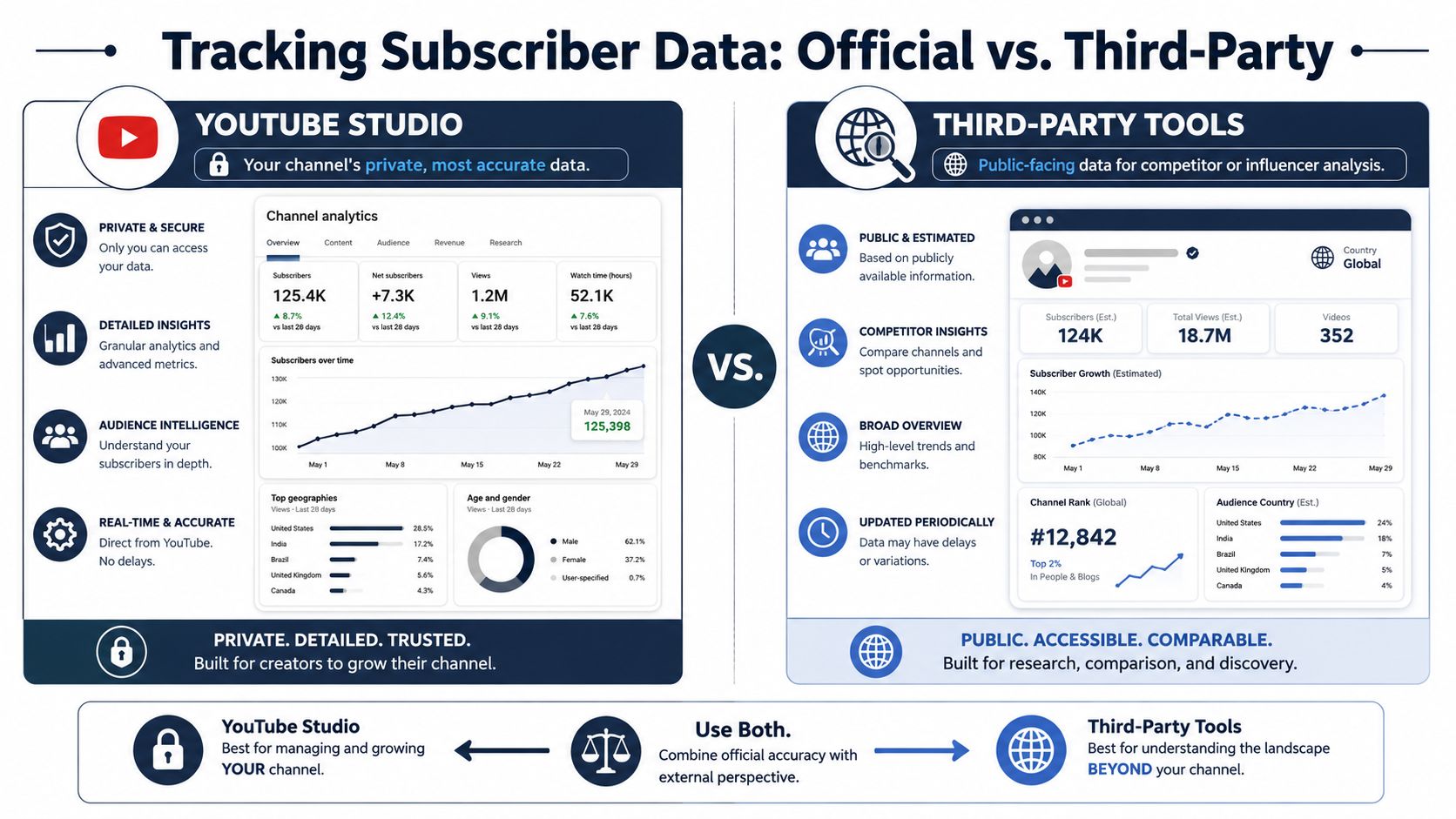
YouTube Studio is for owners. Third-party tools are what you use when you need a public-facing view of someone else's channel.
That's why these tools exist. Marketers use them to watch competitors. Agencies use them when evaluating creators. Fans use them when a channel is close to a milestone and the public YouTube display barely moves.
What the main tools do well
Social Blade advertises a real-time YouTube subscriber counter updated every second, and Livecounts.io says it provides live statistics and live subscriber counts for any YouTube user, as shown on Social Blade's realtime YouTube tracking page.
That makes these tools useful for:
- Competitor monitoring when you want to watch public growth without logging into the channel
- Influencer vetting when you want a quick feel for movement around uploads, Shorts, or collaborations
- Milestone tracking when a creator is approaching a visible public threshold
- Event coverage when teams want a shareable on-screen number during launches or reactions
Official versus public tools
A simple comparison helps.
| Method | Best use | Limitation |
|---|---|---|
| YouTube Studio | Managing your own channel | Not available for channels you don't own |
| Social Blade or Livecounts.io | Watching public channel movement | May not match private Studio data exactly |
One practical mistake I see often is treating public counters like audited reporting. They're not built for that. They're built for visibility, speed, and convenience.
Public tools are good for spotting momentum. They're weaker when you need exact internal reporting.
If your work crosses platforms, it's worth comparing how similar public tracking logic shows up elsewhere. This overview of follower tracker IG systems is useful because it highlights the same basic issue social teams deal with everywhere. Public counters are fast and visible, but not always the same as platform-native private analytics.
For teams building a creator shortlist, I'd pair live count checks with a broader evaluation framework like this guide to best influencer marketing tools. Subscriber movement is one signal. It shouldn't be the whole decision.
How to Display a Live Subscriber Counter on Your Stream
Displaying a live counter on stream is less about vanity than engagement. Viewers respond when they can see progress happening in real time.
A visible counter works best during milestone pushes, subathons, launch streams, charity events, and creator collabs. It gives the audience a shared target. It also gives the host a clean visual trigger for shoutouts, giveaways, or format changes.
The standard setup
Many third-party tools rely on unofficial estimate feeds because the official YouTube Data API rounds subscriber counts and doesn't return exact values. A common implementation pattern is to fetch an estimate from an external endpoint, parse the JSON, and display it with a refresh loop in streaming software, as described in this developer discussion about realtime YouTube subscriber counts.
That sounds technical, but the workflow is usually simple if you use OBS or Streamlabs.
Browser source method
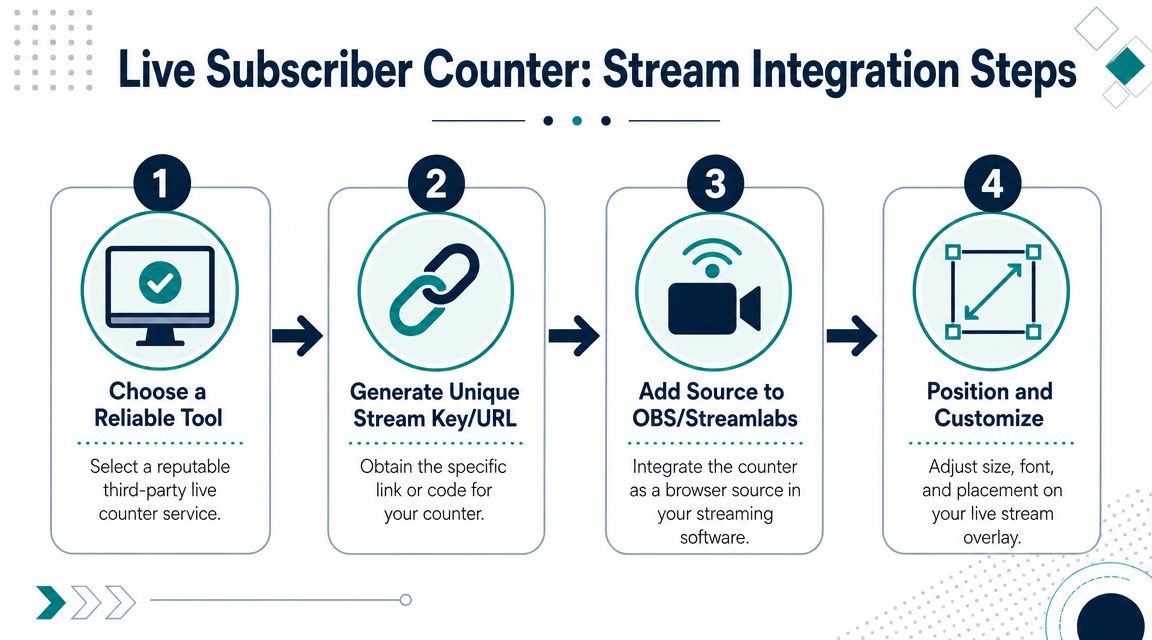
Most streamers use a browser source. The process usually looks like this:
Pick a counter provider
Choose a third-party service that offers a public-facing live count page or embeddable widget.Generate or copy the widget URL
Some tools give you a direct overlay link. Others give you a page URL that works in a browser source.Open OBS or Streamlabs
Add a new source and choose Browser Source.Paste the widget URL
Set the source dimensions so the text or graphic fits your layout.Position it on your overlay
Move it away from your webcam frame, chat box, or donation widgets.Test refresh behavior
Watch how often the number updates and whether the page needs manual refreshes before going live.
Here's a walkthrough that can help you visualize the setup process before you build your own overlay.
What usually works and what usually fails
The cleanest counters are minimal. A number, a label, and maybe a goal marker are enough.
What tends to work:
- Small overlays that don't compete with the main content
- Goal-based phrasing such as “next milestone”
- Readable placement near alerts or engagement elements
- Pre-stream testing on the exact scene collection you'll use
What usually fails:
- Over-designed widgets that distract from the stream
- Unverified scraping setups that break mid-broadcast
- Assuming exact accuracy from public estimate feeds
- Building the overlay minutes before going live
Stream-side advice: Treat the number on screen as a live engagement signal, not a finance-grade record.
That matters for campaign streams too. If a sponsor asks what happened during the broadcast, use your approved reporting stack later. Don't rely on a public overlay screenshot as the final source of truth.
For creators who are still tightening their live format, these successful tips for influencers to live stream are helpful because they focus on presentation and workflow, not just the technical widget itself.
Why YouTube Live Subscriber Counts Can Seem Inaccurate
A campaign manager checks the creator's channel page, the creator checks Studio, and the brand team watches a live counter on a third-party site. All three numbers look different, and the first reaction is usually that one tool is broken.
In practice, each view is measuring subscriber growth for a different job.
Public counts are rounded
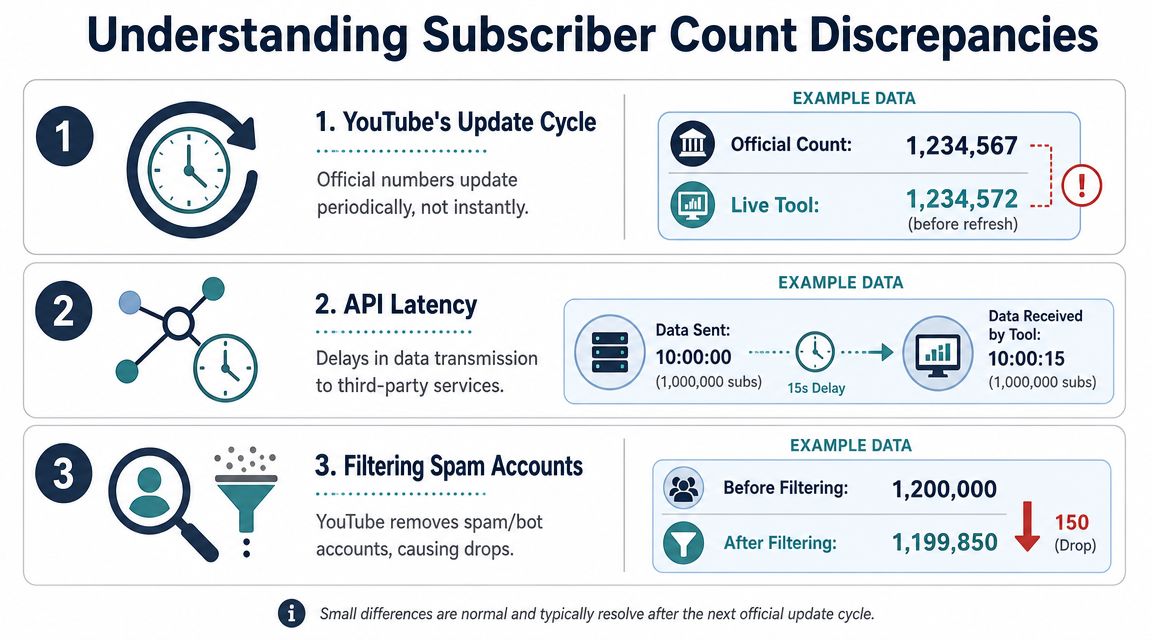
Public subscriber numbers on YouTube do not always change one-for-one as new subscribers come in. As noted earlier, YouTube rounds public counts based on channel size, so bigger channels can add a meaningful batch of subscribers before the visible number updates.
That matters in campaign reporting. If a brand is watching for immediate lift after a sponsored mention, the public channel page may lag behind the actual movement enough to make a strong placement look flat in the moment.
Third-party counters estimate movement
Third-party counters are still useful because they help teams monitor momentum without channel access. But many of them model or estimate movement rather than mirror the creator's private reporting exactly.
That gap is normal.
It only becomes a problem when someone treats a public estimate as the final record for payout, performance review, or creator comparison. If the pattern looks suspicious, review broader fake subscriber count patterns before you assume the campaign itself failed.
Filtering and timing also affect what you see
Subscriber totals can shift after platform validation, spam cleanup, or delayed refresh cycles. A sudden spike during a livestream may soften later, especially if low-quality activity gets filtered out.
This is one reason experienced social teams log the timing of the spike, the content moment that triggered it, and the source they used to observe it. The exact number may change. The audience response around that moment is still useful for judging creative fit, call-to-action strength, and whether the creator moved viewers to act.
How to read conflicting counts
Use each number for the decision it supports:
- Studio count for the creator's closest view of current subscriber movement
- Public YouTube count for the number viewers and sponsors can see
- Third-party live counters for external monitoring during launches, streams, and campaign windows
If you want cleaner subscriber patterns over time, this guide to legitimate YouTube growth is a practical reference. Low-quality growth tactics distort trendlines, create reporting disputes, and make it harder to tell whether a campaign earned audience interest.
Using Subscriber Data to Monitor Influencer Campaigns
Subscriber data becomes much more useful when you stop treating it like a scoreboard and start treating it like a timing signal.
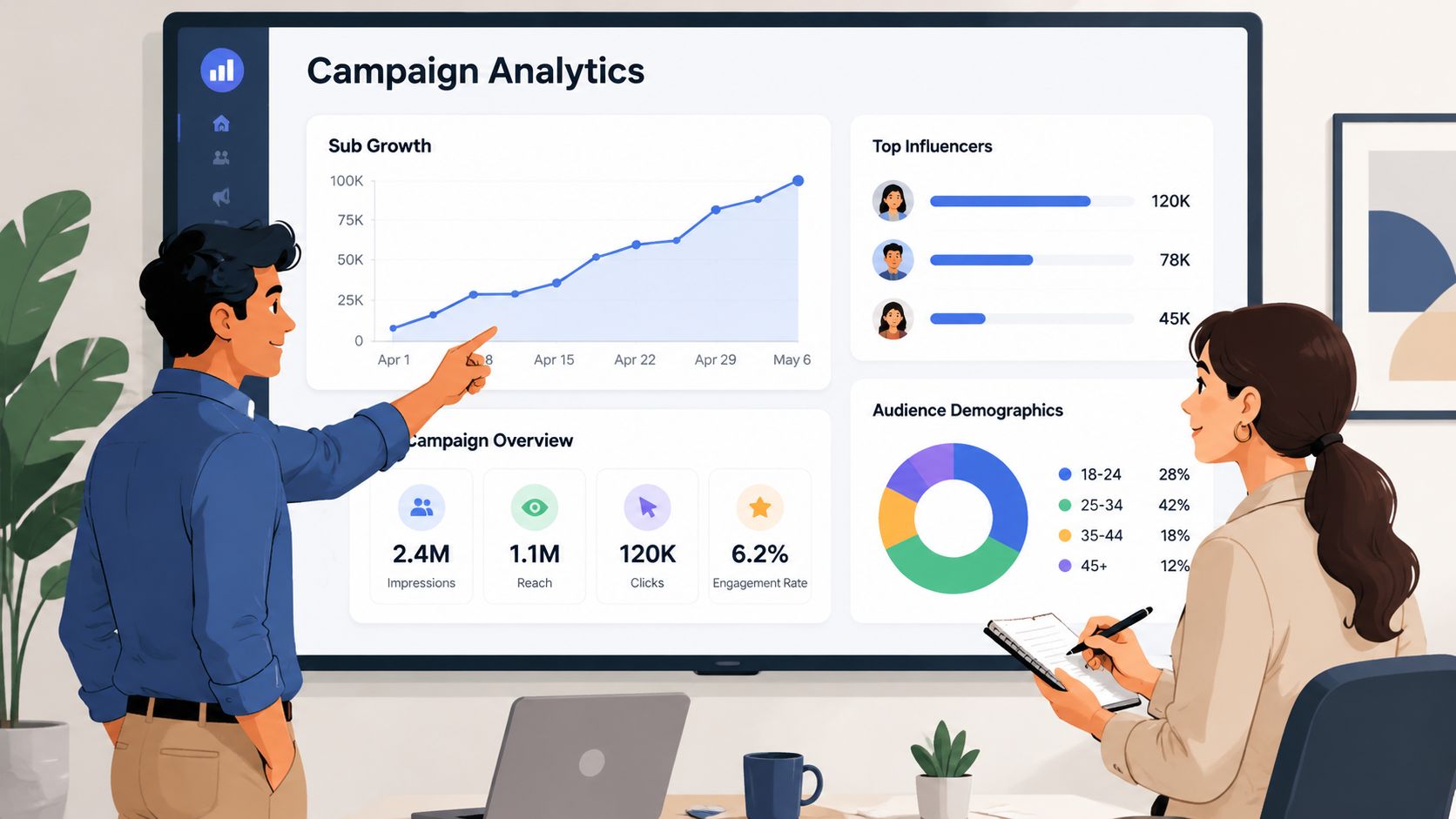
For influencer campaigns, the most practical question isn't “Did the channel get bigger?” It's “What changed around the moment the content went live, and how should that affect the next decision?” Live subscriber movement can help answer that.
Where live counts help a campaign manager
A social team can watch subscriber movement around:
- Sponsored video publish windows to see whether the creator is pulling fresh attention
- Live event placements to spot immediate audience response
- Cross-channel bursts when a creator posts a YouTube video alongside Shorts, Instagram, or TikTok support
- Milestone campaigns where a brand ties creative to a public channel moment
This isn't about proving final ROI from one number. It's about reading momentum while the campaign is still active.
A live subscriber trend is most useful when it changes what your team does next.
For example, if one creator's integration drives visible momentum and another's doesn't, that can shape follow-up content, repost support, paid amplification, or whether you extend the relationship. The number becomes actionable when it informs timing and resource allocation.
What subscriber counts can't do alone
Subscriber growth doesn't tell you everything. It won't replace content quality review, audience fit, comment sentiment, or deliverable tracking.
A creator can have healthy movement without being the right fit for your product. The reverse is true too. Some campaigns work because the content earns strong response from a very specific audience, even if the subscriber number doesn't create a dramatic public moment.
That's why experienced teams use subscriber data as one layer in a bigger campaign picture. On its own, it's directional. Combined with content review and delivery management, it becomes useful.
From Tracking Numbers to Driving Results
A good youtube live count subscriber workflow is straightforward once you separate the jobs. Use YouTube Studio when you own the channel and need the most reliable live view. Use third-party counters when you need public monitoring of competitors, partners, or milestone moments. Use a browser source overlay when the number needs to appear on stream and drive audience participation.
The bigger lesson is that subscriber tracking is only valuable when it supports a decision. It should help you adjust stream tactics, evaluate creator momentum, or judge campaign timing. If it's only feeding curiosity, it won't improve your marketing.
Many teams don't struggle because they lack numbers. They struggle because campaign execution is scattered across spreadsheets, inboxes, DMs, and disconnected tools. Tracking growth is useful. Organizing the work around that growth is what improves outcomes.
If your team is ready to move beyond watching metrics and start running influencer campaigns with less chaos, take a look at REACH. It gives brands and agencies one place to organize creator collaboration, monitor deliverables, manage communication, and keep campaigns moving without losing track of the details that matter.
